The reconciliation report page summarizes account transaction data and fund movements by date range, with options to export both detailed records and summary reports. Use this page to filter a specific period and download the data needed for periodic reconciliation, financial reporting, or fund analysis.
Opening the Reconciliation Report Page
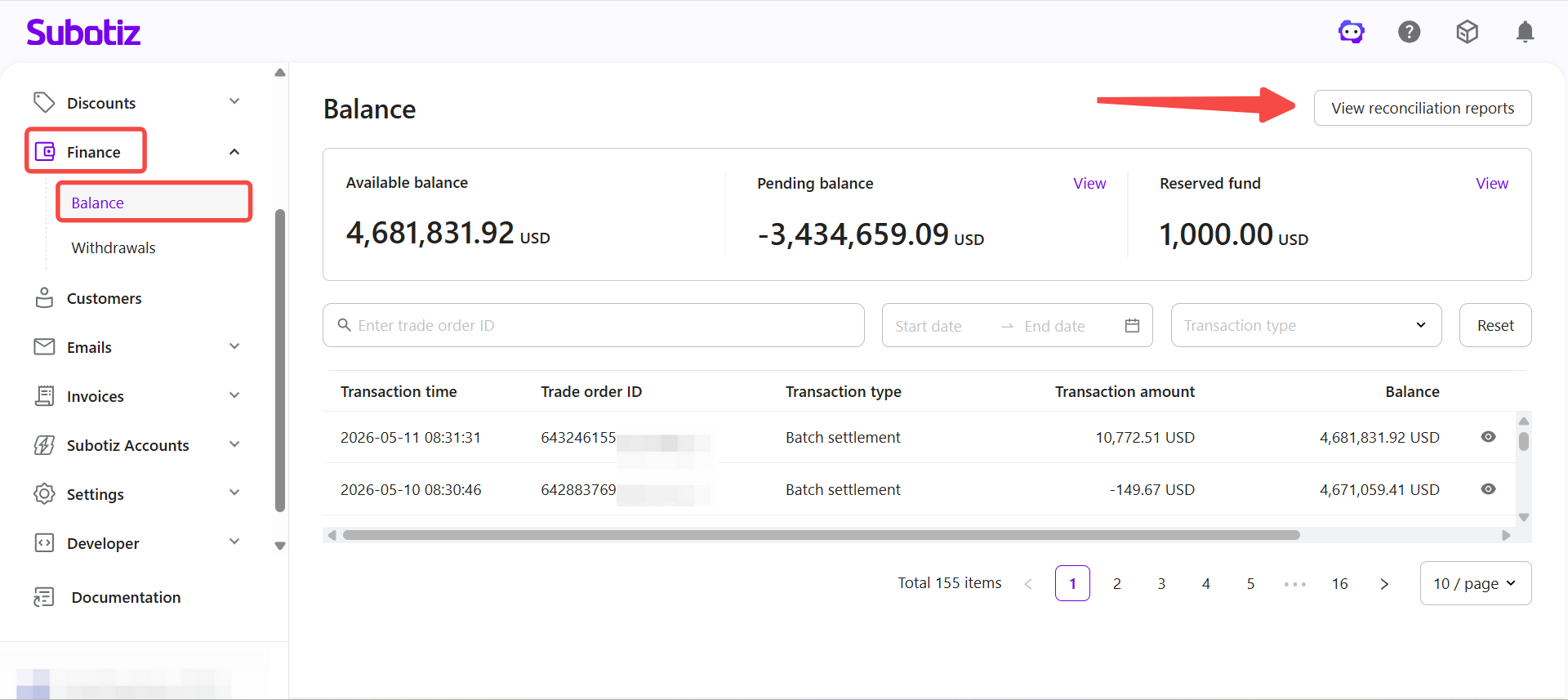
- Open the report page: Go to Finance > Balance, then click View reconciliation reports in the top right corner.
Filtering Report Data
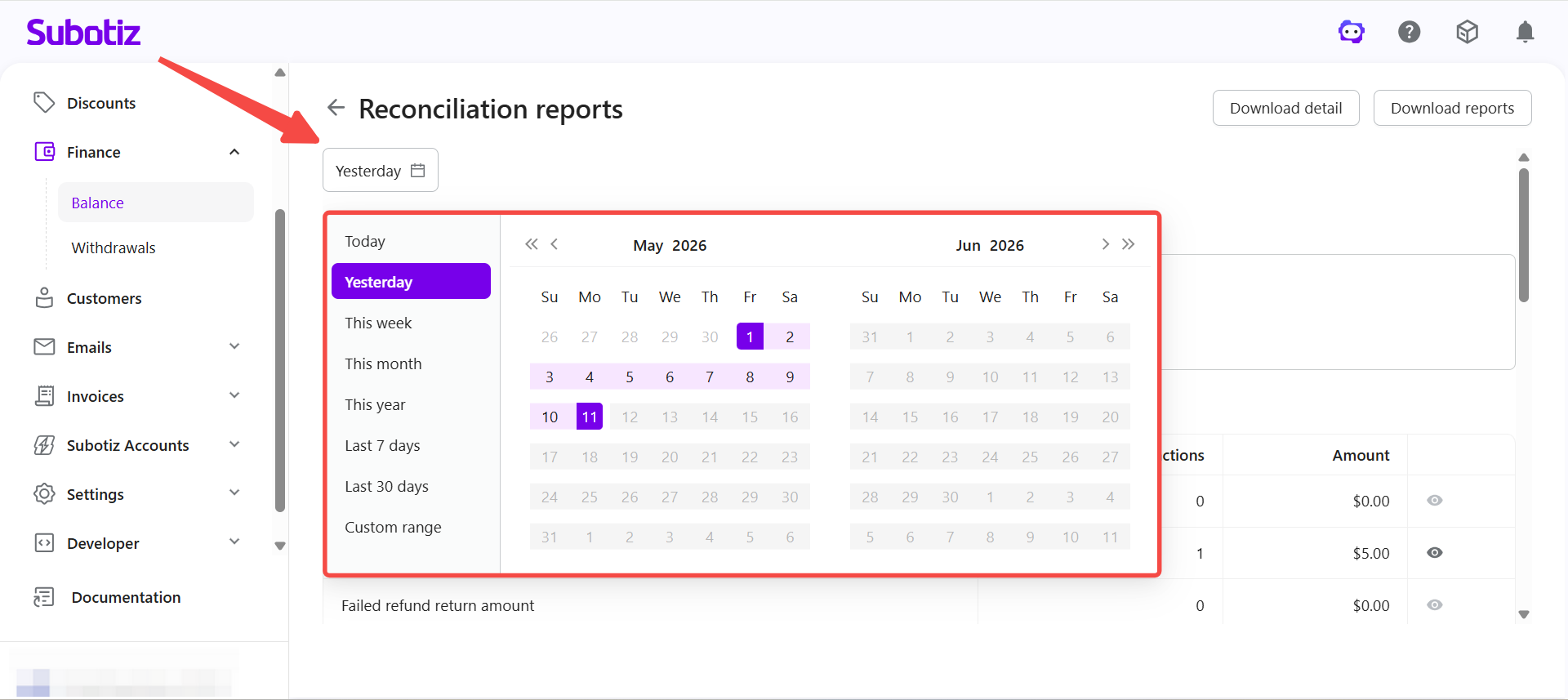
- Select a date range: Choose the time period at the top of the page. The report updates automatically based on the selected range.
Reviewing Report Data
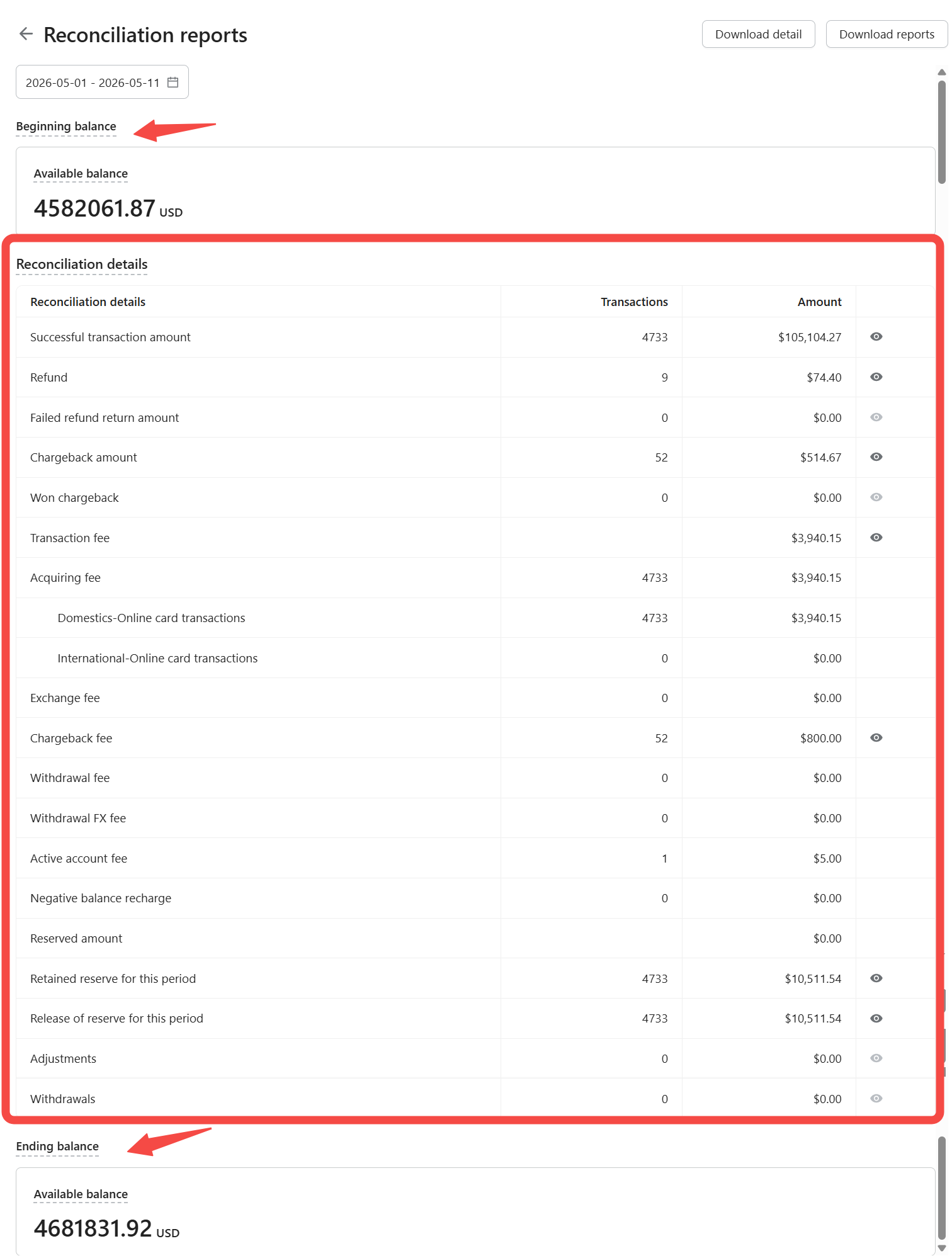
The report presents account activity for the selected period, organized into beginning balance, reconciliation details, and ending balance.
- Beginning balance: Available balance at the start of the selected period.
- Reconciliation details: All fund movements for the period, grouped by transaction type.
- Ending balance: Available balance at the end of the selected period.
Reconciliation Details Breakdown
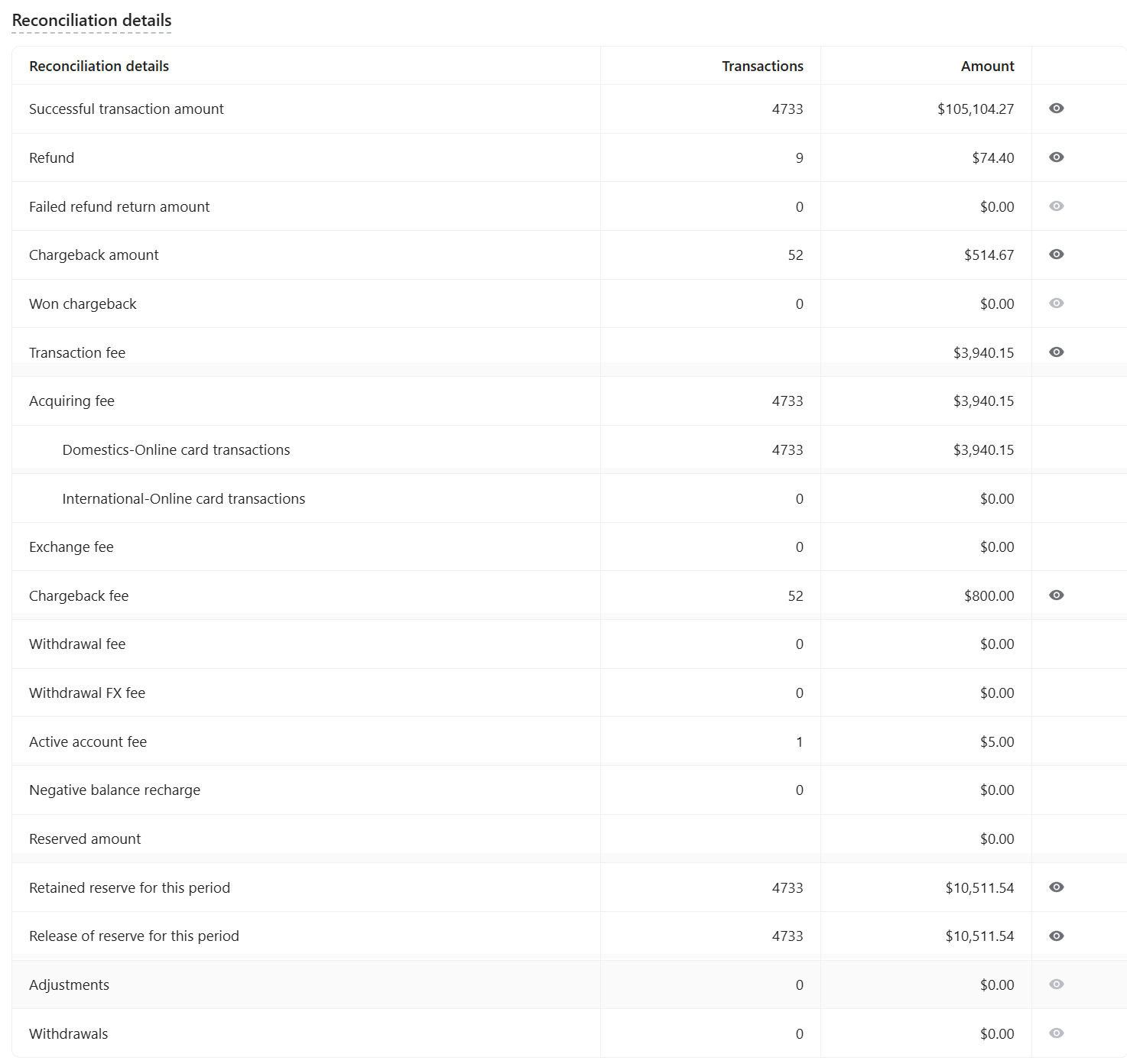
Reconciliation details are grouped by fund type. Each line shows transaction count and total amount. Line items with a view icon support a detail view.
- Successful transaction amount: Total value of completed payments within the period.
- Refund: Funds returned to customers.
- Failed refund return amount: Funds returned to the account after a failed refund.
- Chargeback amount: Total value of transactions under chargeback.
- Won chargeback: Total value of chargebacks resolved in the merchant's favor.
- Transaction fee: Total fees charged for the period, broken down by fee type:
- Acquiring fee: Fee applied to card transactions, split by domestic and international volume.
- Exchange fee: Fee applied during currency exchange.
- Chargeback fee: Fee charged per chargeback case.
- Withdrawal fee: Fee applied to payouts.
- Withdrawal FX fee: Fee applied during payout currency conversion.
- Active account fee: Platform service fee.
- Negative balance recharge: Amount applied to cover a negative balance.
- Reserved amount: Total reserve balance for the period, including:
- Retained reserve for this period: Reserve funds set aside during the period.
- Release of reserve for this period: Reserve funds released during the period.
- Adjustments: Manual or system-applied balance changes.
- Withdrawals: Funds transferred to the merchant's bank account.
Downloading Records and Reports
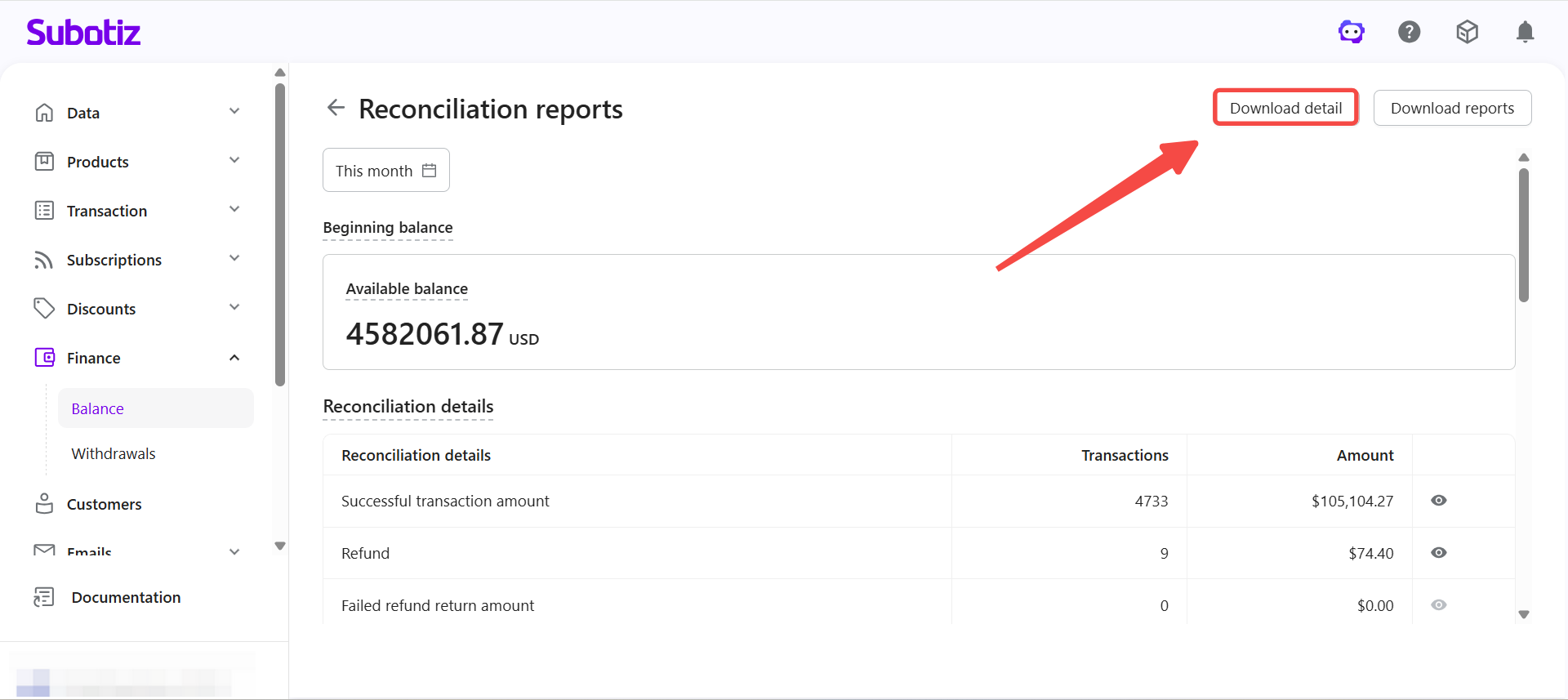
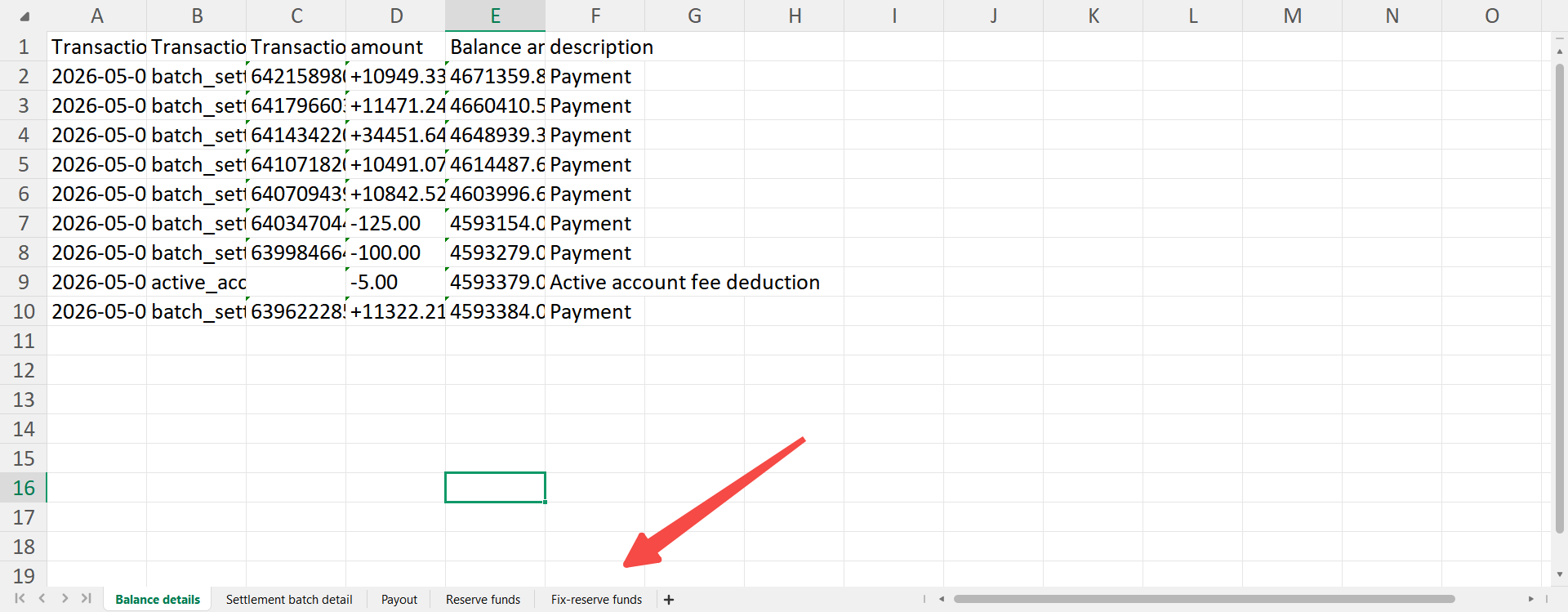
- Download detail: Transaction-level data for line-item reconciliation.
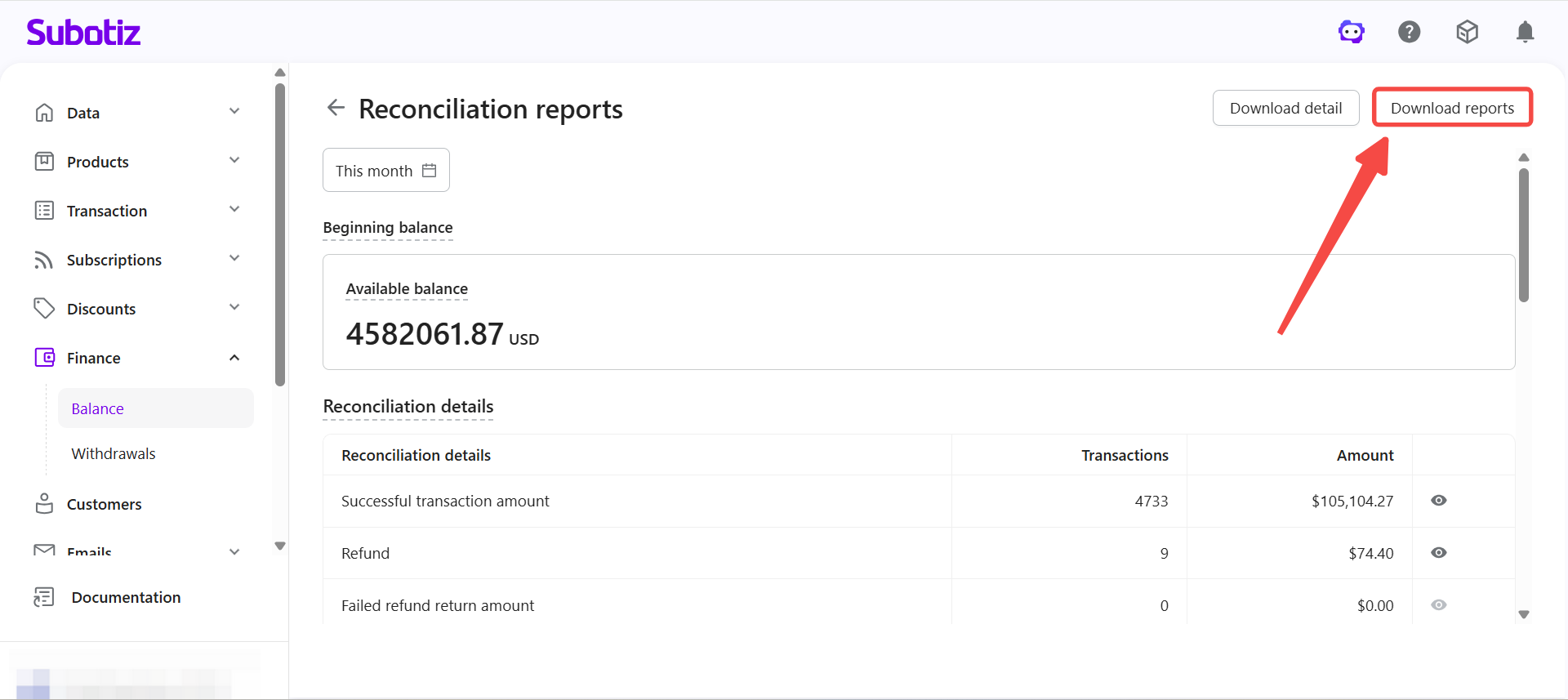
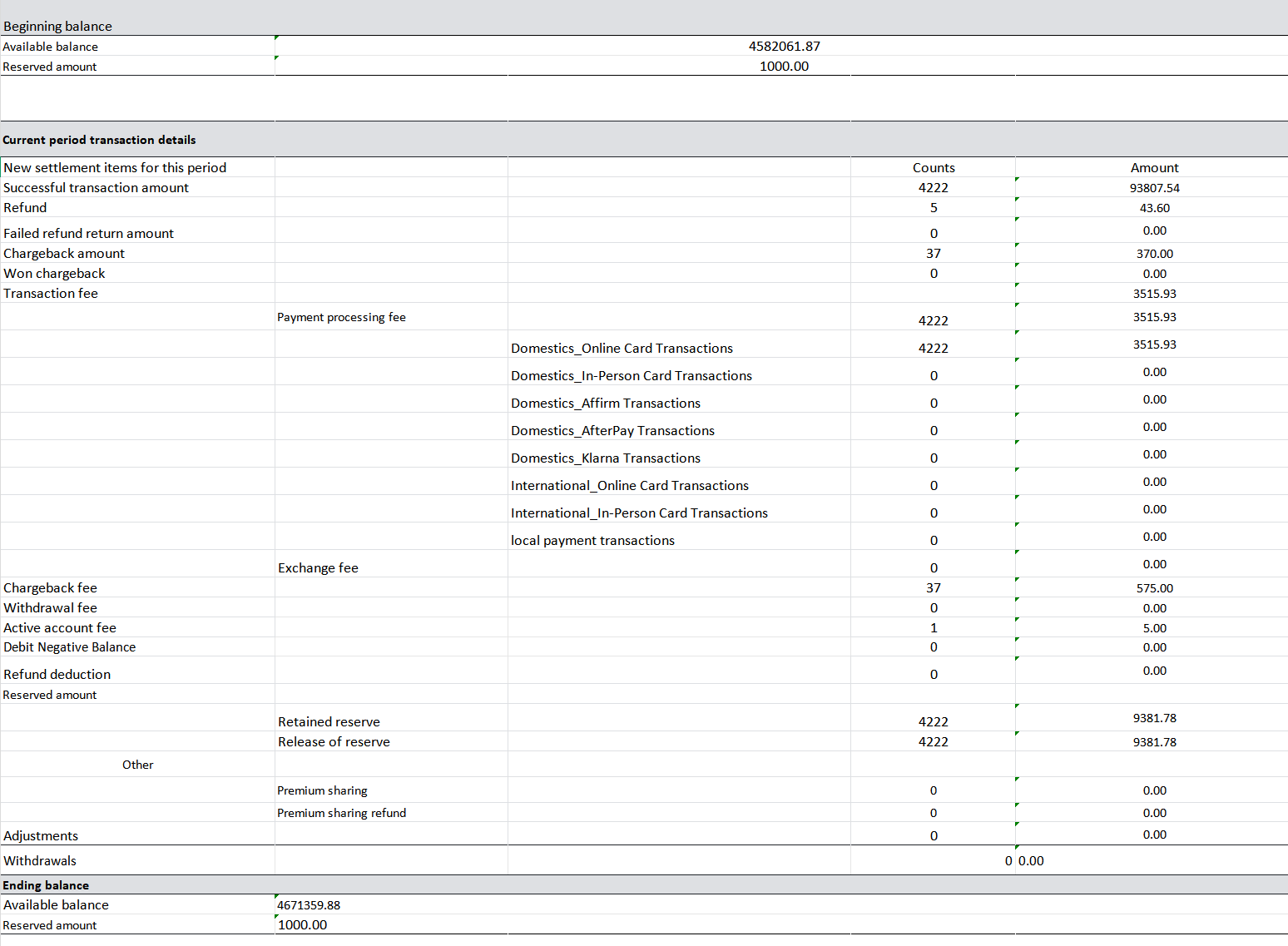
- Download reports: Aggregated data for financial reporting and analysis.
Choosing the Right File
- Download detail: Use for transaction-level checks, including fees and reserved amounts.
- Download reports: Use for period totals, financial summaries, and reporting.
Reconciling with the Report
- Match date range: Ensure the report period aligns with the reconciliation cycle.
- Verify totals: Cross-check transaction amounts, fees, and refunds.
- Investigate discrepancies: Use Download detail to trace individual transactions.
The Reconciliation reports page summarizes account fund data by date range and supports exporting via Download detail and Download reports. Detailed records provide a transaction-by-transaction breakdown; summary reports provide period totals. Both can be used together for complete financial reconciliation.