The Product Pricing feature in Subotiz allows you to create a package pricing subscription plan based on predefined quantities, usage, or bundled content. This setup enables flexible subscription billing while maintaining automated recurring charges.
It is ideal for products that include a fixed amount of usage per billing cycle, such as course bundles, download limits, or credit-based services. This model provides clear value to customers and ensures predictable billing.
Creating a Package Recurring Plan
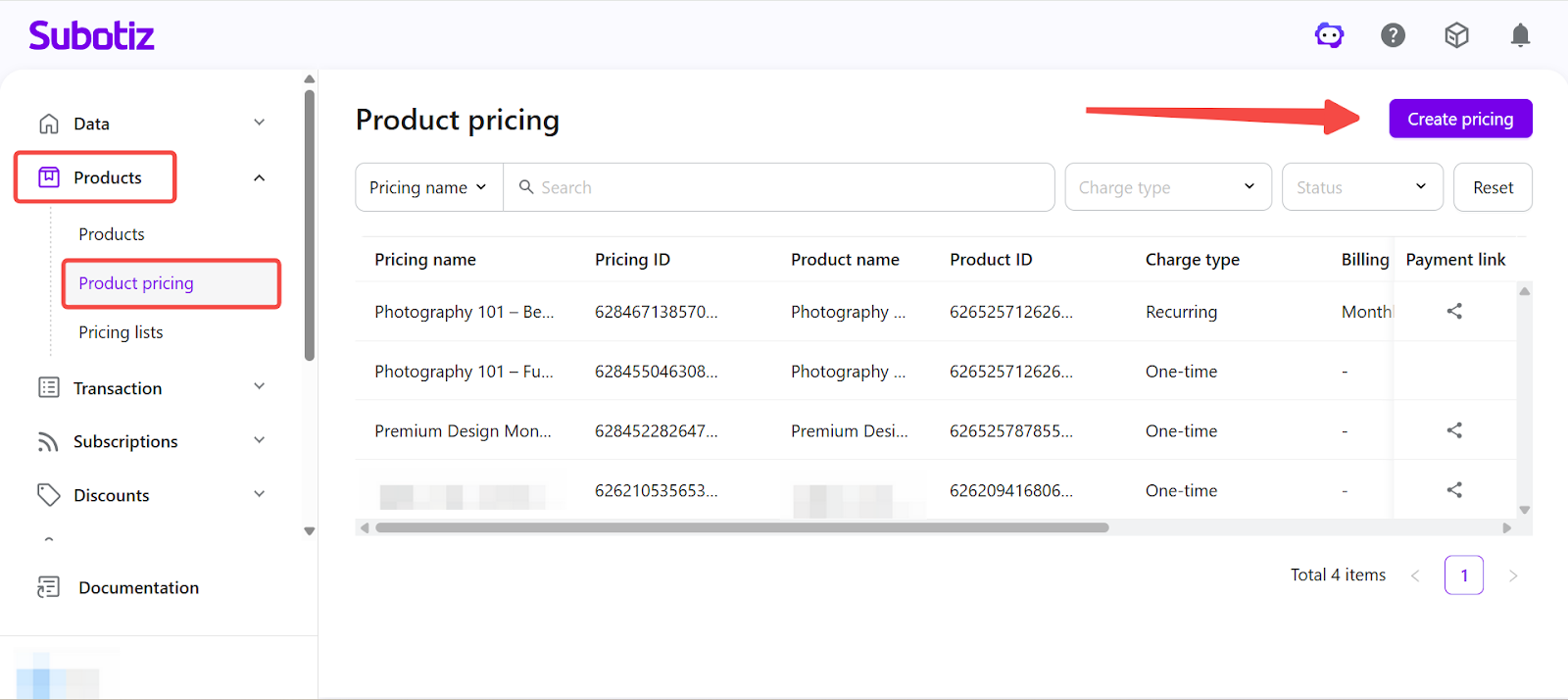
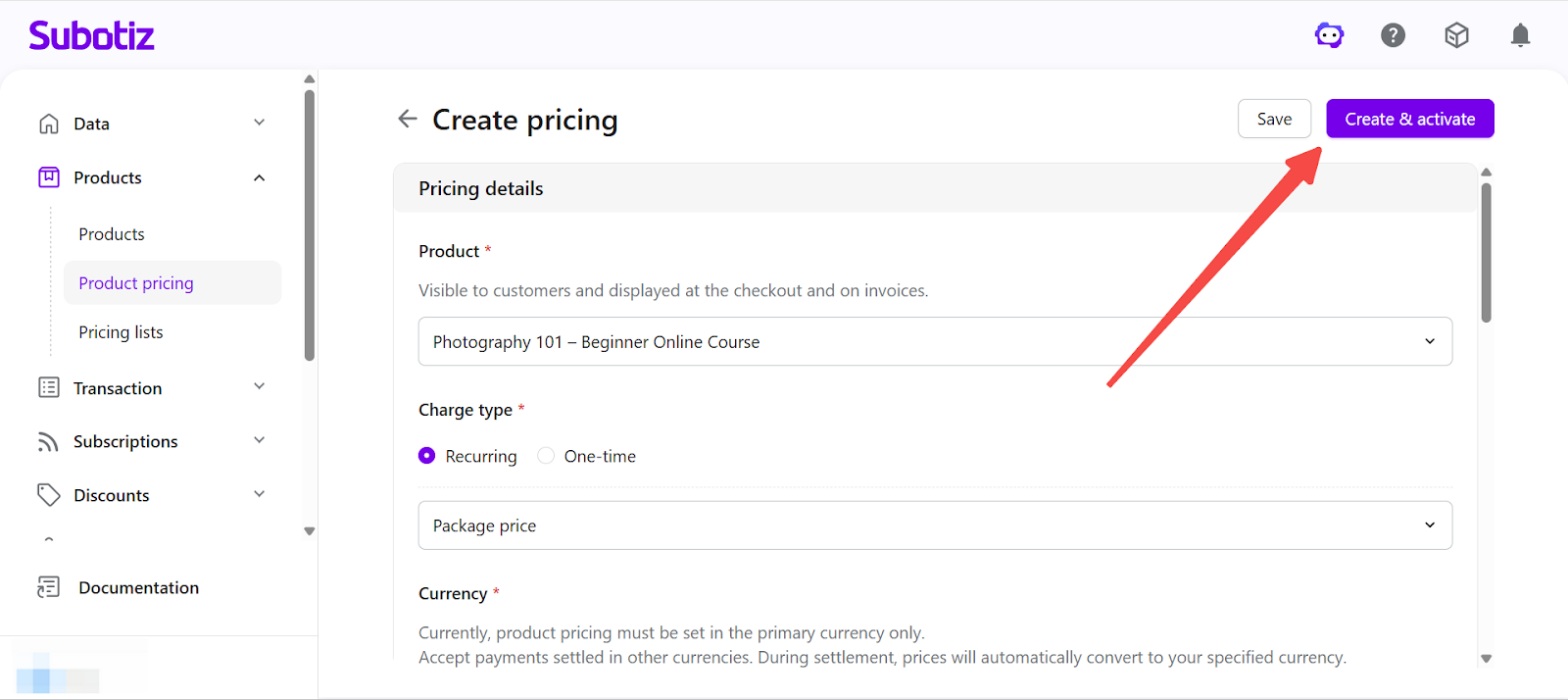
- Open the setup page: Go to Products > Product Pricing in the Subotiz admin and click Create Pricing.
-
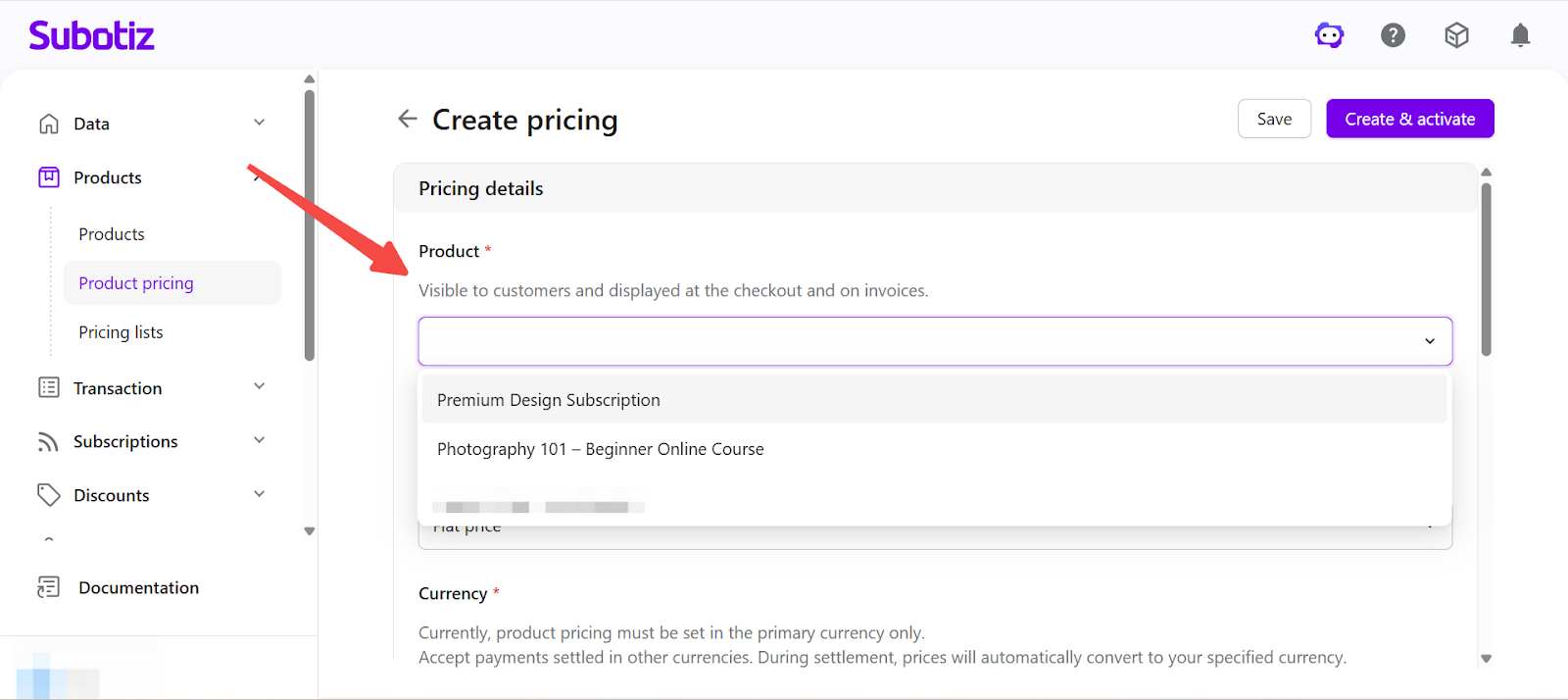
Select a product: Choose a product from the Product dropdown. Both active and inactive products are supported.
- Example: Photography 101 – Beginner Online Course
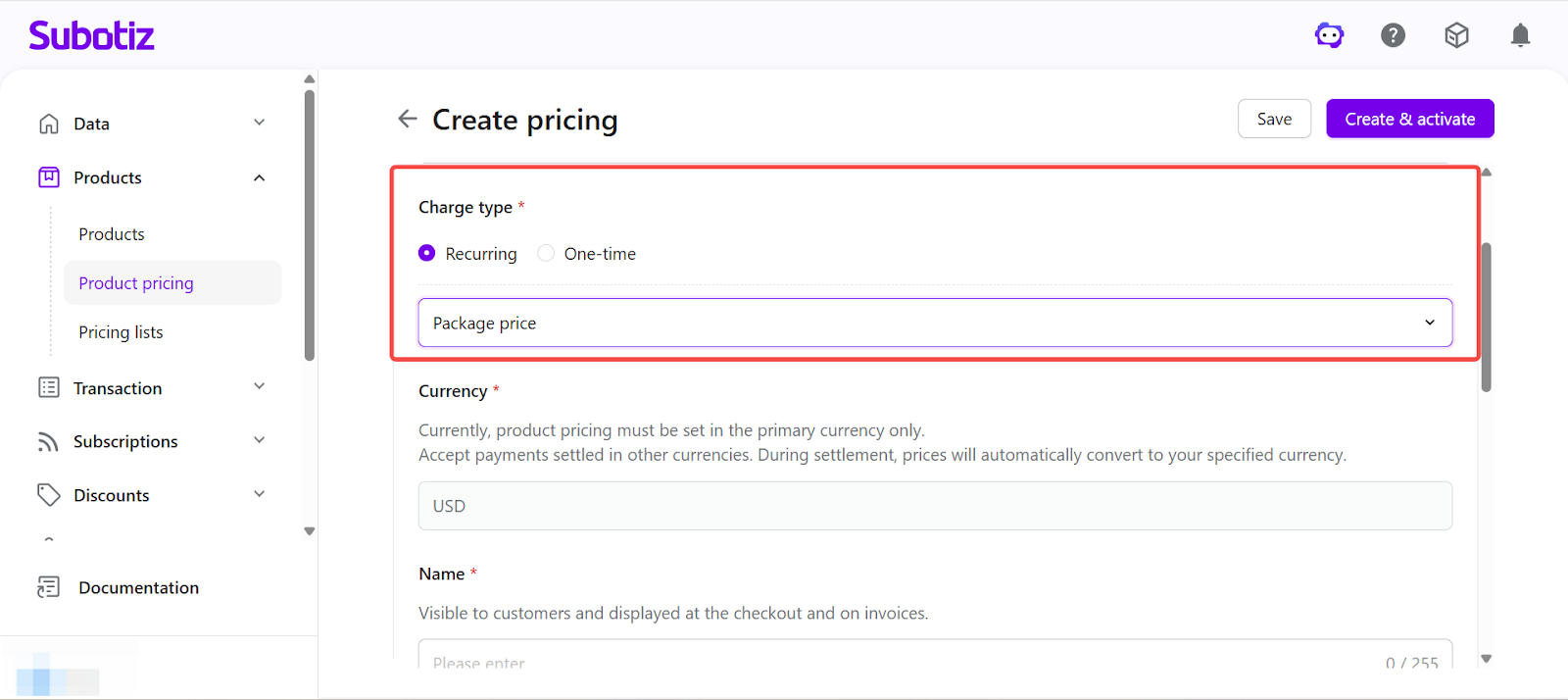
- Set charge type: In Charge type, select Recurring subscription and choose Package price.
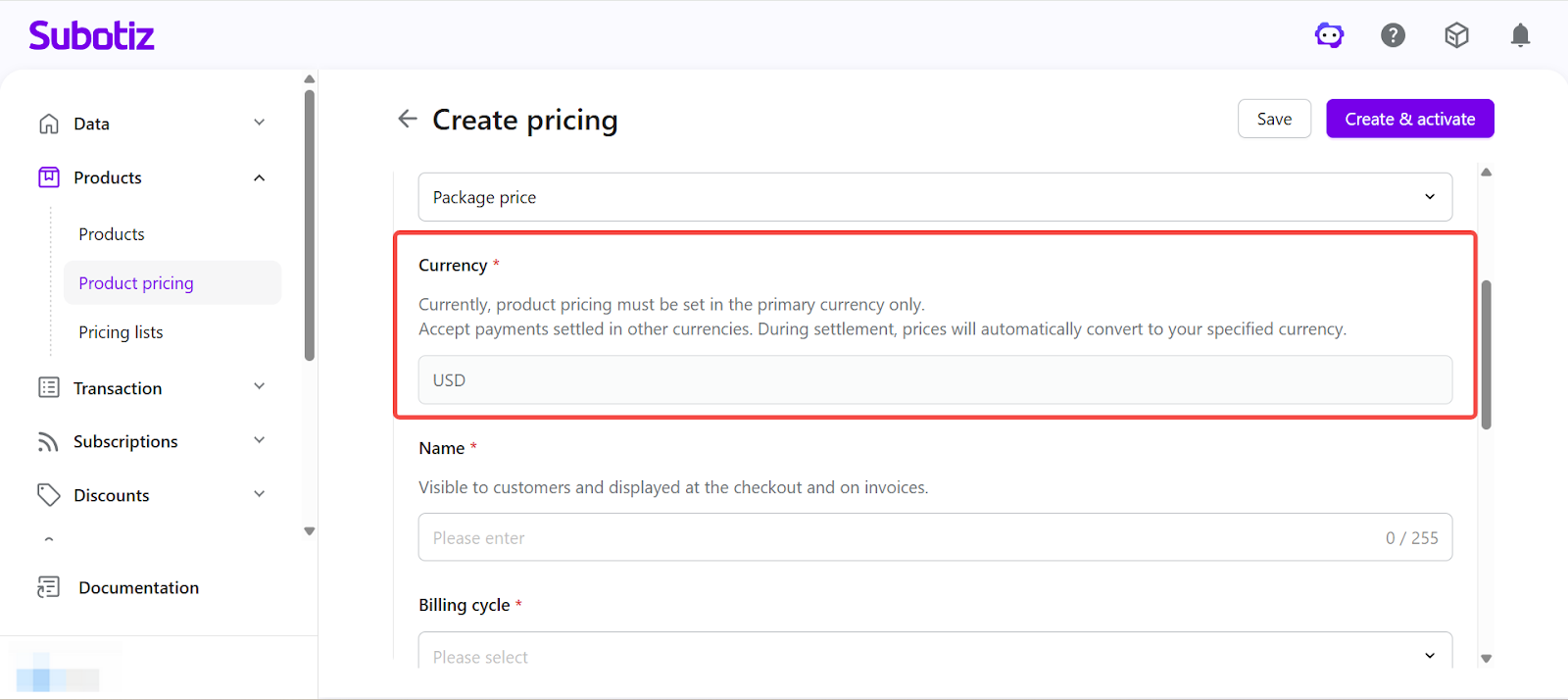
- Set currency: The system uses your store settlement currency by default. To accept payments in other currencies, specify the currency during checkout. Currency conversion is applied at checkout based on either a configured or real-time exchange rate. Learn more about Multi-Currency Payments and Settlement.
-
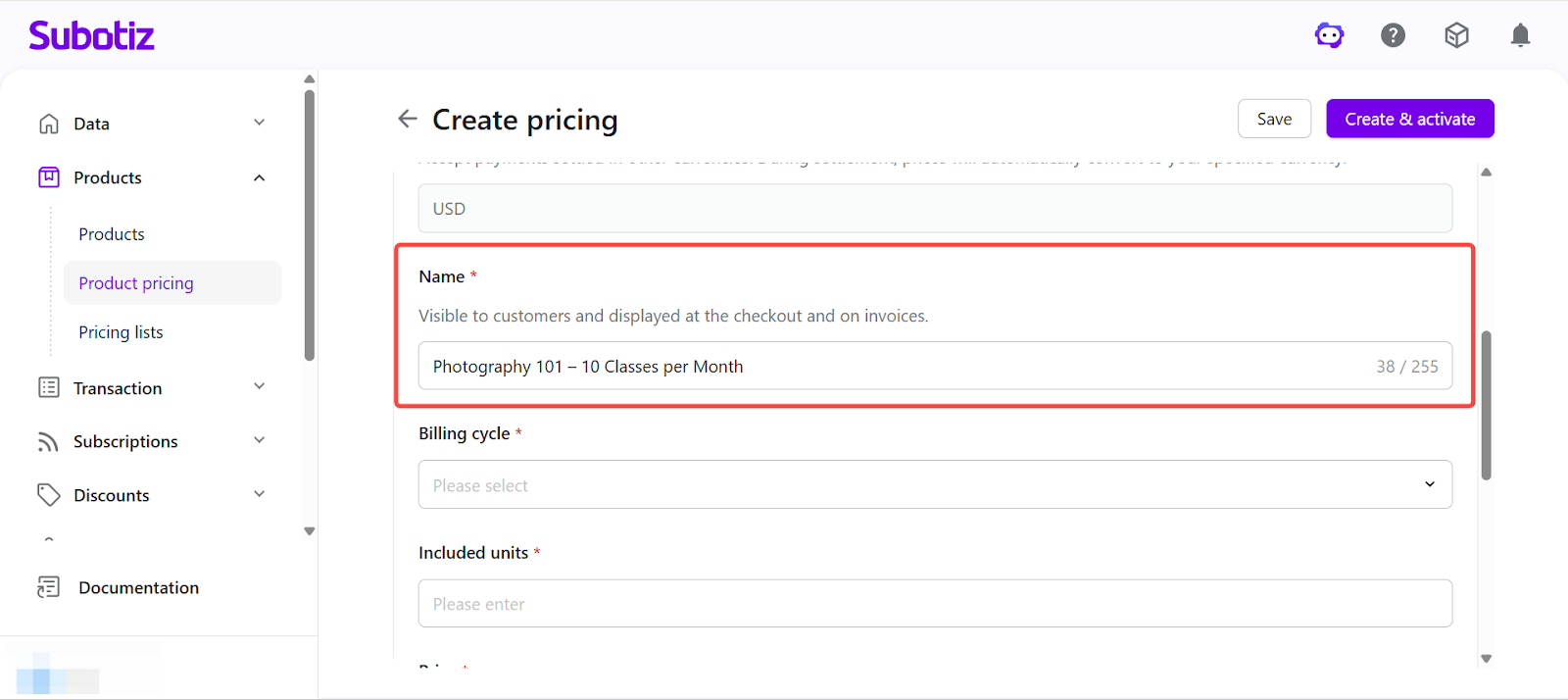
Enter pricing name: Provide a name that will be displayed on the checkout page and invoices.
- Example: Photography 101 – 10 Classes per Month
-
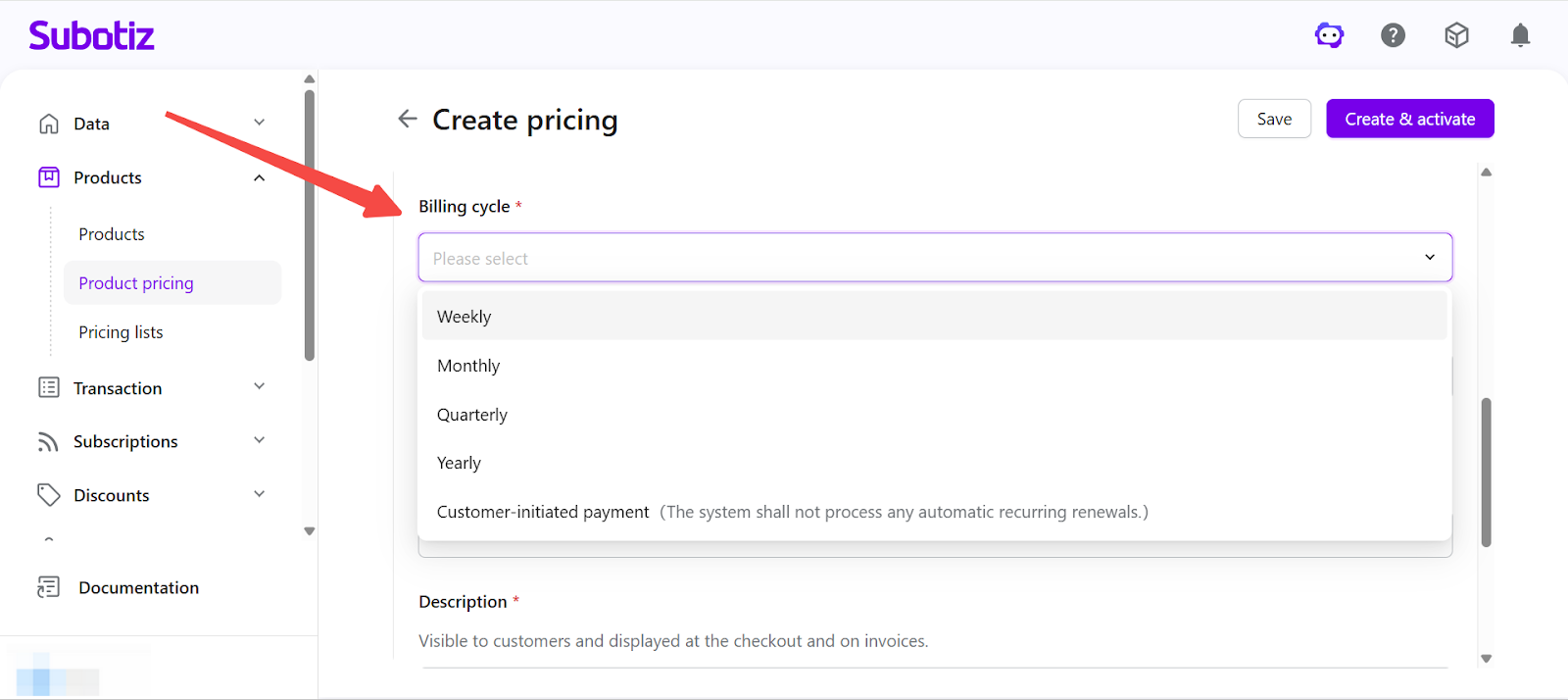
Set billing cycle: Select a billing cycle in Billing cycle. Charges are processed automatically based on the selected interval. Supported billing cycles include weekly, monthly, quarterly, and yearly.You can also select Customer-initiated payment to disable automatic renewal and allow customers to renew manually.
-
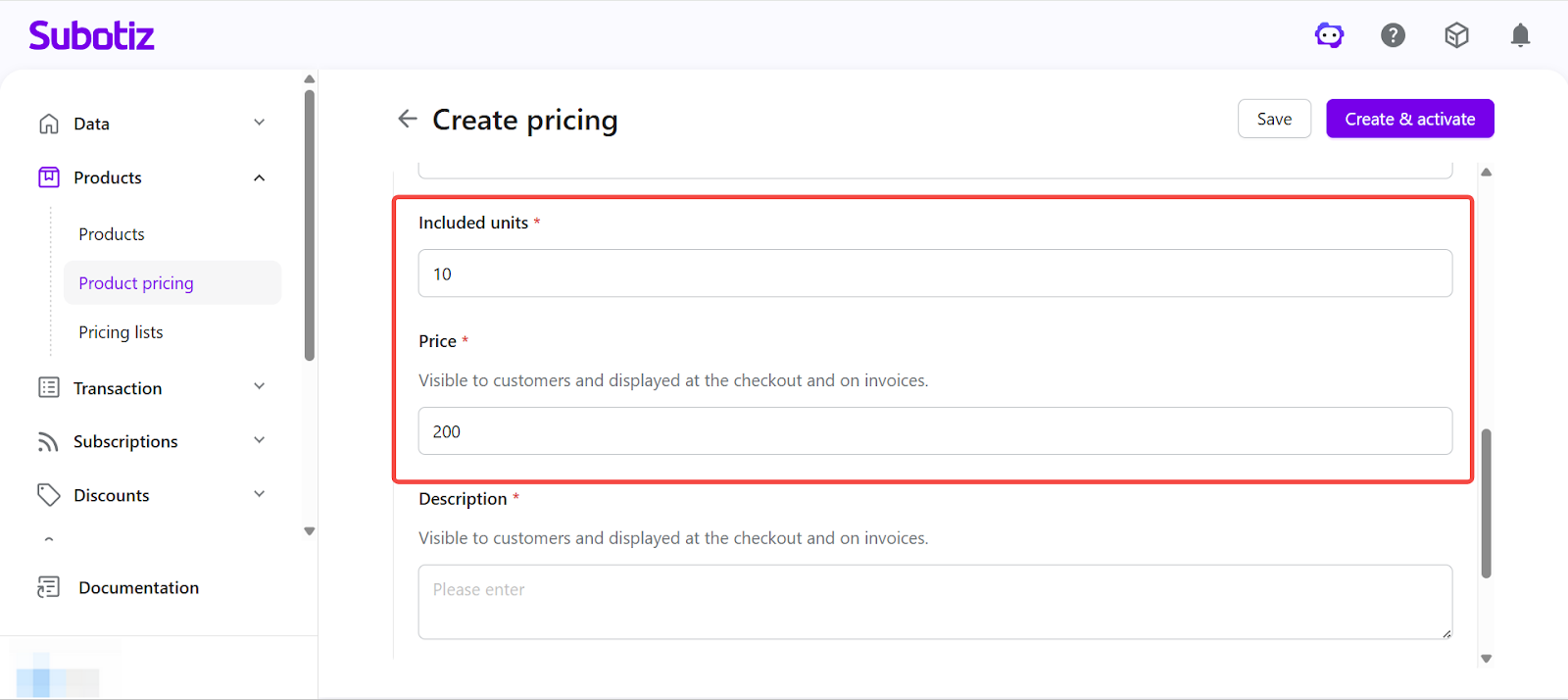
Set package units and price:
- Included units: Enter the usage amount per cycle, such as number of classes, downloads, or credits
- Price: Set the charge amount per billing cycle
Example: 10 classes per month for $200
-
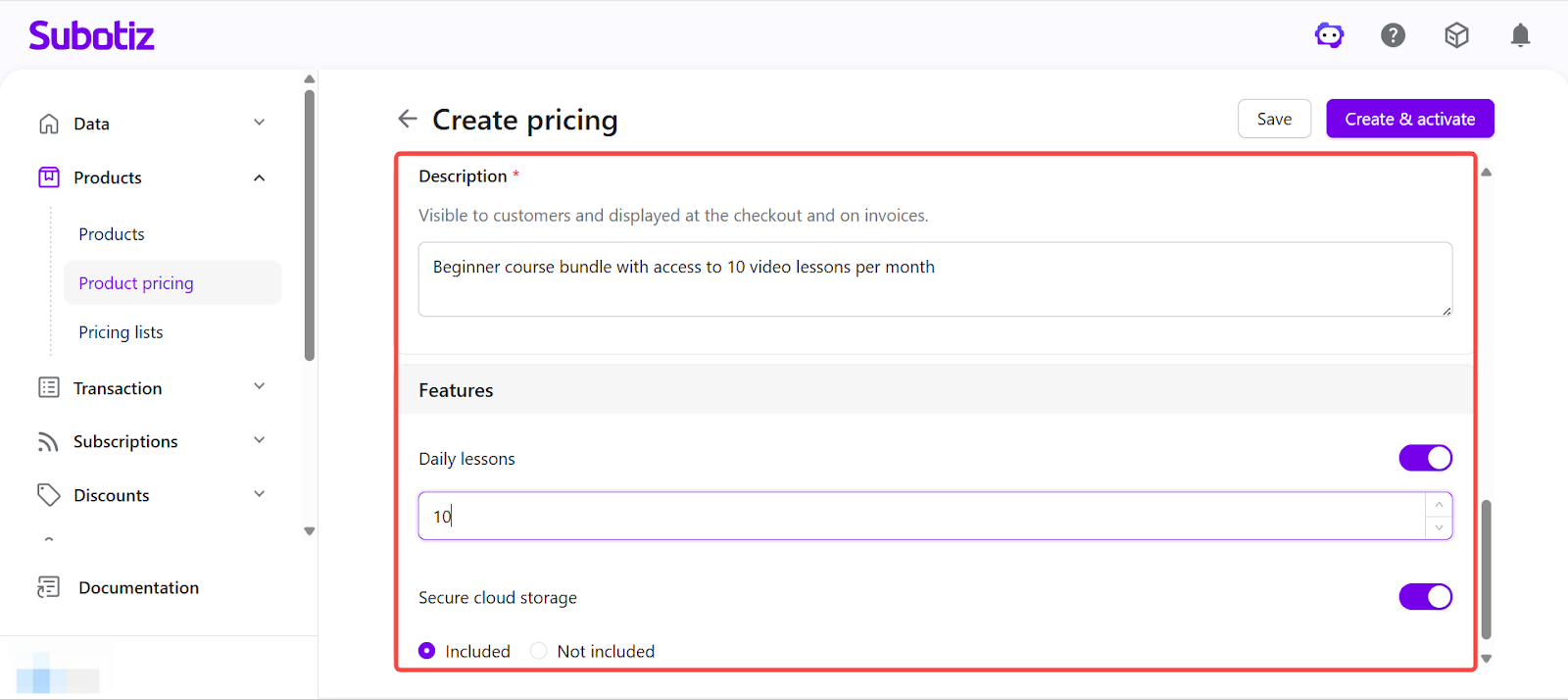
Enter description and configure Feature settings:
- Description: Provide details shown on the checkout page to explain what is included. Example: Beginner course bundle with access to 10 video lessons per month
-
Feature settings:
- For quantity-based features, define the usage limit.
- For option-based features, select whether the feature is included.
-
Save or activate: Choose how to finalize the pricing plan.
- Click Save to create the plan in an inactive state for further editing.
- Click Create and activate to make the plan immediately available for checkout.
- If the selected product is inactive, confirm the prompt to activate both the product and pricing.
Activation and Editing
- Activate a pricing plan: Click Create and activate to make the plan available immediately.
- Activate an existing inactive plan: Open the pricing detail page and go to Actions > Activate.
- Edit pricing: Open the pricing detail page to update configuration for both active and inactive plans.
- Versioning behavior: Updating pricing after transactions or subscriptions creates a new version. Historical data remains unchanged, and updates apply only to new orders.
- Manage lifecycle: Activate or deactivate pricing as needed. A confirmation prompt appears before deactivation.
Checkout Display
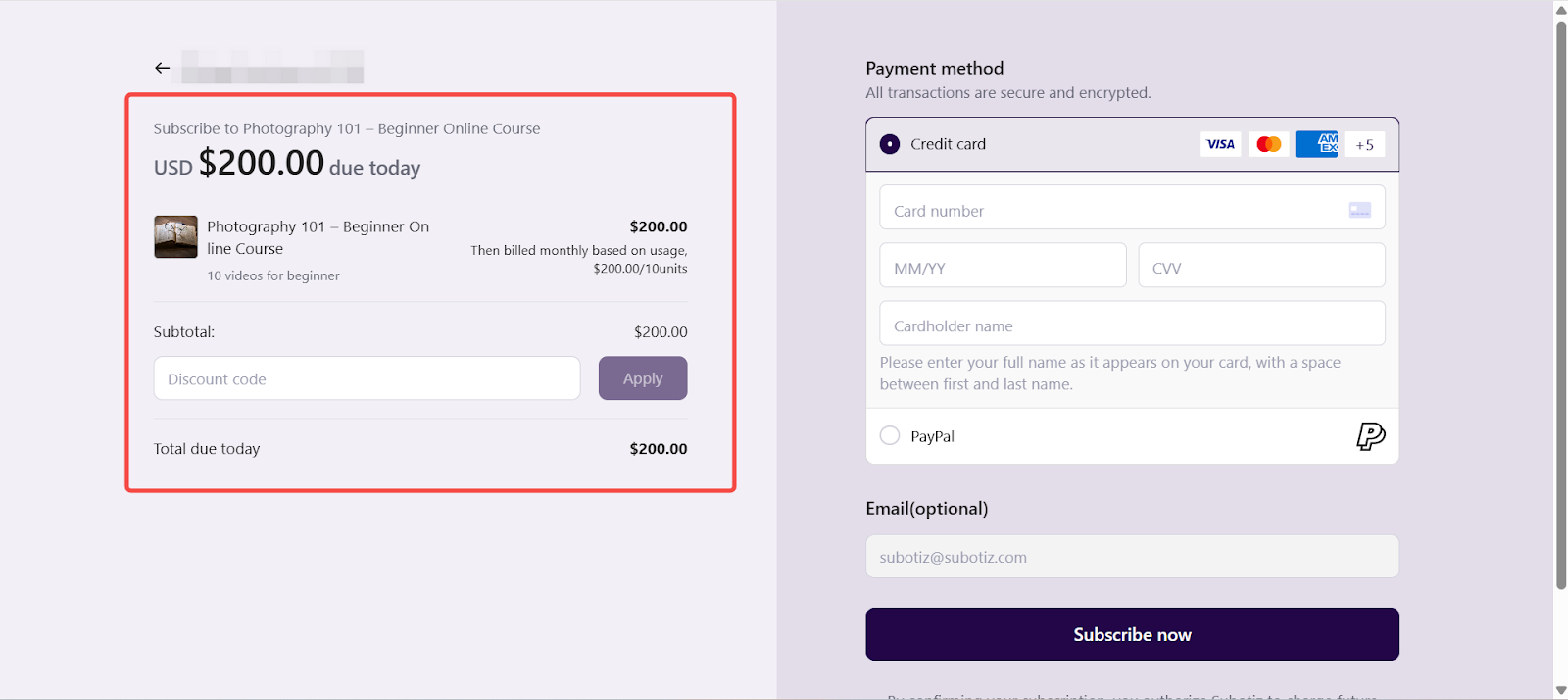
On the checkout page, the system displays key product and subscription details, including the product name, description, billing cycle, included quantity (such as number of uses, downloads, or credits), and the amount to be charged.
For package-based subscriptions, the page displays the included quantity per billing cycle, helping customers understand what is included in each period.
Checkout Behavior
Once a subscription is created, the system automatically processes billing according to the configured pricing rules:
- Package allocation: At the start of each billing cycle, the defined quantity (such as usage credits, downloads, or sessions) is allocated to the customer.
- Billing cycle: Charges are automatically processed based on the selected billing interval (such as weekly, monthly, or yearly).
- Automatic renewal: The subscription renews automatically at the end of each billing cycle unless canceled.
- Customer-initiated plans (if enabled): If customer-initiated payment is selected, no automatic renewal occurs and customers must manually initiate each payment.
This ensures that billing and entitlements remain consistent with the configured rules and stay aligned with the information shown on the checkout page.
A package pricing subscription plan is ideal for products billed based on included usage or bundled value. By defining quantity and feature access within each billing cycle, you can create clear pricing structures, improve customer understanding, and optimize both conversion and retention.