The Products feature in Subotiz allows merchants to create and manage products and their associated prices, helping organize product offerings and billing structures. Each product can have one or more prices, and the product detail page provides a centralized view of product information, prices, and status.
Understanding Products and Pricing
A product represents an item or service a merchant sells, such as a SaaS service, software, digital content, or an online service. The product defines what is being sold, while its associated prices define how customers are charged, including the amount, billing type, and billing cycle.
In Subotiz:
- Every price must be associated with a product.
- A product can have multiple prices.
- The product detail page displays product information and all associated prices in one place.
- Each price can have its own amount, billing type, billing cycle, and status.
For example, a merchant can create AI Image Generation Service as a product and add separate prices, such as $29/month and $290/year. Both prices are associated with the same product, so there is no need to create a separate product for each billing option.
Viewing the Products Page
-
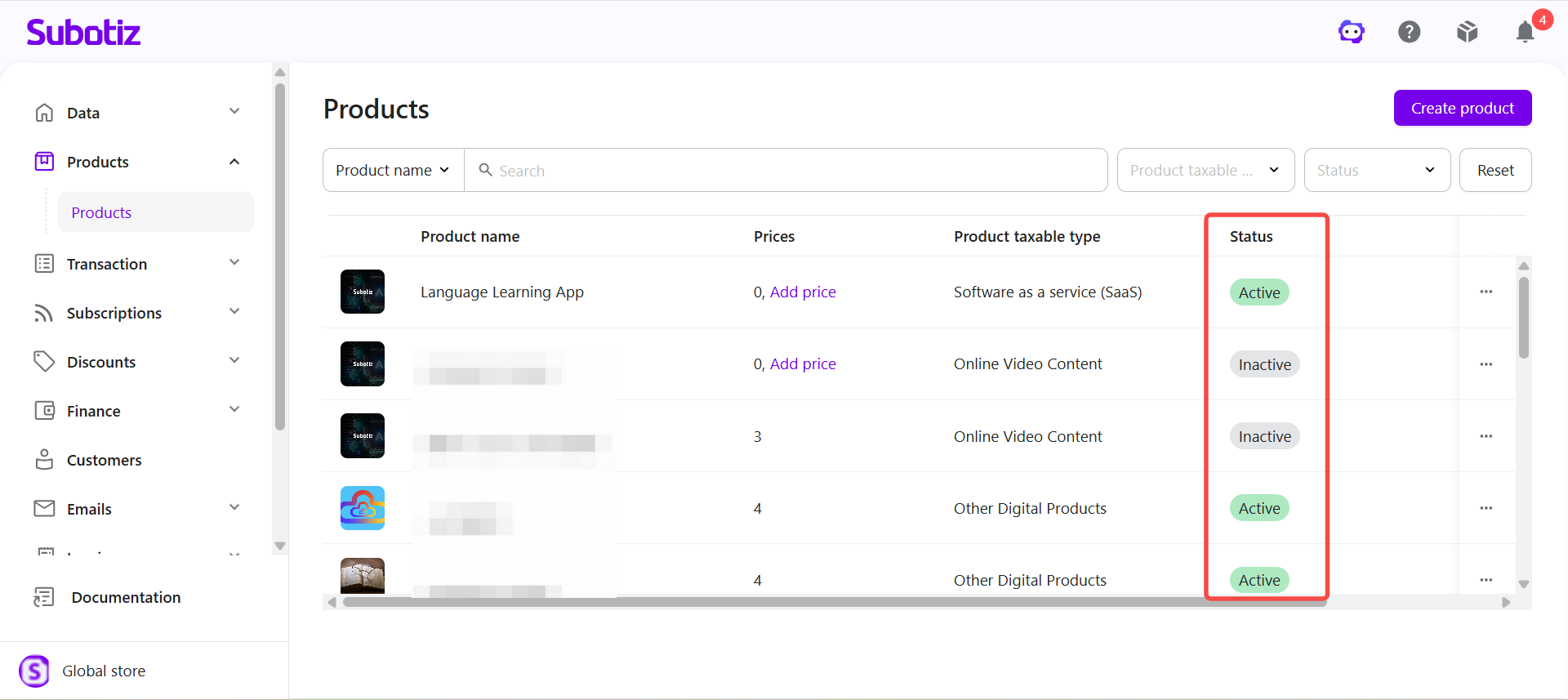
Open Products: Log in to the Subotiz dashboard and go to Products > Products. The product list includes the following information:
- Product name: The product name and associated image.
- Prices: The number of prices created for the product. If no price has been created, click Add price to create one.
- Product taxable type: The product category used to determine the applicable tax rate when tax applies.
- Status: The current product status, including Active and Inactive.
- Created at: The date and time the product was created.
Merchants can also search by Product name or Product ID and filter products by Product taxable type or Status.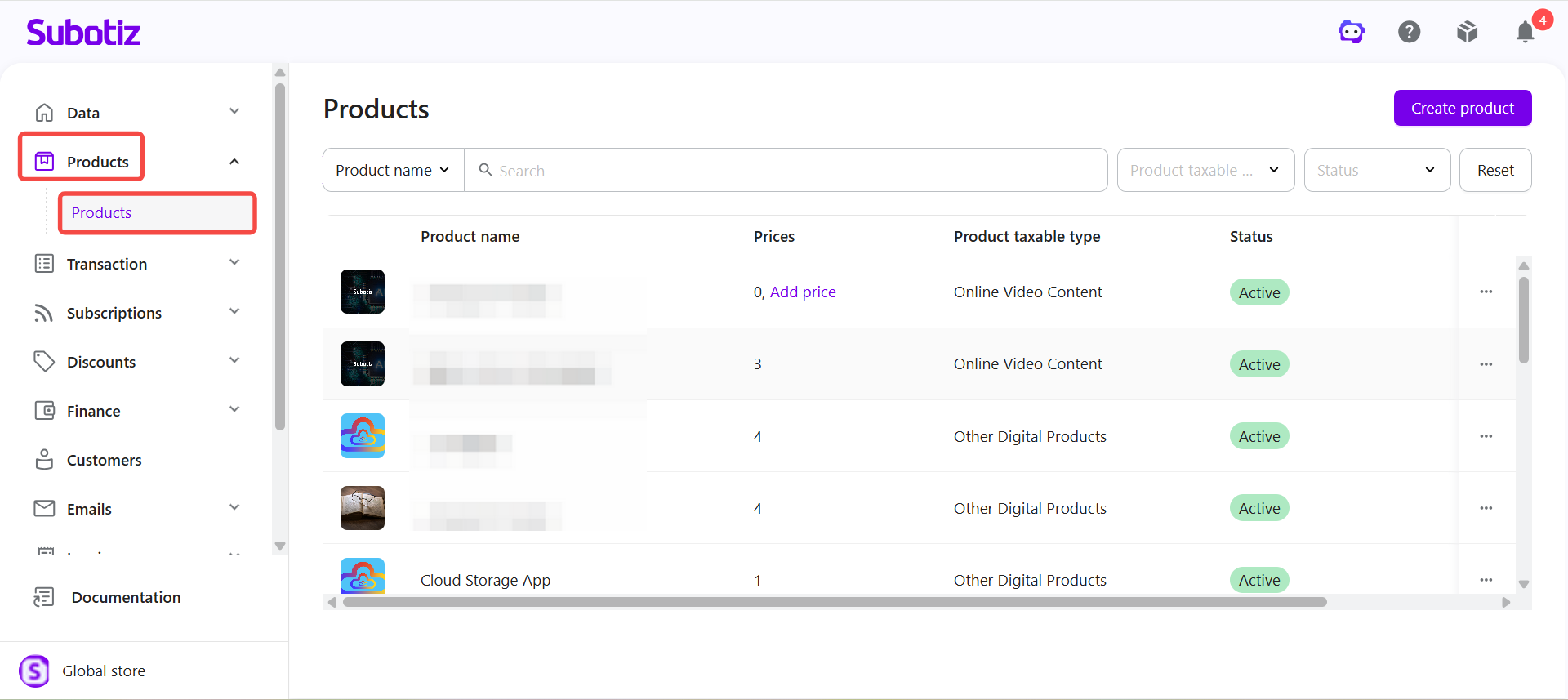
Viewing a Product and Its Associated Prices
-
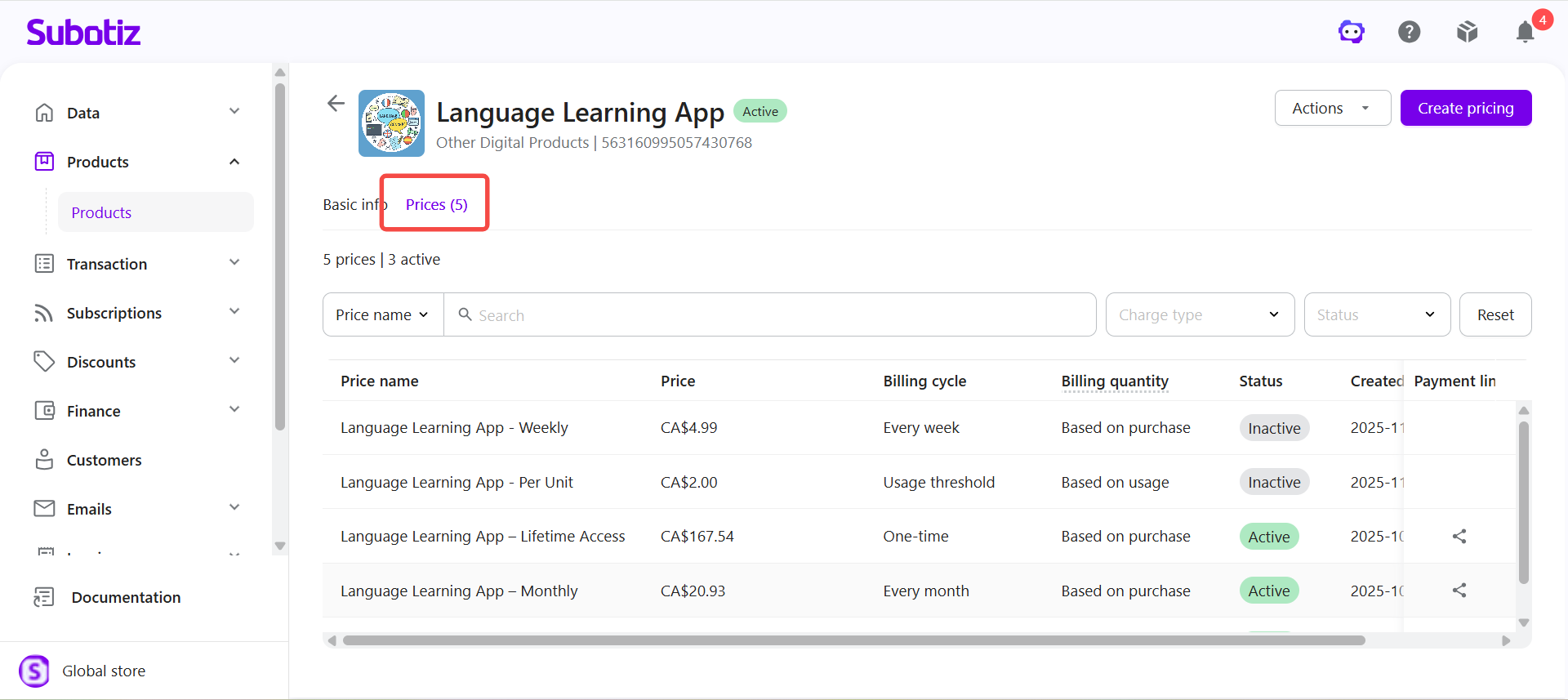
Open a product: On the Products page, click the product you want to view. The product detail page opens on the Prices tab, where you can view all prices associated with the product. The tab shows the total number of prices, such as Prices (5). The price list includes Price name, Price, Billing cycle, Billing quantity, Status, Created at, and Payment link. You can also search and filter prices from this page.
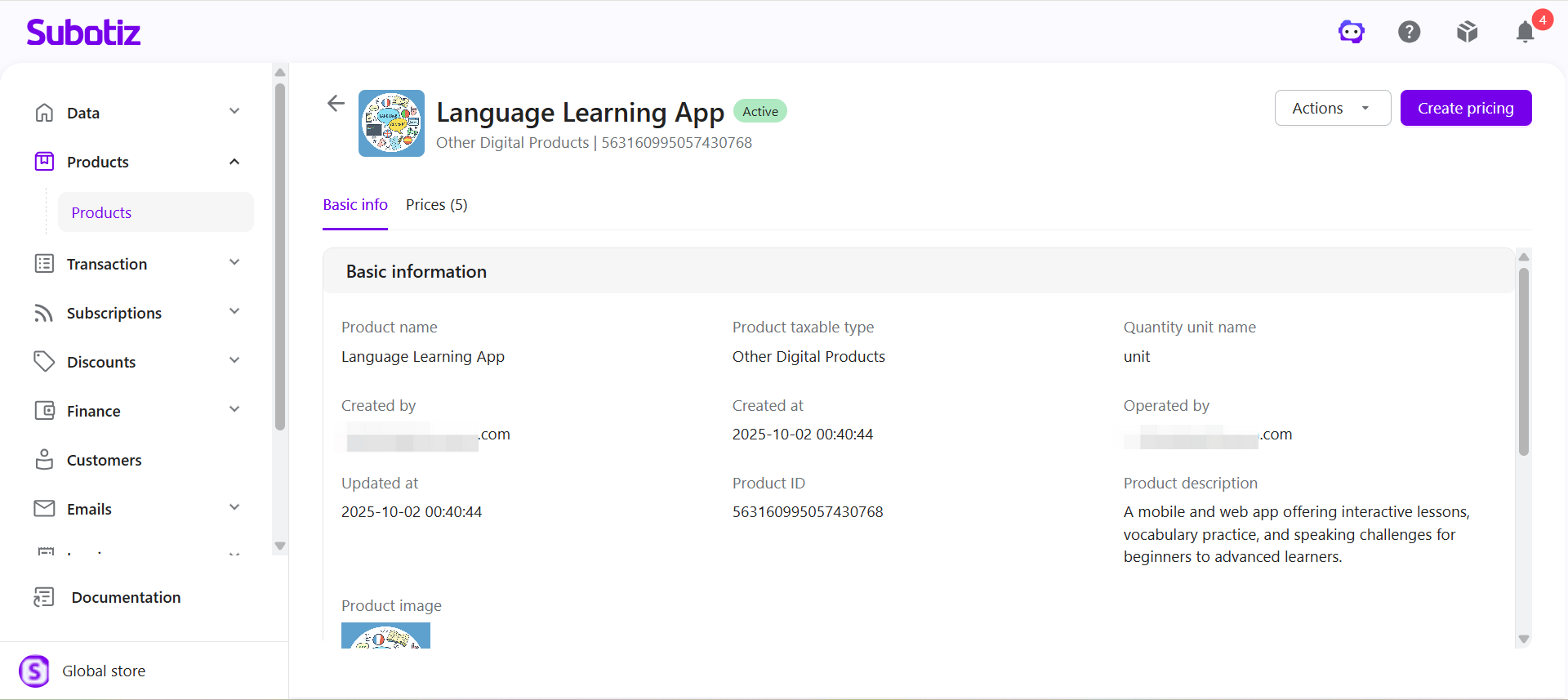
- View product information: Click the Basic info tab to view the product's basic information and features.
Product Information
A product contains the following information:
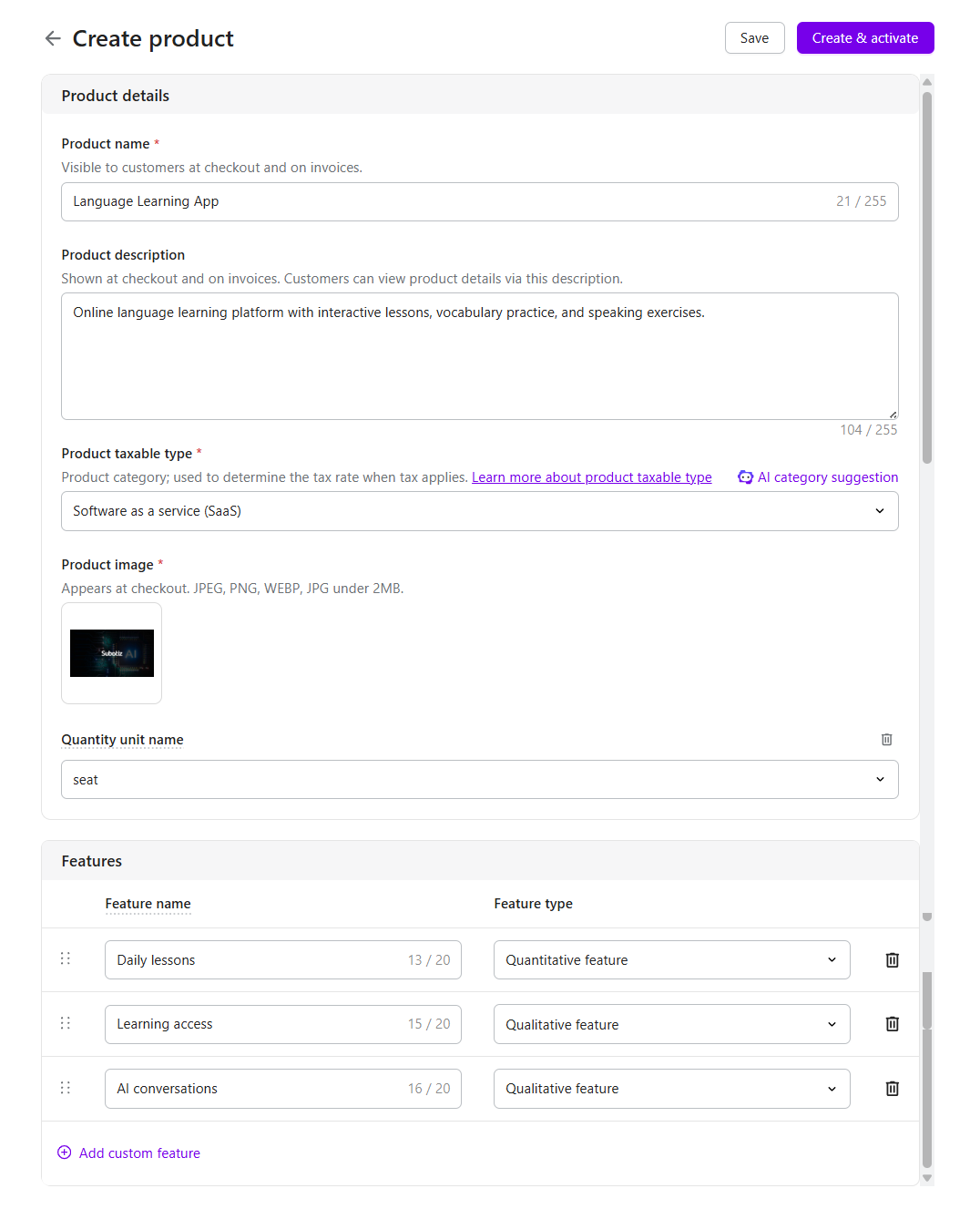
- Product name: The customer-facing product name displayed at checkout and on invoices.
- Product description: Describes the product or service and is displayed to customers at checkout and on invoices.
- Product taxable type: Defines the product category used to determine the applicable tax rate when tax applies.
- Product image: The product image displayed at checkout.
- Quantity unit name: Defines the unit used to measure product quantity, such as unit, seat, token, call, image, GB, or credit. Merchants can also define a custom unit name based on their business needs.
- Features: Defines what customers receive with the product. Features can be configured as Quantitative feature or Qualitative feature.
Subotiz automatically generates a unique Product ID for each product.
Product Status
Product status indicates whether a product is currently enabled:
- Active: The product is enabled. Active prices associated with the product can be used for new sales and checkout flows.
- Inactive: The product is disabled and cannot be used for new sales or checkout flows.
Merchants can activate or deactivate a product as needed. Deactivating a product also deactivates all prices associated with that product.
For details about product status and related management actions, see Products|Managing Products.
Product and Price Status
Products and prices have separate statuses. A price can be used for new sales and checkout flows only when both the product and the associated price are Active.
Product Status |
Price Status |
Available for New Sales and Checkout |
Description |
|---|---|---|---|
Active |
Active |
✓ |
The product and associated price can be used for new sales and checkout flows. |
Active |
Inactive |
✕ |
The price cannot be used for new sales or checkout flows. |
Inactive |
Inactive |
✕ |
Deactivating the product also deactivates its associated prices. |
Note: Deactivating a product or price does not delete historical transaction data or affect existing subscriptions. Existing subscriptions continue to renew based on their original configuration.
Updating Products and Prices
Products and prices can be updated after they are created. Updates do not overwrite the original product or price information used by existing transactions and subscriptions. The updated configuration applies to new transactions and subscriptions created after the update.
- Existing transactions: Updating a product or price does not overwrite the product or price information recorded in existing transactions.
- Existing subscriptions: Updating a product or price does not change the configuration currently used by existing subscriptions. Existing subscriptions continue to renew based on their original configuration.
- New transactions and subscriptions: Updated product or price configurations apply to transactions and subscriptions created after the update.
- Historical information: To view the product and price information used by an existing transaction or subscription, open the corresponding transaction or subscription record.
For details about how product and price updates affect existing transactions, subscriptions, and future use, see Products|Product and Pricing Update Behavior.
Products and prices form the foundation of billing configuration in Subotiz. Merchants can configure multiple prices for the same product to support different billing options while managing product information and associated prices from one centralized location.