This article explains how authorized partners utilize the Partner Platform to manage payment services under their brand. Learn to efficiently oversee merchant accounts, configure commission deposit accounts, customize checkout flows, and monitor transactions—all within a unified interface. Master these core administrative functions to optimize onboarding, mitigate risk, and maintain seamless payment operations. Gain full command of your white-label ecosystem through this centralized control hub.
Managing merchants
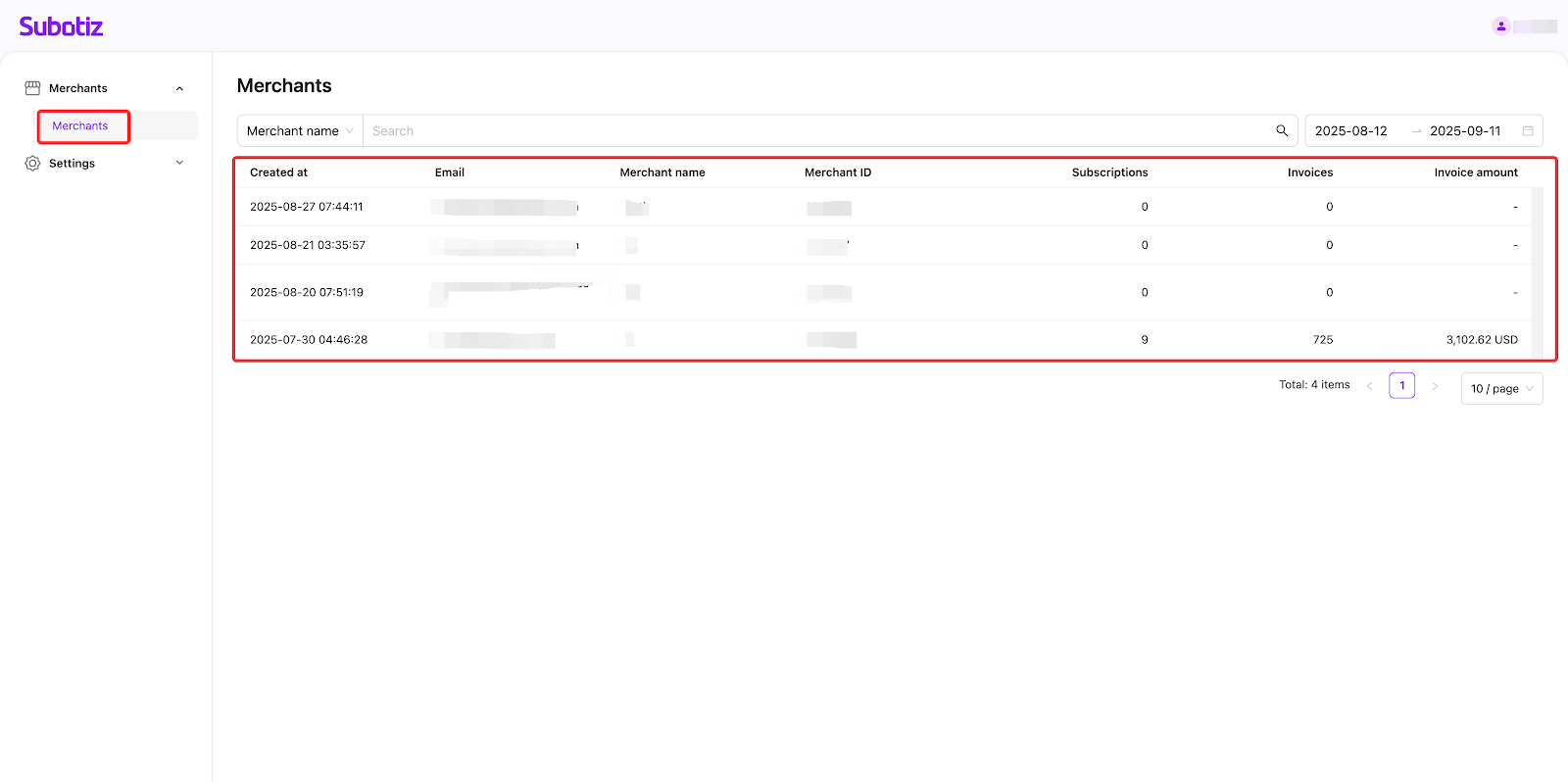
- Get started: Log in to your Subotiz Partner Platform and then click the Merchants> Merchants section. Each row displays key information, including Email, Merchant name, Merchant ID, Subscriptions, Invoices, and Invoice amount.
- Subscriptions: All subscription counts except for subscriptions in incompleted status.
- Invoices: All invoice counts in success, partially refunded, and refunded status.
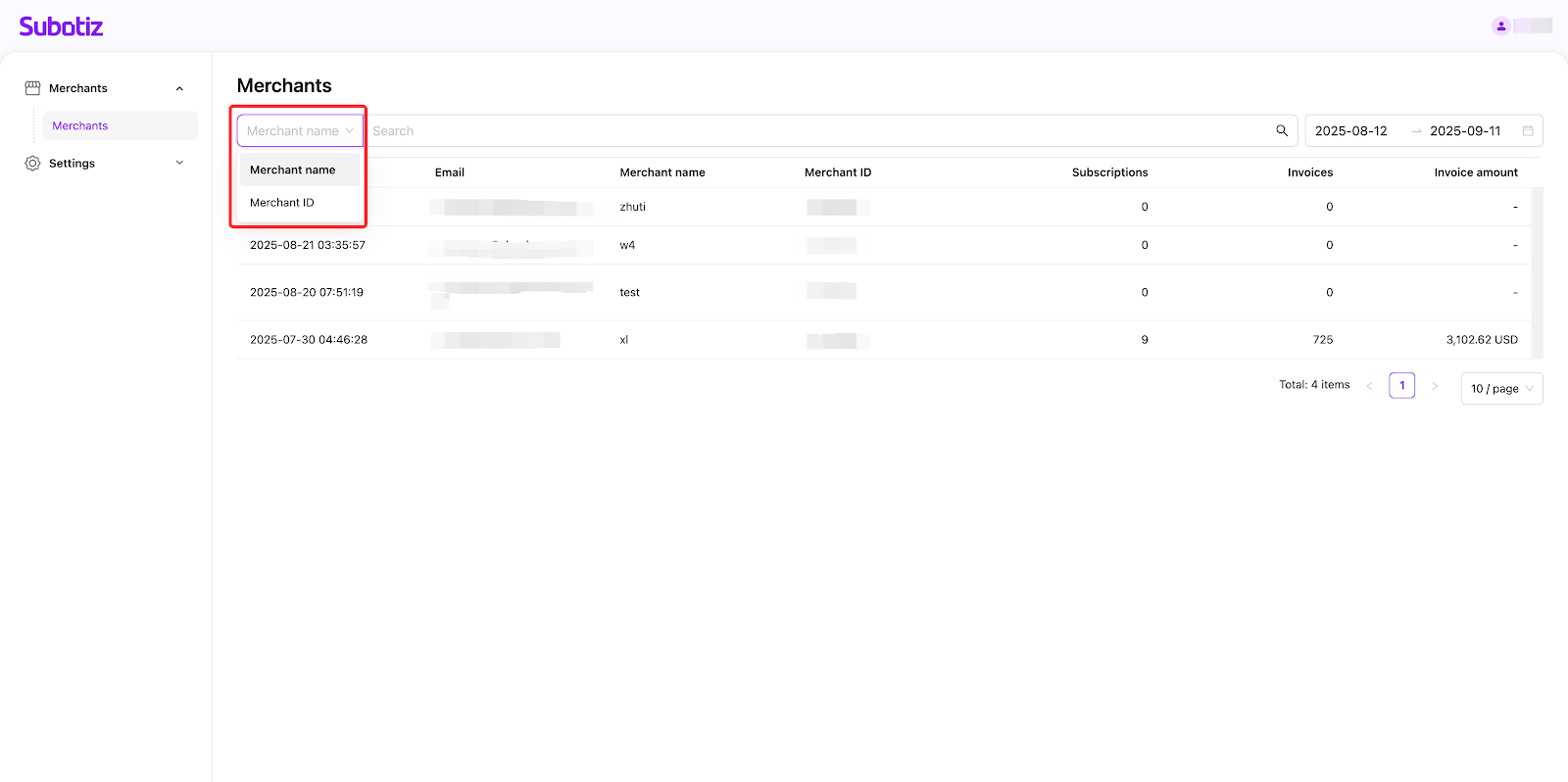
- Search precisely: Use the search bar to locate a merchant by Merchant name or Merchant ID. This helps you quickly find records for follow-up or review.
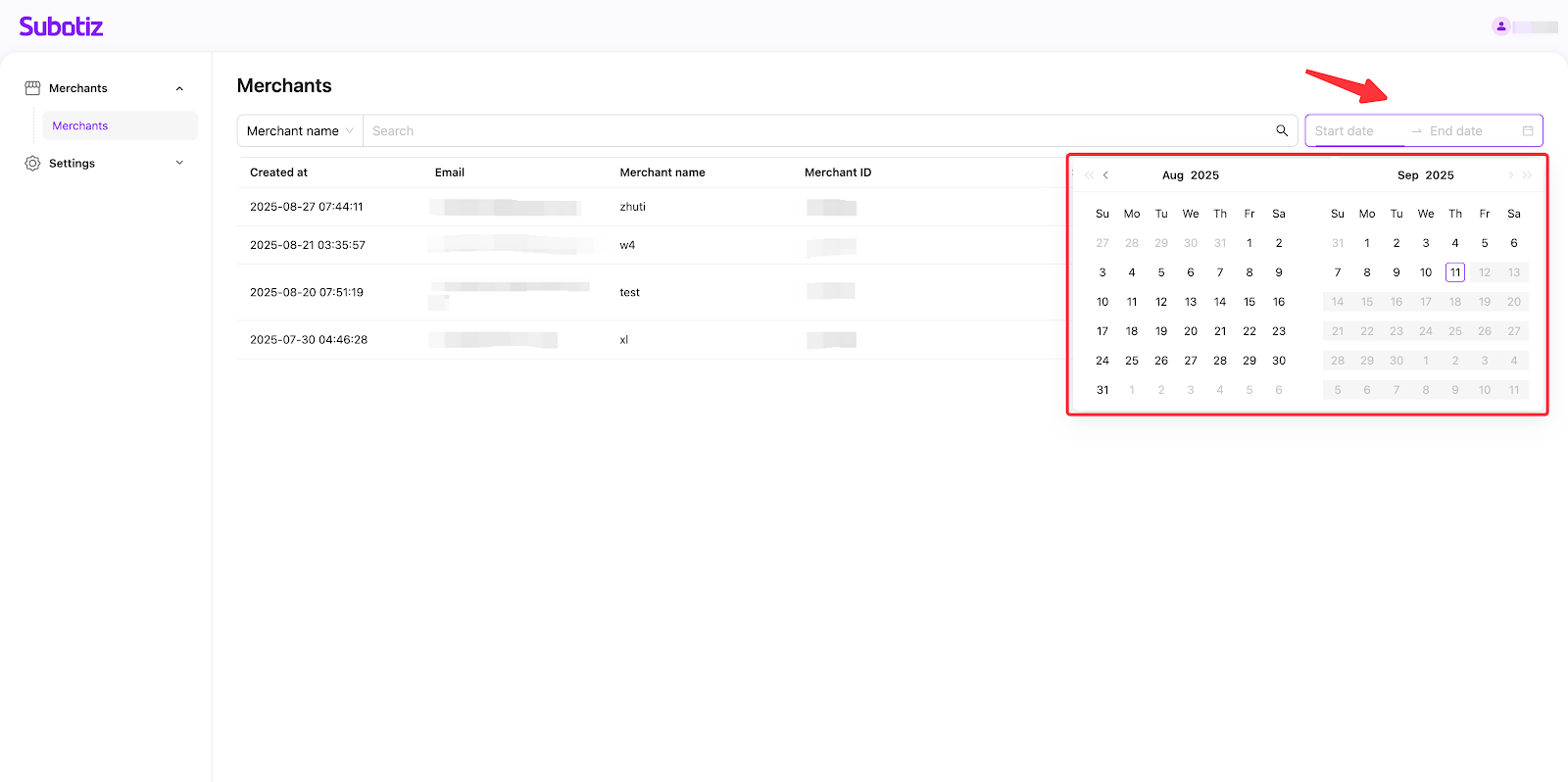
- Filter smartly: Use the time filter by selecting 'Start date' and 'End date'. This helps you locate merchants created during the period you select.
- Default to show merchants created in the last 30 days.
- The time filter supports selecting 180 days.
- 365-day data can be viewed.
Settings
Setting up your commission account
The commission account refers to the account where your commissions are deposited.
- Get started: Go to Settings > Commission accounts, and click 'Add' to add your commission account under each payment provider. Currently, we support Airwallex, Stripe, and PayPal only.
Note: Each payment provider supports adding only one account.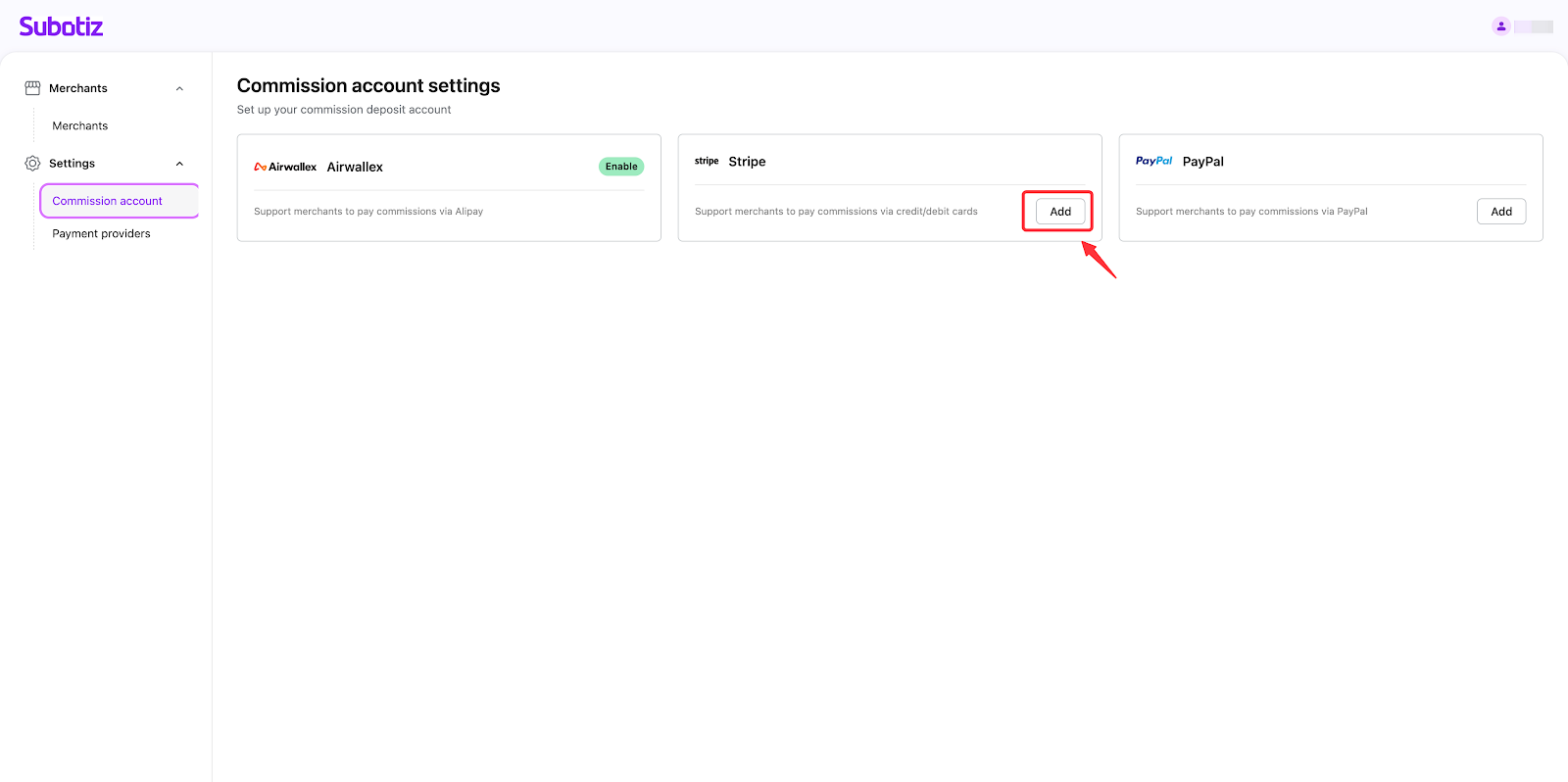
- Fill in credentials: Enter Merchant ID, Public key, Secret key and Webhook secret key and then click 'Confirm' to complete the corresponding account setup.
Note: These credentials can be obtained from the platform of the corresponding payment providers.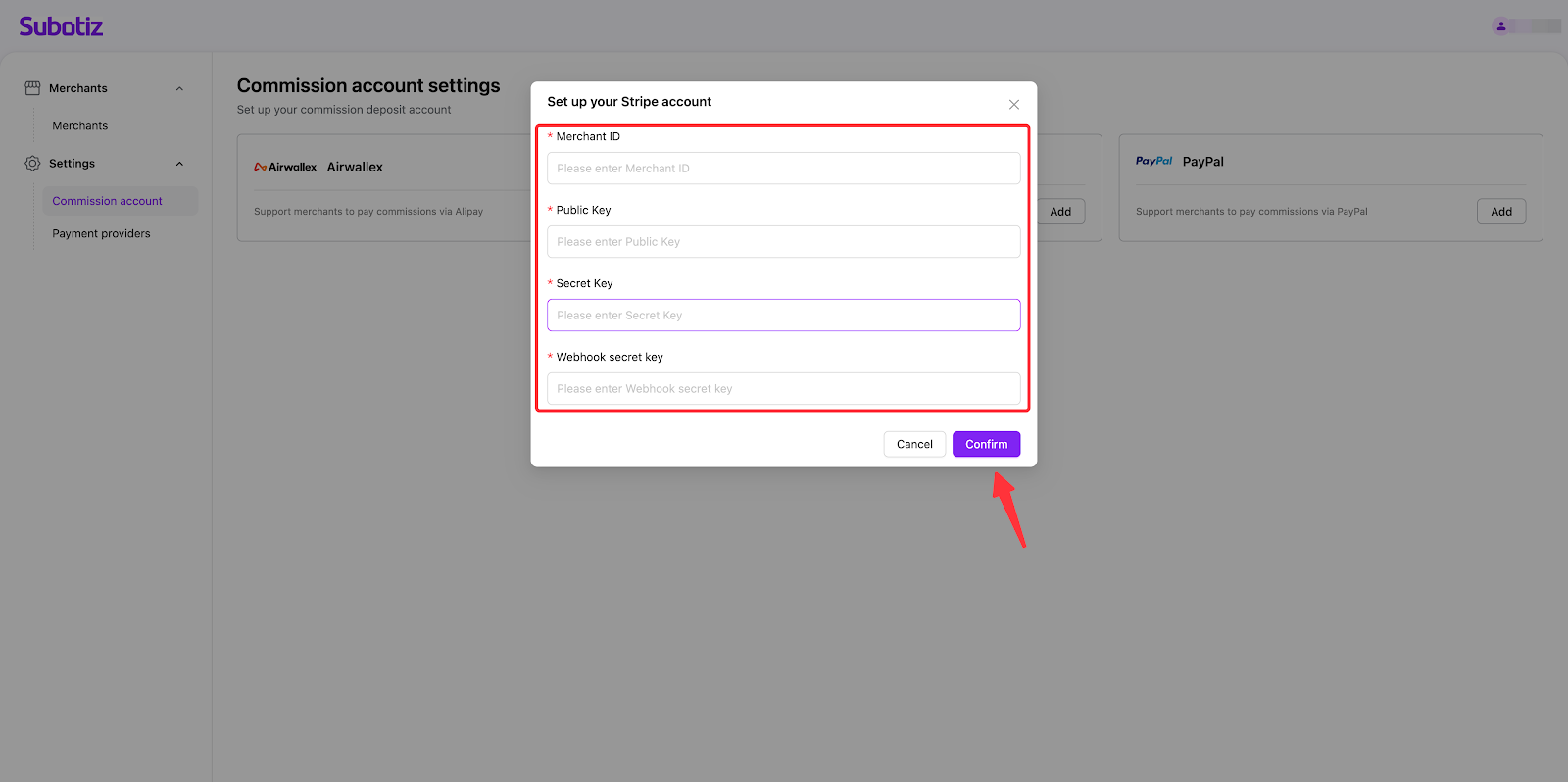
Customizing the payment providers
In this section, you can customize the payment providers available to merchants.
- Get started: Go to Settings>Payment providers to access the setup page. It shows all of the payment providers we support currently, including Subotiz Payments, Ocean Payment, Airwallex, PayPal, Checkout.com, and PayerMax.
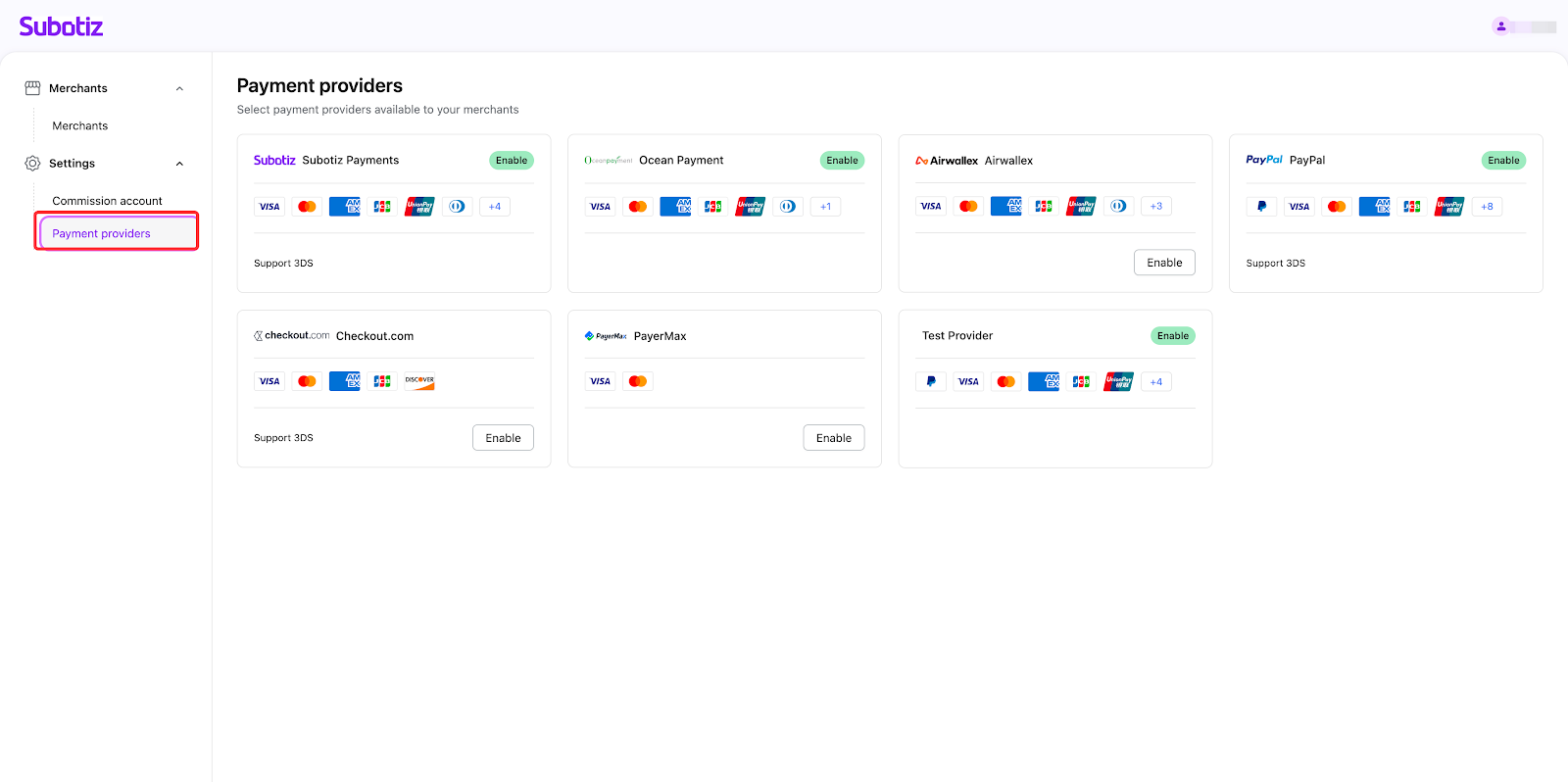
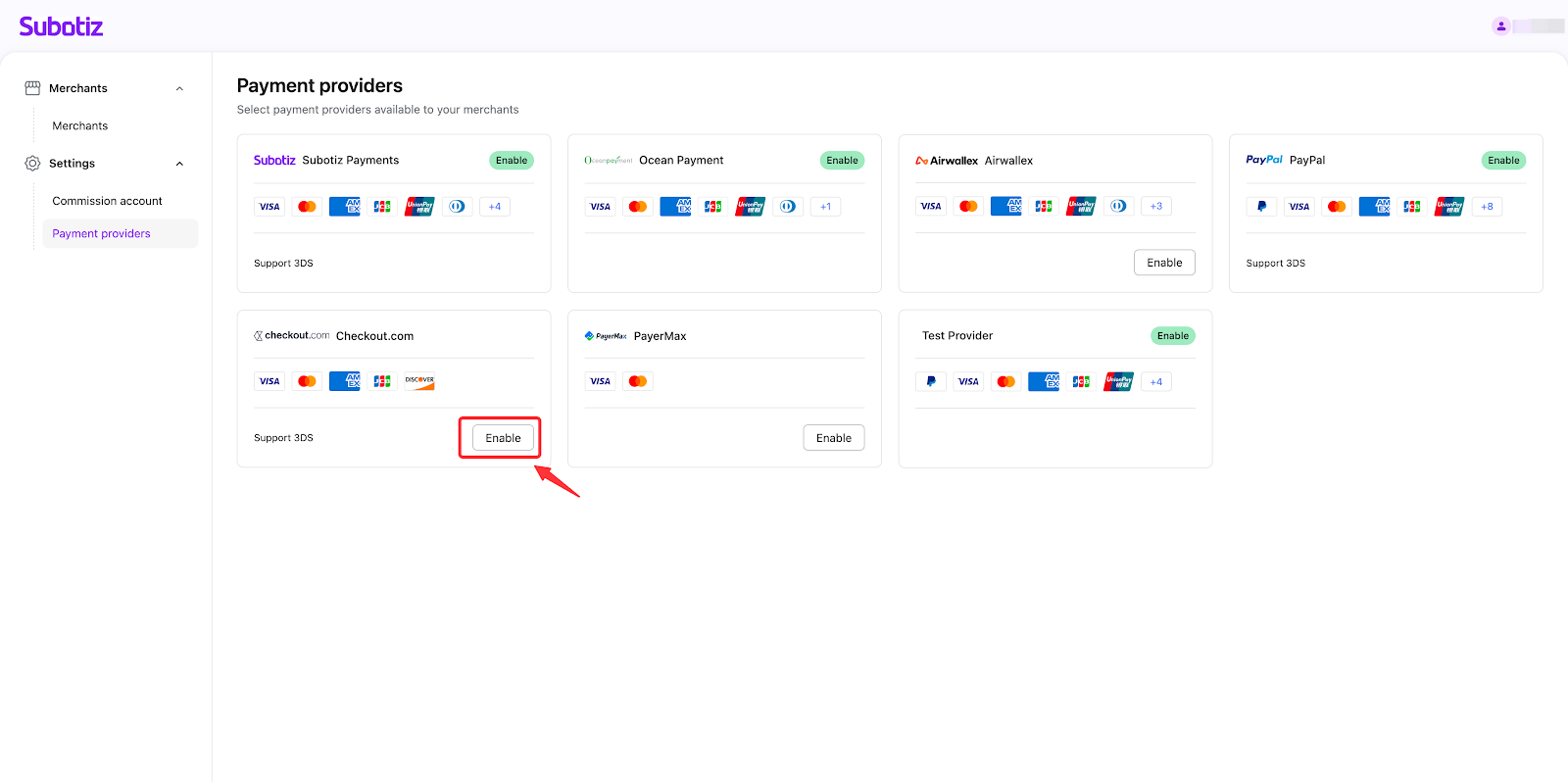
- Click 'Enable' to enable the payment providers as you want. Merchants can choose which payment providers to make available to their customers among those you have enabled.
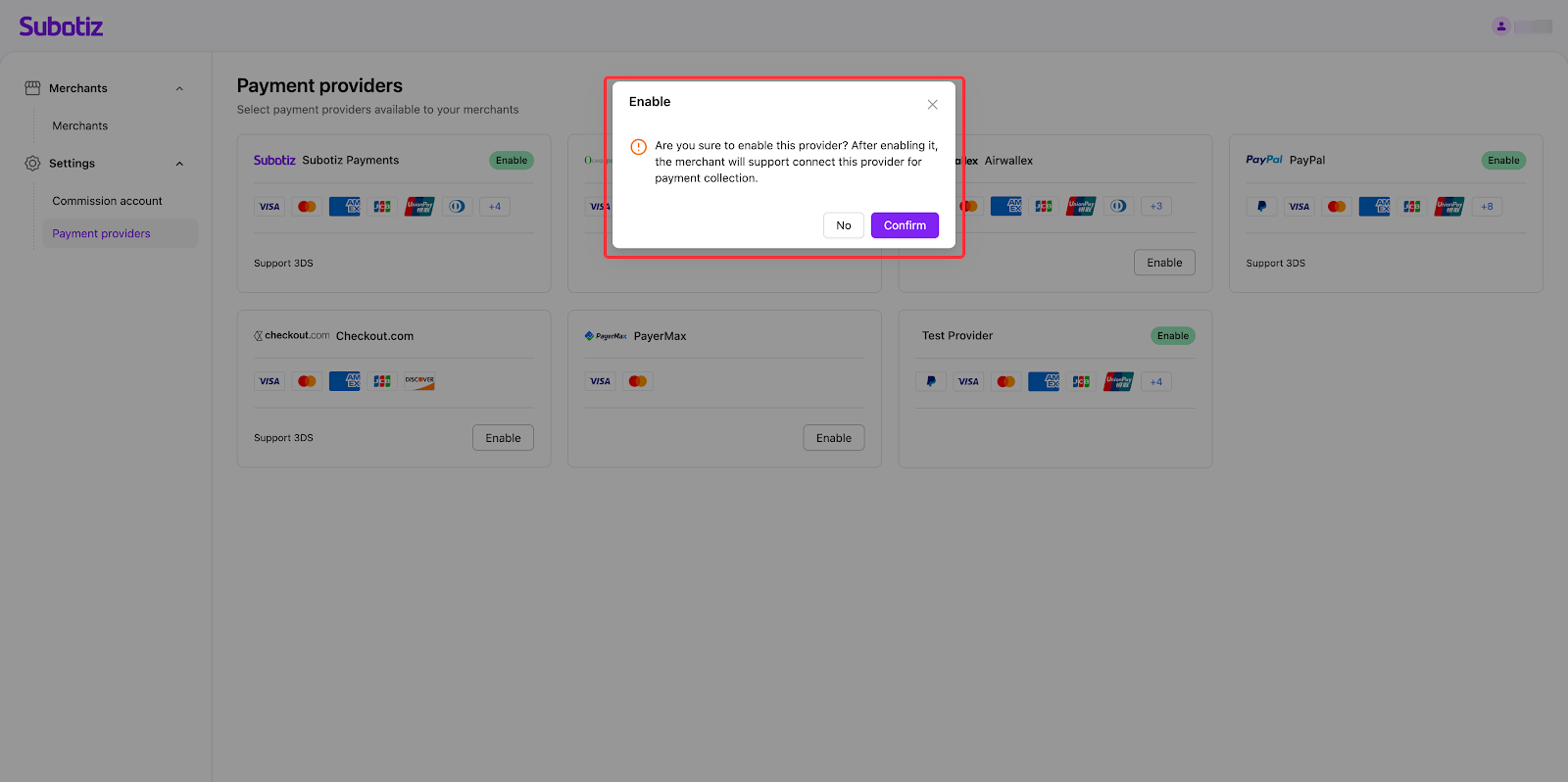
Note: Currently, it doesn't support disabling the payment providers. Please think twice before taking action. If you confirm to enable this payment provider, then click 'Confirm' in the pop-up to complete setup; otherwise, click 'No' to cancel your action.
This document has equipped you to grasp the core functions of your partner platform, including managing merchants, configuring commission accounts, and enabling payment providers. You’ve gained the skills to autonomously control revenue streams, customize payment capabilities per merchant, and maintain consistent branded experiences. Mastering these tools reduces operational friction, accelerates merchant activation, and directly strengthens your revenue-generating capabilities—all through a single interface.