The Developer credentials in Subotiz are system-generated, read-only keys used for secure backend integrations, API request signing, and payment workflows, and are managed centrally under Integration settings.
Viewing Developer Credentials
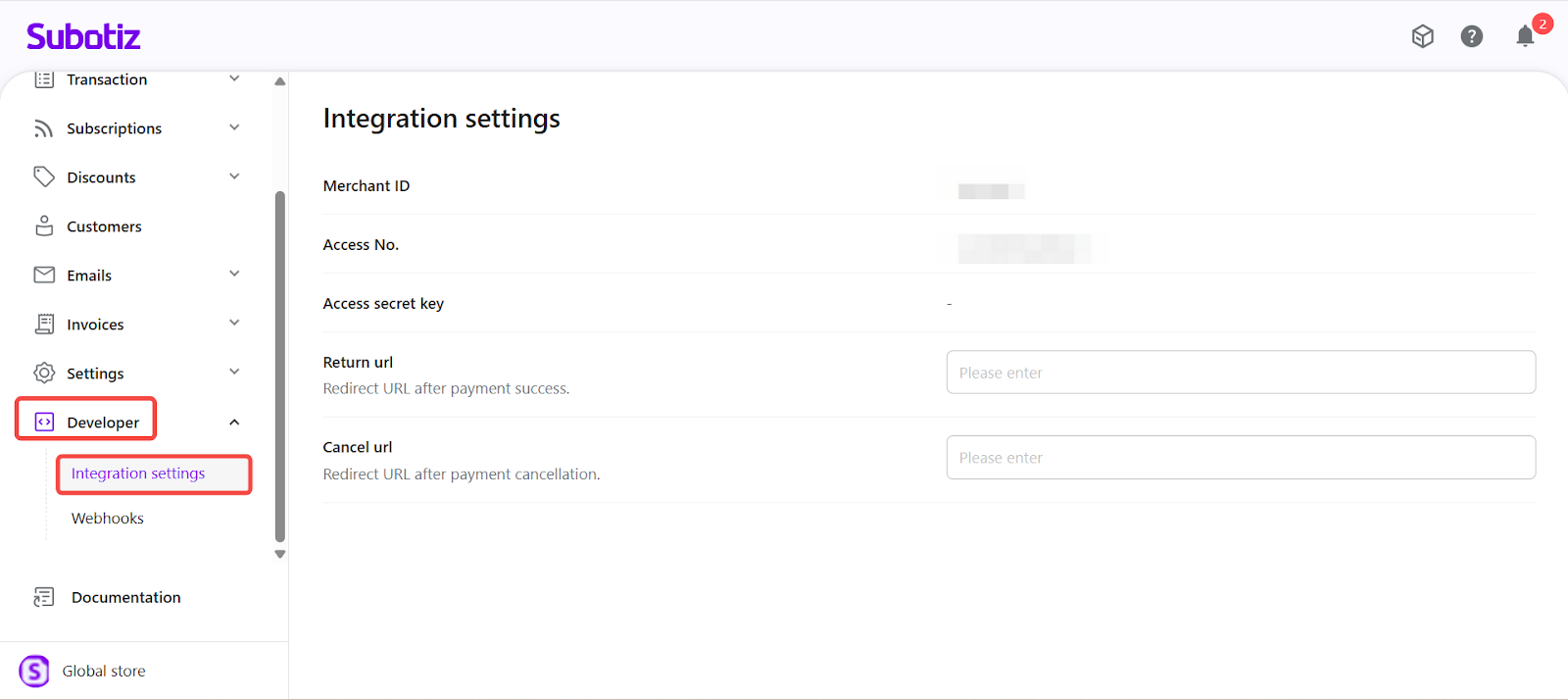
- Open the Developer section: Go to Developer > Integration settings in the Subotiz admin.
- The Merchant ID, AccessNo., and AccessSecret fields display as read-only.
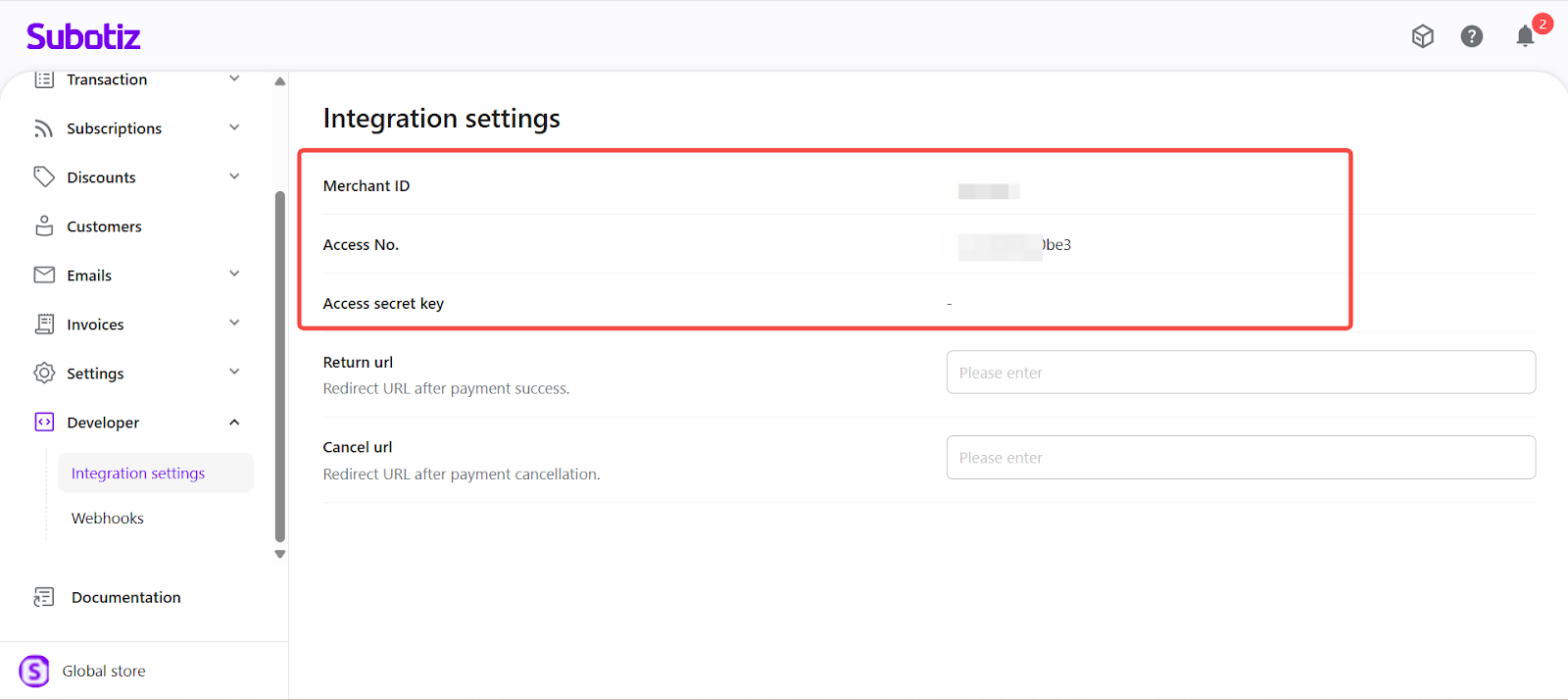
Developer Credential Details
- Merchant ID
- Purpose: Unique account identifier referenced across billing, subscriptions, logs, and integrations.
- Behavior: Assigned by the system; cannot be changed.
- Usage tips: Safe to reference in server-to-server calls and support tickets; avoid exposing it in public URLs or client-side code.
- AccessNo.
- Purpose: Public key identifier used with AccessSecret to validate signed API requests (often sent as a header parameter).
- Behavior: Read-only; paired with your AccessSecret.
- Usage tips: Store server-side; include in requests alongside the computed signature so the receiver can identify which key pair was used.
- AccessSecret
- Purpose: Private signing key used to generate request signatures for secure payment and subscription operations.
- Behavior: Read-only in the admin; treat as highly sensitive.
- Usage tips: Never embed in web, mobile, or client-side scripts. Keep exclusively on your server or secure secrets manager.
Security Best Practices
- Store secrets in a vault: Keep AccessSecret in an encrypted secrets manager or environment variables—never in code, screenshots, or chat tools.
- Restrict admin access: Limit visibility of the Developer section within Integration settings to trusted technical roles through role permissions.
- Separate environments: If you operate staging and production, keep each environment’s credentials isolated and clearly labeled.
- Review access regularly: Conduct periodic reviews of role assignments and remove unnecessary access to reduce risk of exposure.
Limitations
- Read-only in admin: Credentials cannot be edited or regenerated from the Subotiz admin.
- Single credential set: Each account is issued one fixed set of credentials. Multiple or custom sets are not supported.
- Account scope: Credentials are account-level and apply across all integrations tied to the account.
Subotiz Developer credentials provide a stable, system-managed foundation for secure API signing and payment integrations. Keep AccessSecret protected, control access to the Developer section, and implement server-side handling to maintain compliance and data integrity.