The Developer URLs in Subotiz define how customers are redirected during Payment link checkout flows. Proper configuration ensures smooth checkout experiences and accurate backend updates.
URL Field Overview
The URLs configured here apply only to Payment link scenarios. For API-based checkout sessions, the URLs defined in the API request always take priority.
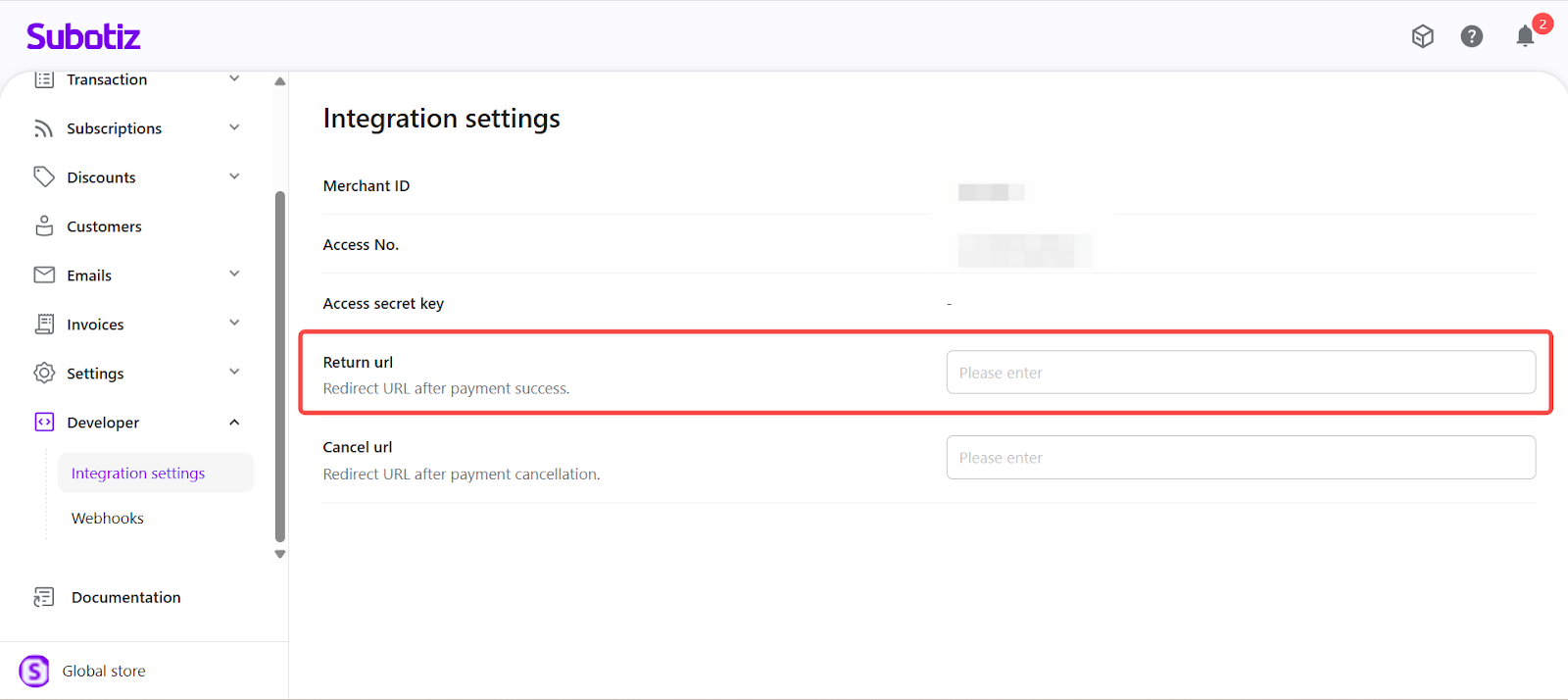
- Return URL (optional): Redirect page shown to customers after successful payment. Commonly set to an order confirmation or Thank You page. If left blank, customers will remain on the system’s default result page.
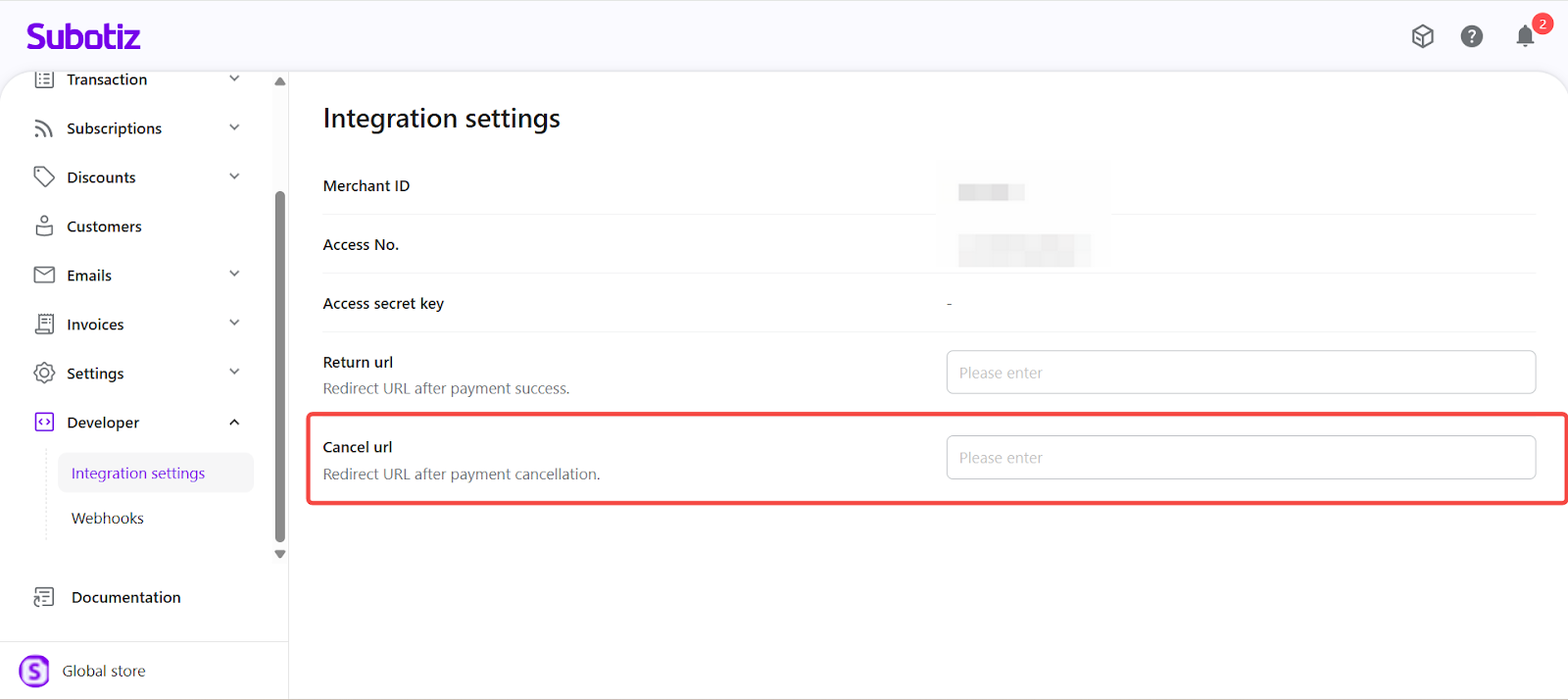
- Cancel URL (optional): Redirect page shown if customers cancel during checkout. Often set to the shopping cart or retry checkout page. If left blank, customers will remain on the system’s default result page.
Example: If Return URL = B is configured in Subotiz but Return URL = C is passed in the API request, the checkout session will redirect to C.
Configuring URLs
- Access the Developer tab: Go to Developer > Integration settings in the Subotiz admin.
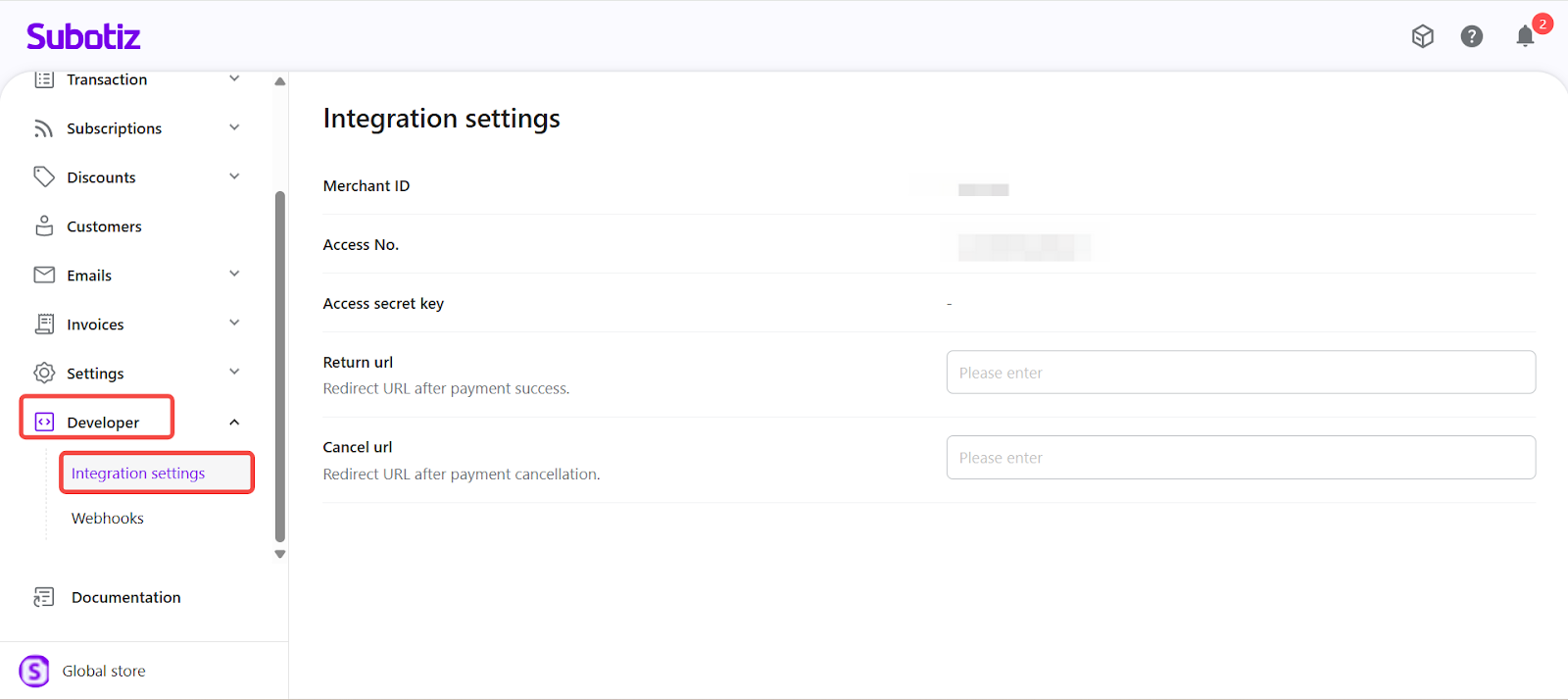
- Enter Return URL: Provide the page where customers should land after payment success.
- Enter Cancel URL: Provide the page where customers should land if payment is canceled.
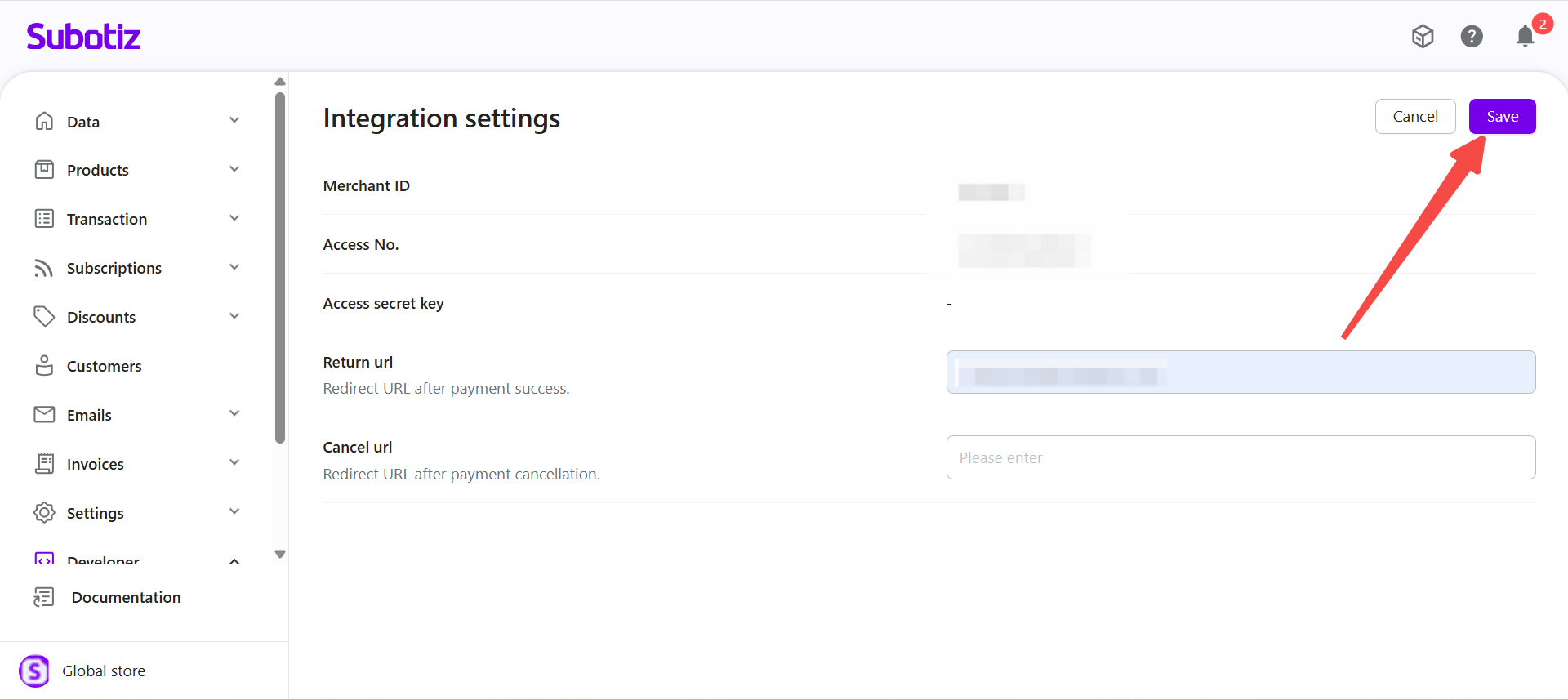
- Save changes: Click Save to apply configuration.
Best Practices
- Use HTTPS for all URLs: Ensure all redirection pages are secured with SSL/TLS.
- Set logical destinations: Align Return and Cancel URLs with storefront pages so customers always land on a meaningful next step.
- Test checkout flows: Simulate successful payments and cancellations to confirm redirection behavior before going live.
Limitations
- Payment link scope: These settings apply only to Payment link checkouts. API-based checkout sessions always follow the URLs defined in the API request.
- Optional fields: Both Return URL and Cancel URL are optional. If left blank, Subotiz will display the system’s default result page.
- Account-level configuration: Only one set of URLs can be configured per account.
- No per-product override: URLs apply globally across all Payment link transactions and cannot be customized by product.
Developer URLs ensure customers are redirected consistently during Payment link checkout. Configuring Return and Cancel URLs correctly helps create a smooth post-payment experience while keeping checkout behavior predictable and easy to manage.