The General section contains the key business information applied across your Subotiz account. This includes your business name, logo, address, and support email. These details appear on invoices, receipts, checkout pages, and customer communications. Keeping this section accurate ensures your business is represented consistently across all key touchpoints.
Role of Merchant Info
Merchant Info serves as the foundation of your Subotiz setup. The information entered here is applied across key areas, including:
- Invoices: Business name, address, and contact details appear on billing documents.
- Domain and subdomain setup: Merchant information is linked to branded URLs.
- API and developer identification: Identity fields are used for authentication.
- Customer service contact display: The support email appears on invoices and help pages.
- Storefront branding: Logo and brand name are displayed on checkout and profile views.
Merchant Info Overview
The Merchant Info section includes four key areas that define how your store is represented and how certain system behaviors are configured.
- Business identity: Includes your brand logo, display name (DBA), and legal business name. These elements appear at checkout and across customer-facing pages.
- Contact email: Serves as your store’s primary contact address for customer inquiries.
- Operational settings: Used to configure the store’s settlement currency and system time zone. These settings are applied to transaction records, billing documents, and system logs.
- Business address: Displays on system-generated invoices and official documents. Includes country or region, province or state, city, street address, and postal code.
Importance of Accurate Information
Incorrect or outdated entries in this module can cause:
- Errors on invoices and tax documents.
- Branding inconsistencies across storefronts.
- Failed support communication due to incorrect contact info.
- API or domain setup issues.
Viewing Merchant Info in the Admin
To update your business profile: Go to Settings > General in your Subotiz admin. You can manage all fields related to your business identity here.
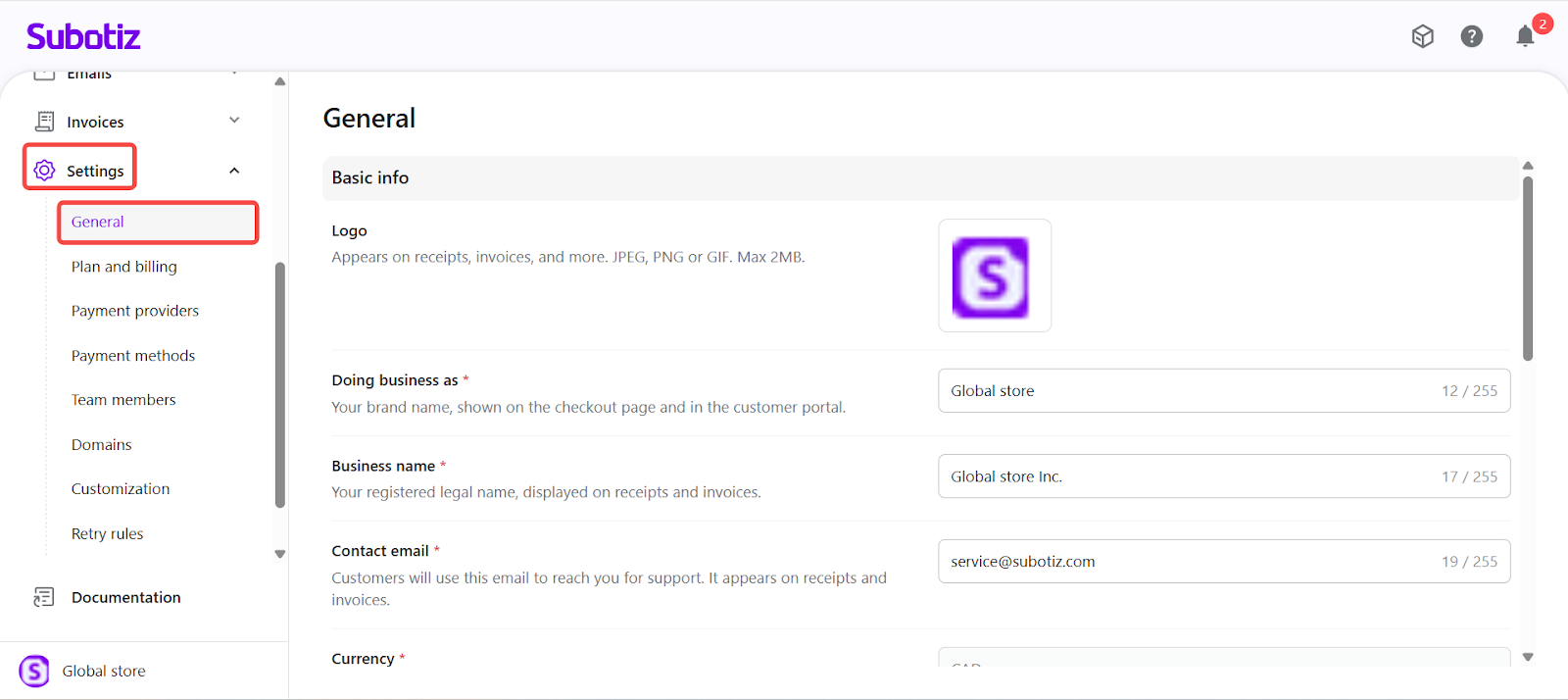
The General module plays a foundational role in how your business appears and operates within Subotiz. The information provided here ensures that customer-facing pages, billing records, and platform configurations all reflect a consistent and professional business identity.