The Team Members page in Subotiz provides a centralized dashboard for managing all users in a workspace. It offers real-time visibility of each member’s status, role, and key activity dates, enabling admins to review, filter, and update access from one location. This central hub improves collaboration, strengthens access control, and streamlines workspace management.
Team Overview and Member List
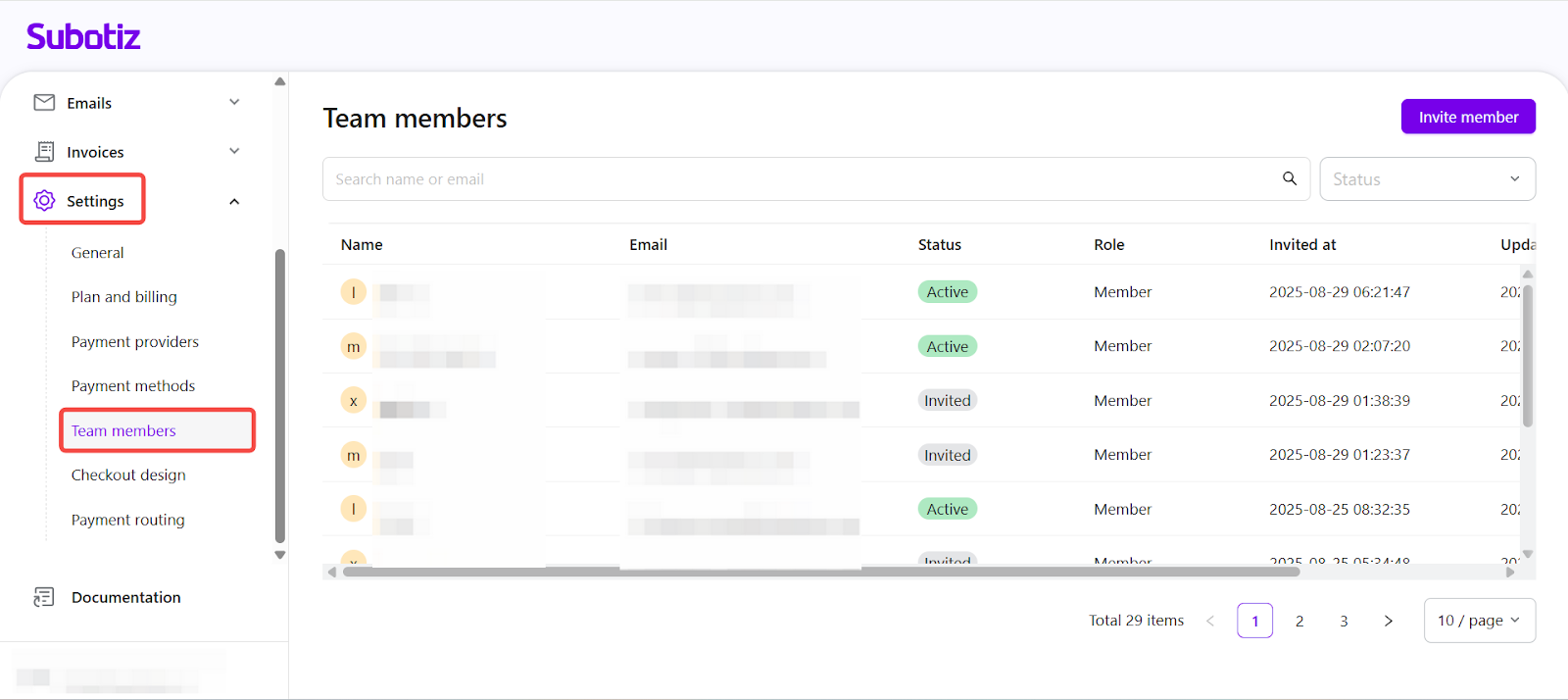
- Access the team members page: From the Subotiz admin, go to Settings > Team members. The table lists all current and invited users along with relevant account information.
-
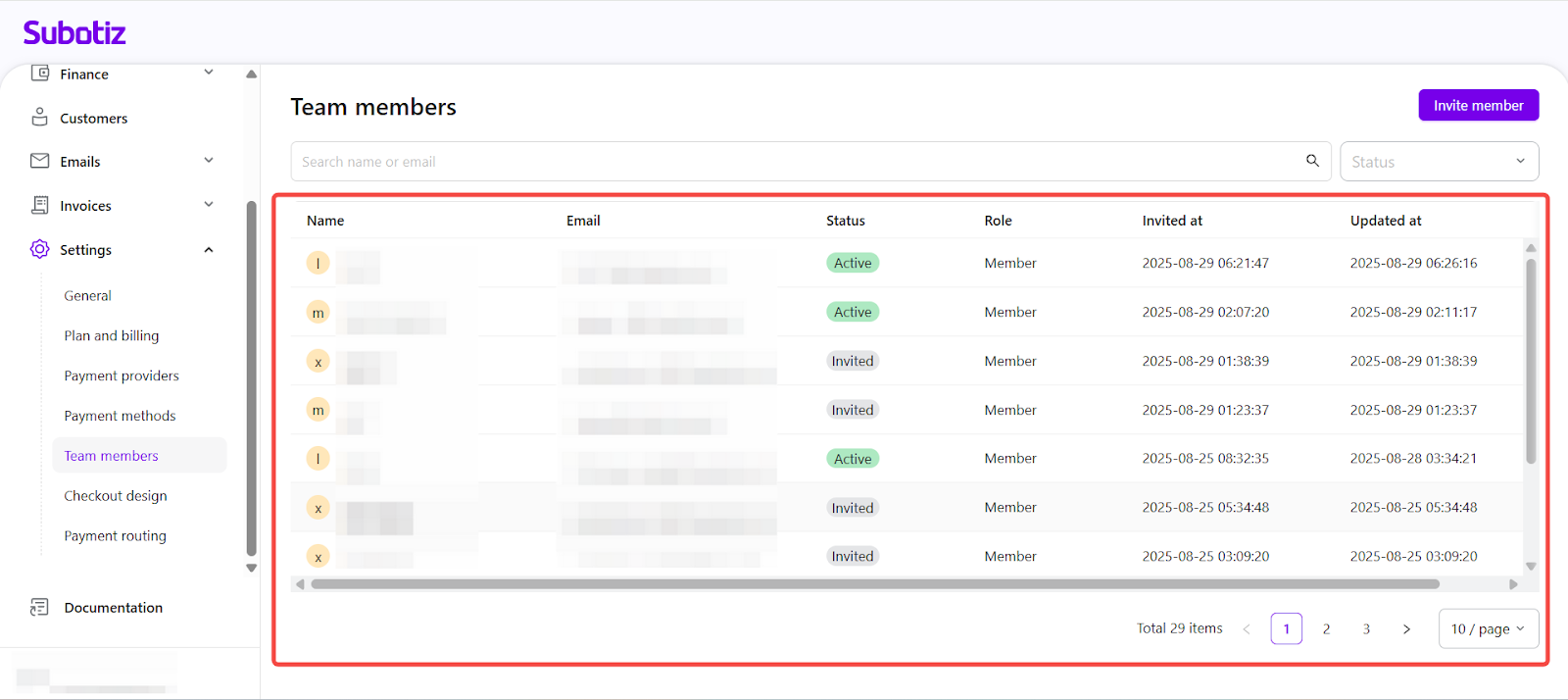
Review member information: Each row in the table displays:
- Name and Email.
- Status: Invited or Active.
- Role: Assigned user role, such as Member.
- Invited at and Updated at: System-generated timestamps.
-
Avatar: Generated from member initials.
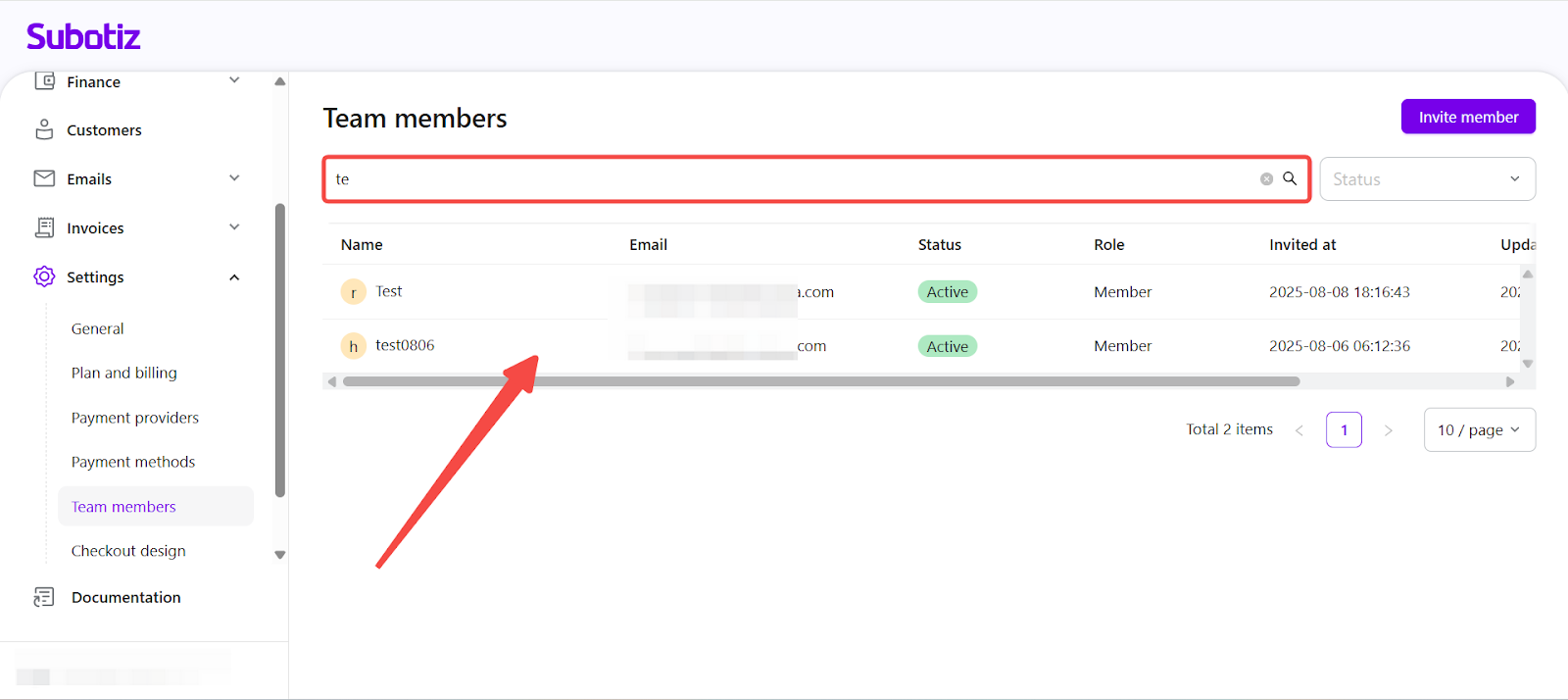
- Search by name or email: Use the search bar to locate members by entering the Name or Email address. The system prioritises name matches over email matches.
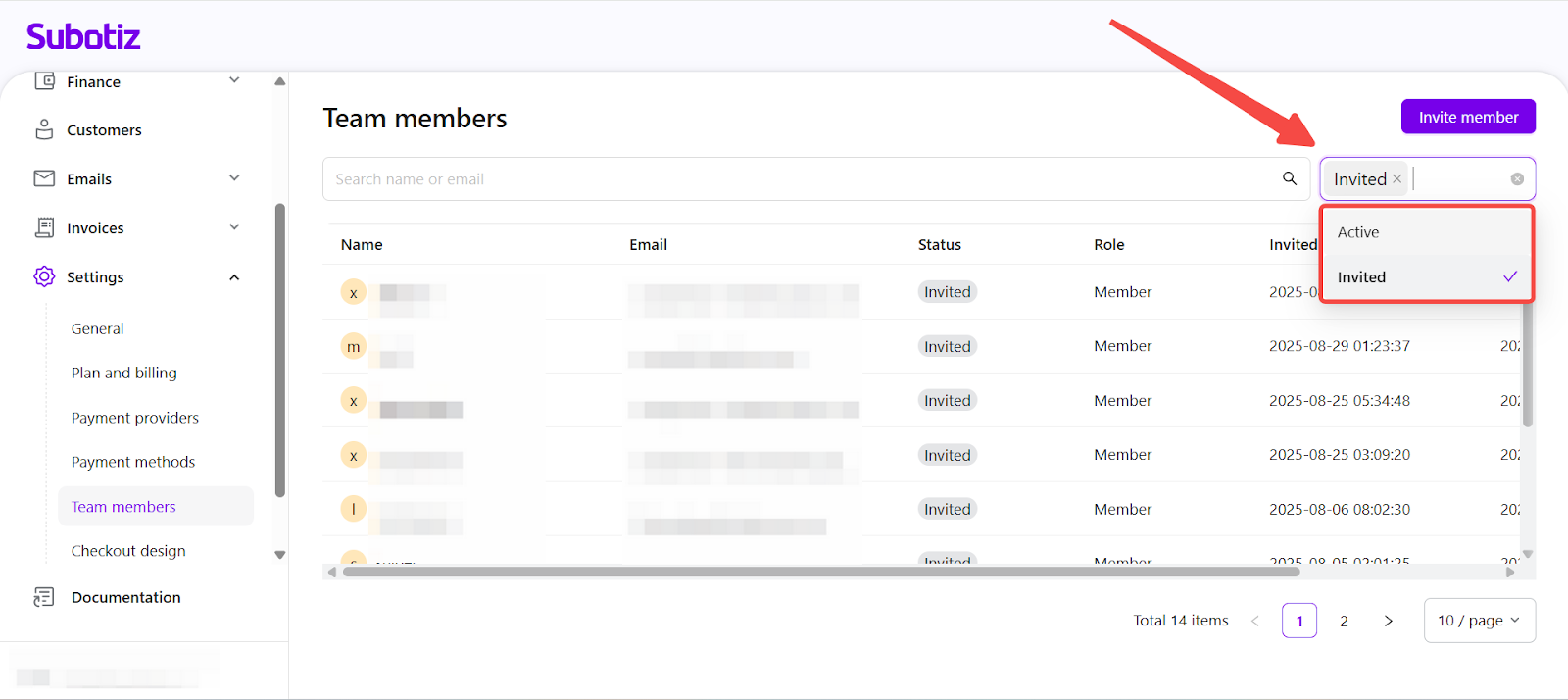
- Filter by status: Apply the Status filter to display only Active members with access or Invited members who have not yet accepted.
-
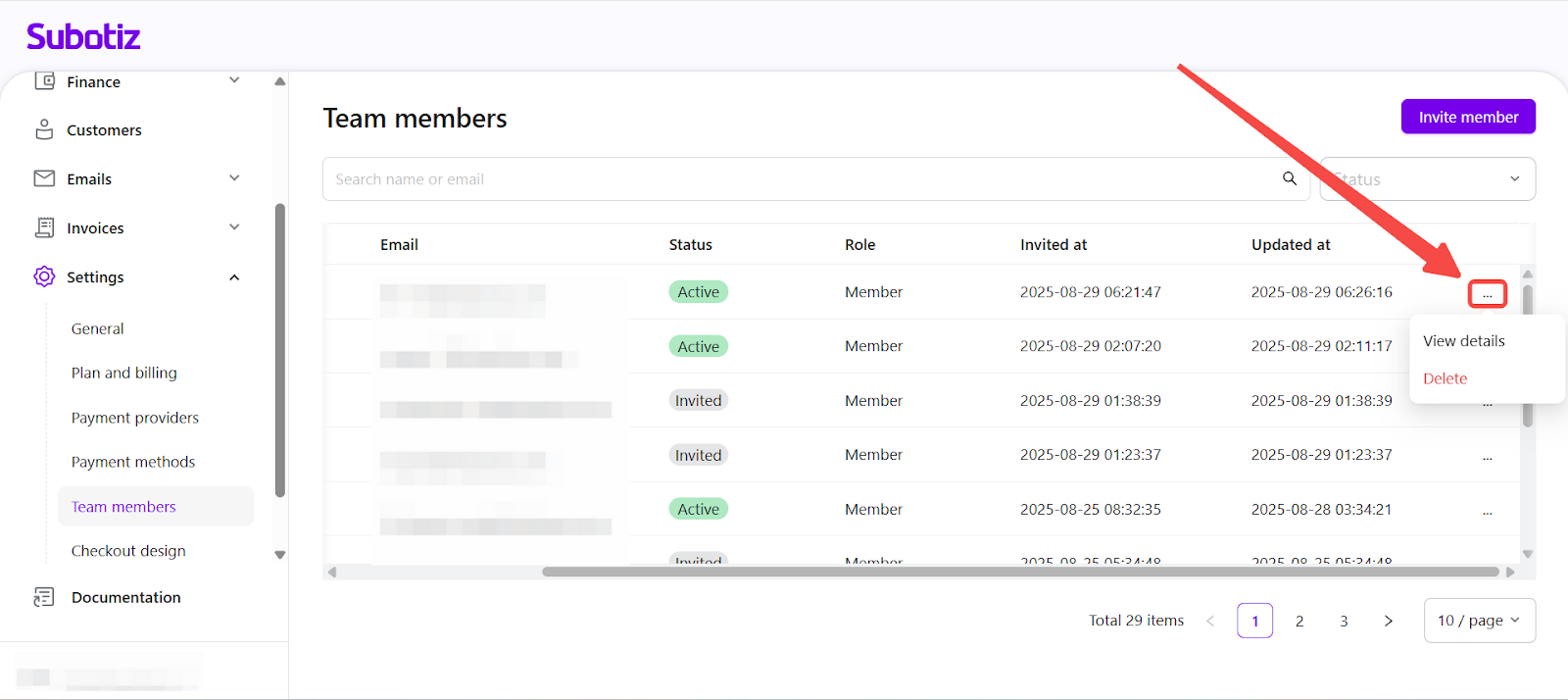
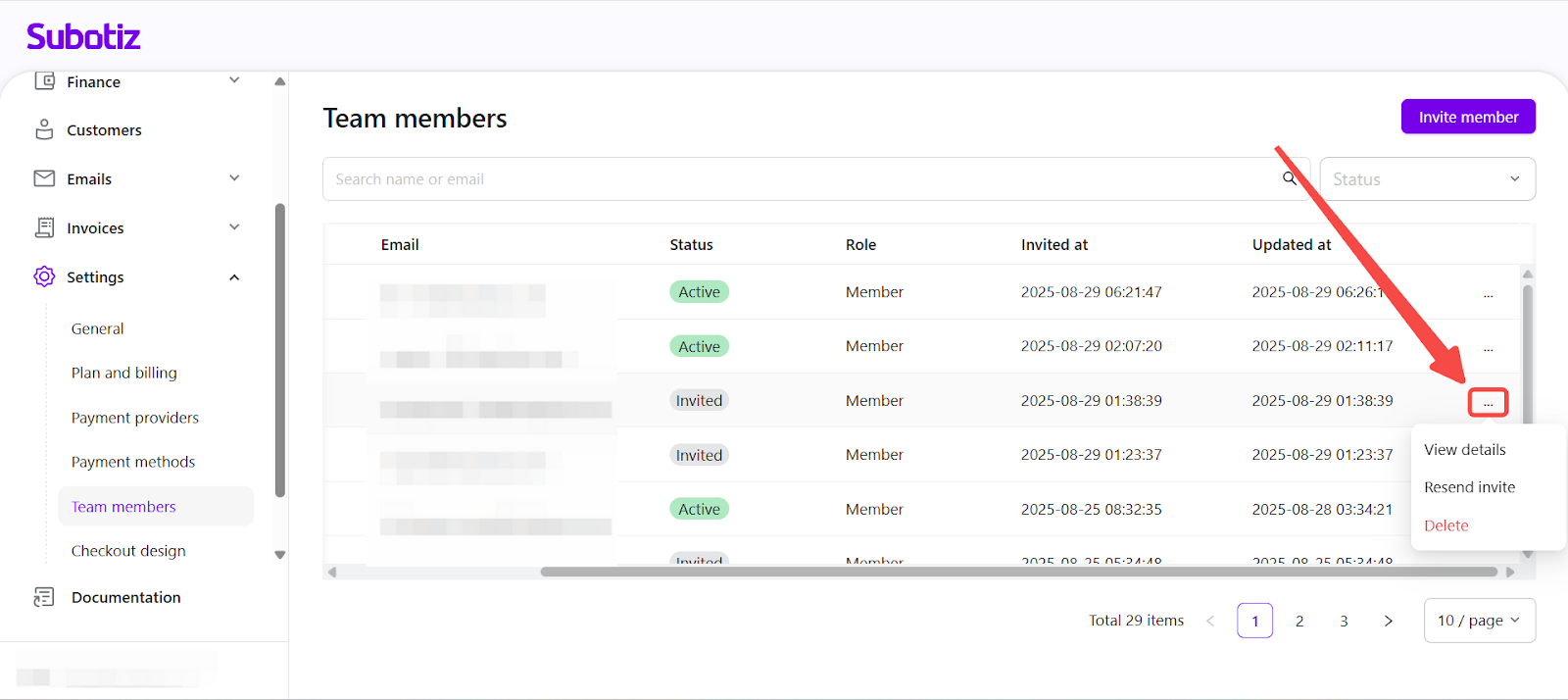
Manage members from the list: Use the More options menu (⋯) in the rightmost column to perform actions:
- View details: Opens the member profile for review or editing.
- Resend invite: Available only for Invited status. Sends a new invitation link.
- Delete: Permanently removes the member from the workspace.
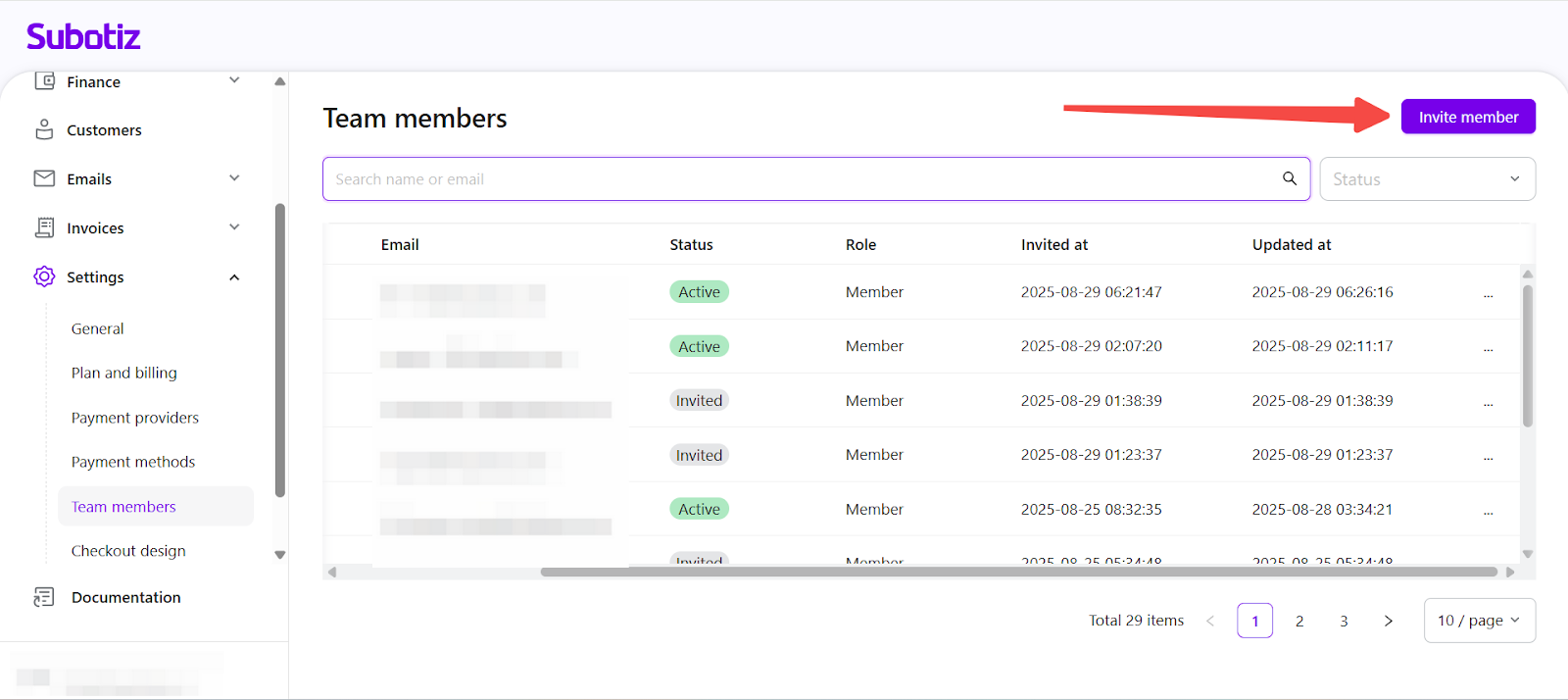
- Invite new members: Select Invite member in the upper-right corner, enter the email address, assign permissions, and the new member will appear in the list with Invited status. For details on assigning permissions, see Team members|Adding a New Member and Assigning Permissions.
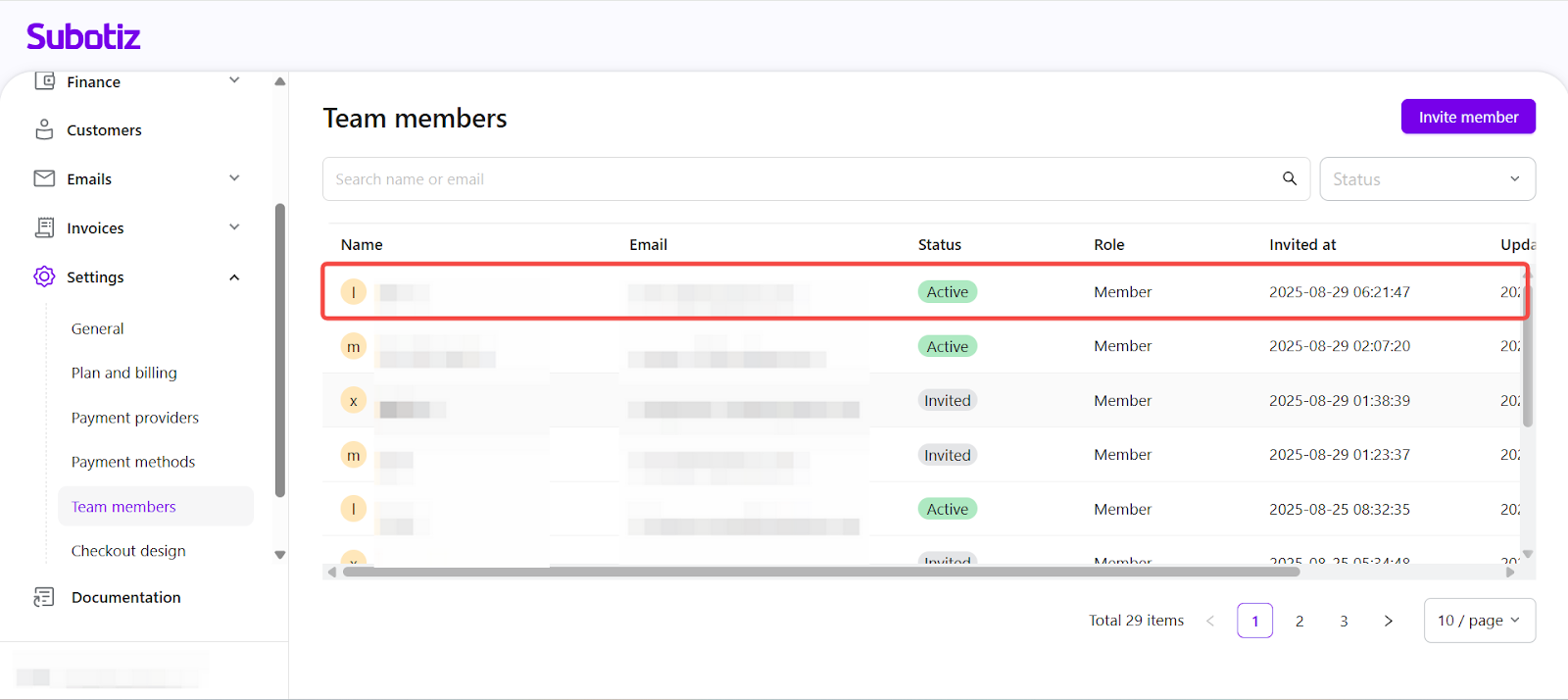
- Open and edit member profiles: Select any row to access the full member profile, where advanced details and permissions can be modified. For editing steps, see Team members|Editing Member Profiles and Permissions.
Best Practices
- Review pending invitations regularly: Prevent expired links.
- Keep roles and permissions updated: Match current responsibilities.
- Remove unused accounts: Maintain security and minimize access risk.
Keep the team members list accurate and up to date to improve collaboration, safeguard sensitive data, and ensure access matches each role. The Team Members page serves as the central hub for ongoing workspace management in Subotiz.