After a payment provider has been connected in Subotiz, you can manage its settings, update credentials, and control which payment methods are enabled. This guide walks through how to view connected providers, edit configurations, and remove providers when needed.
Accessing and Managing Connected Providers
- Access the Added providers tab: From your Subotiz admin, go to Settings > Payment Provider and switch to the Added providers tab. This section shows all connected providers and allows ongoing management.
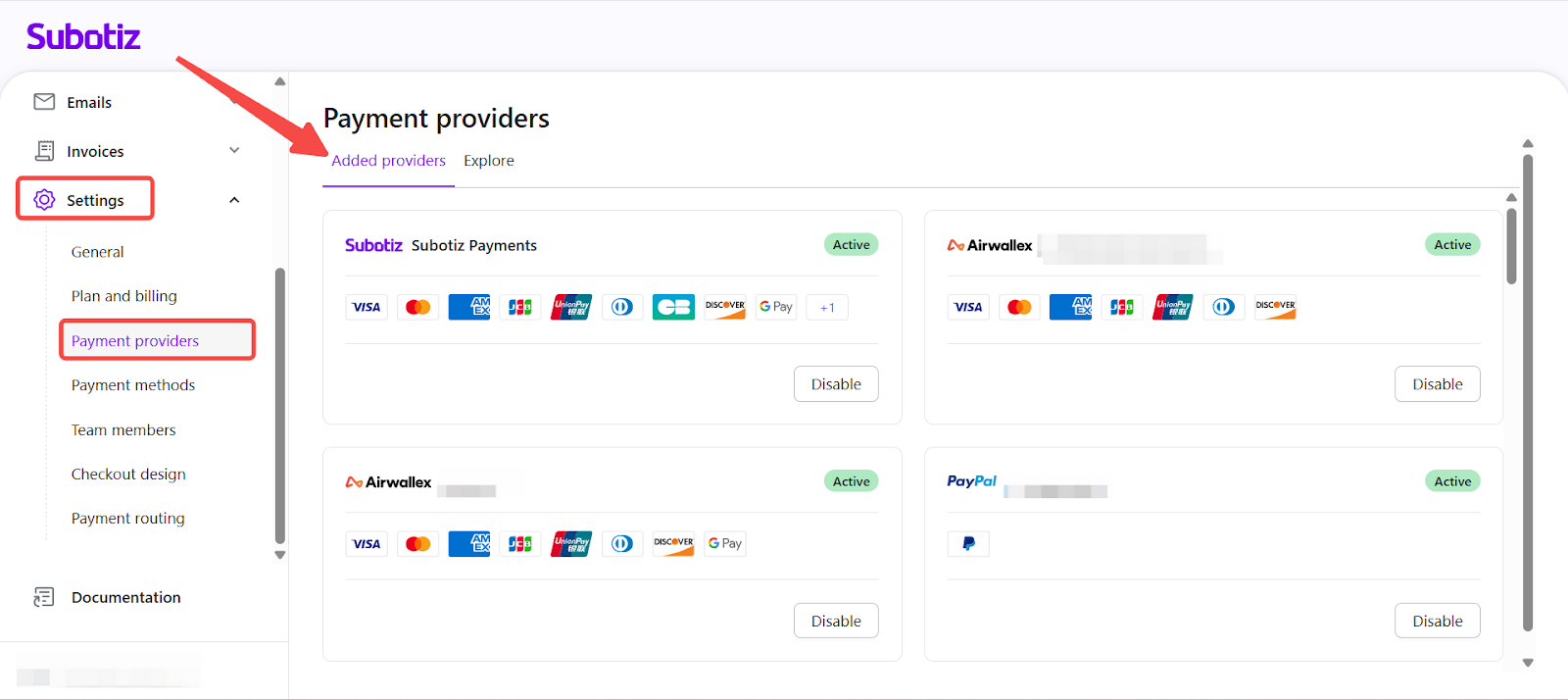
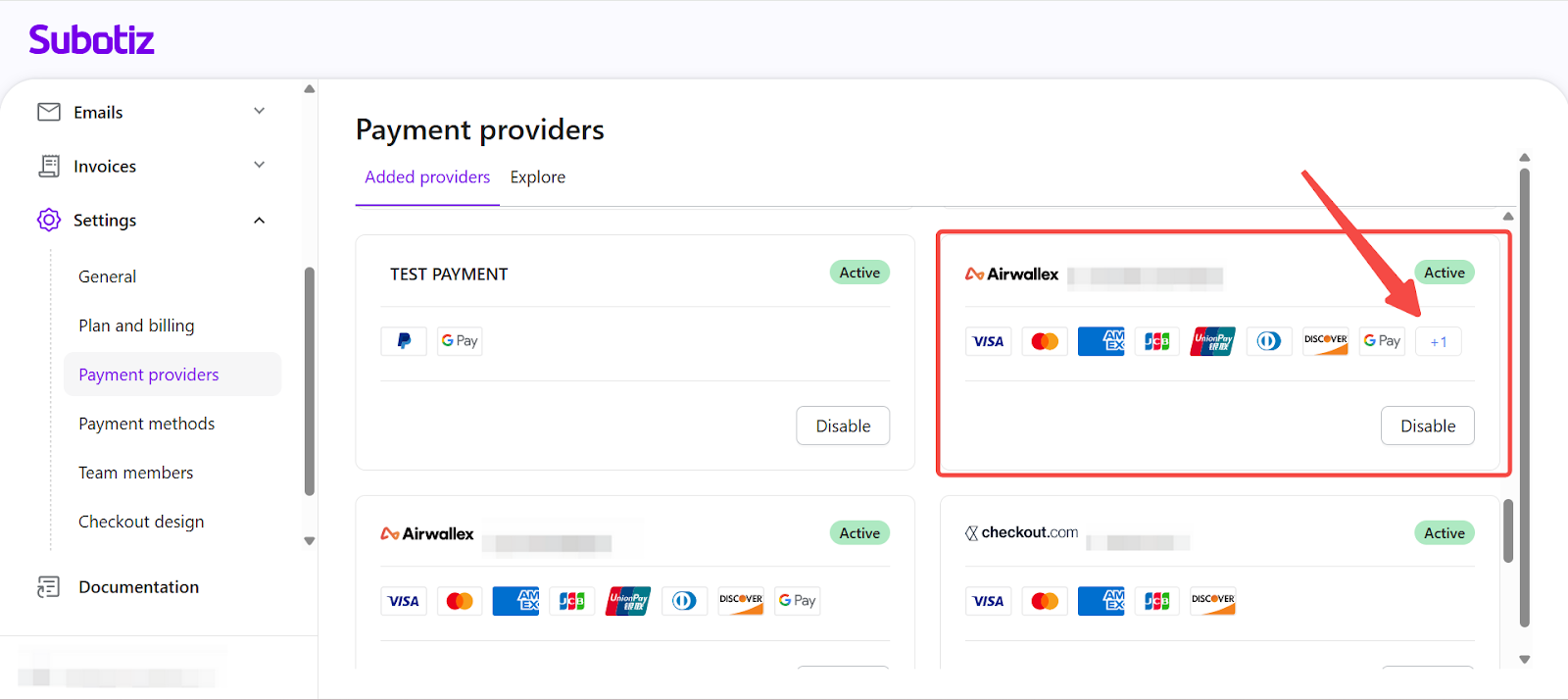
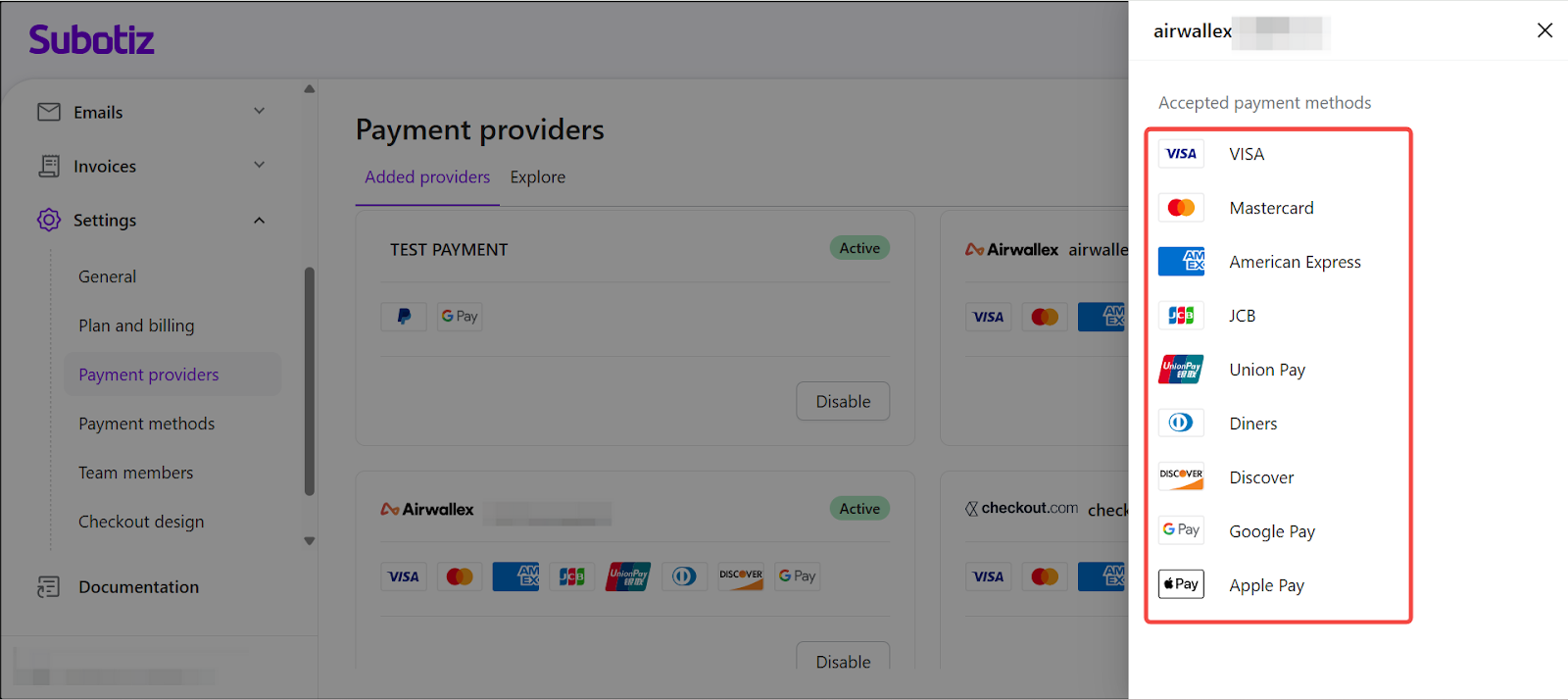
- Review provider details: Each card shows the provider’s status (Active or Disabled) and its supported payment methods. If a provider supports more methods than displayed, a number indicator (e.g. +1) will appear. Click it to view the full list.
-
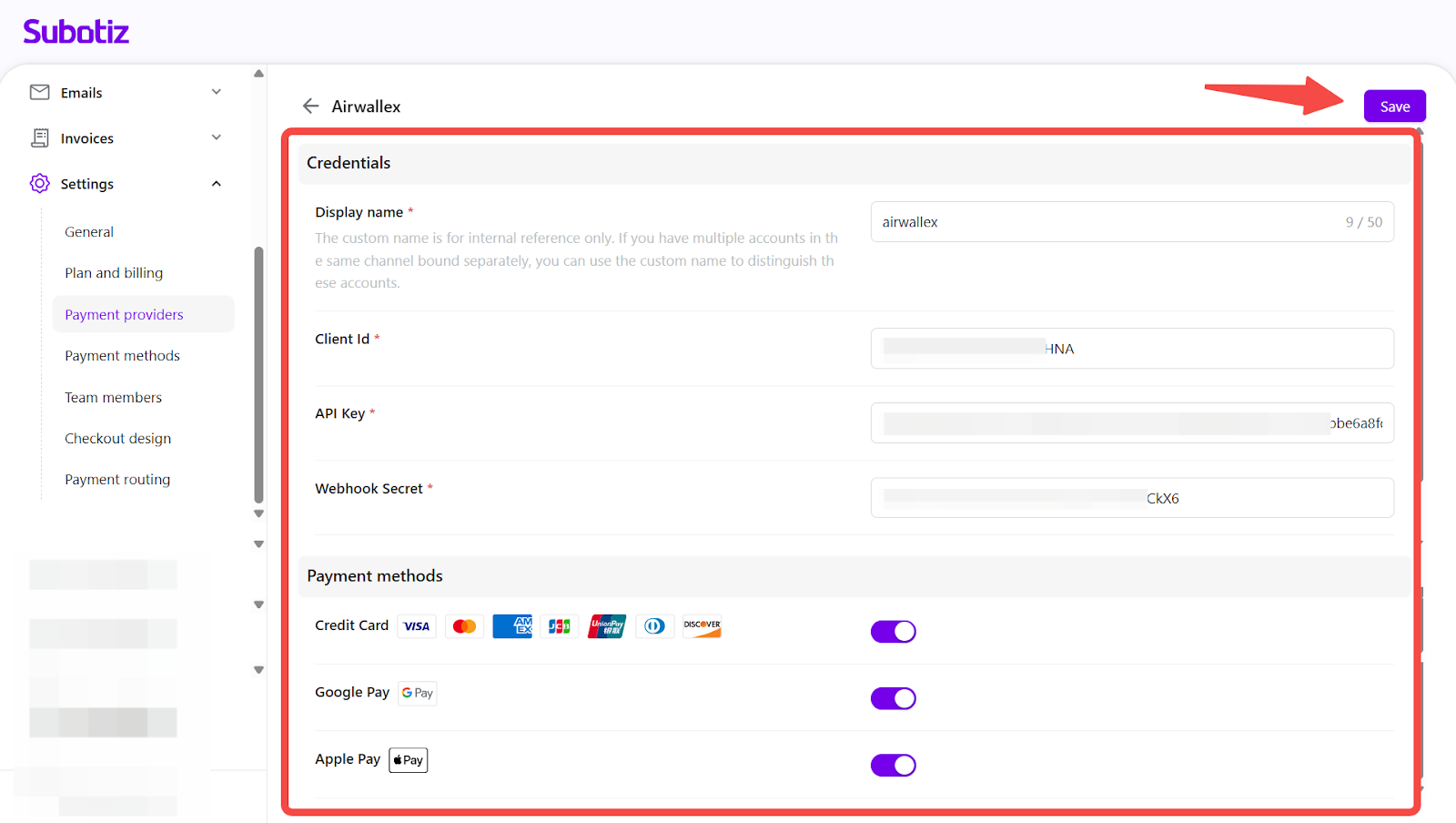
Edit provider settings: Click a provider to open the edit screen, where you can:
- Modify the display name or update API credentials.
- Enable or disable payment methods as needed.
- Save changes to apply the configuration.
-
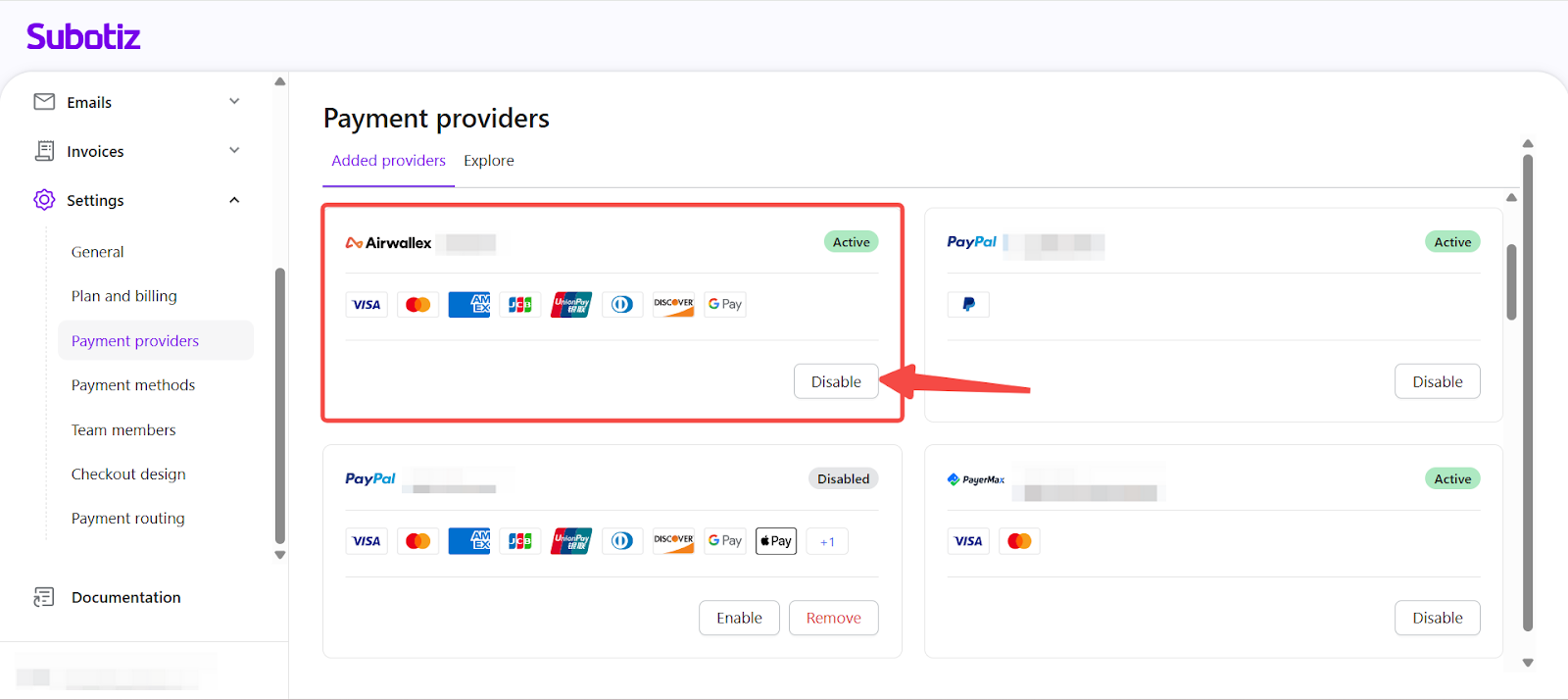
Disable a provider: Click Disable to temporarily stop payment processing without deleting the configuration.
- A provider can only be disabled if no payment methods are currently active at checkout. For details on managing payment methods, see Payment method|Viewing and Managing Payment Methods.
- Once disabled, its configuration is saved and can be reactivated at any time.
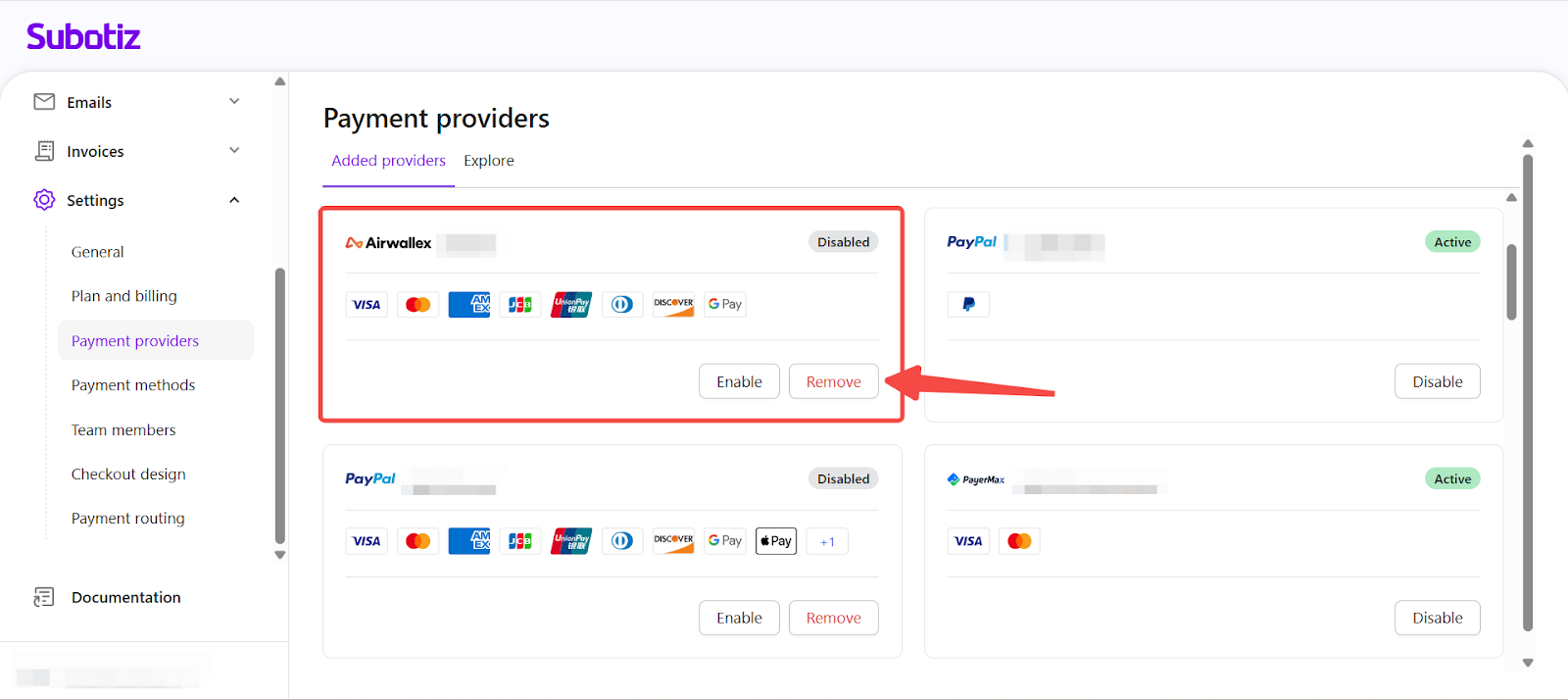
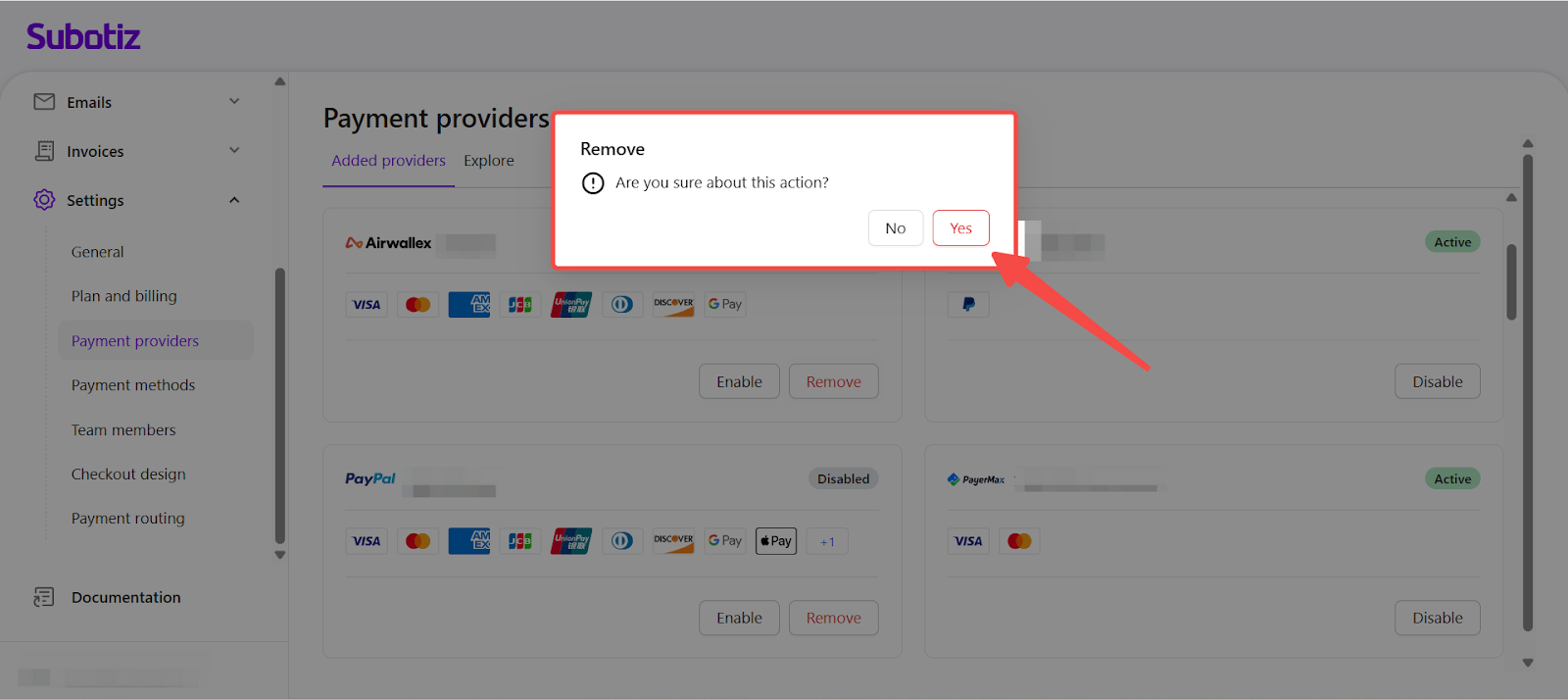
- Remove a provider: Click Remove and confirm in the popup window to permanently delete a provider.
Best Practices
- Review credentials regularly: Avoid disruptions caused by expired API keys or webhook issues.
- Disable unused providers: Keep them for reactivation when needed instead of removing them completely.
- Streamline checkout: Keep only relevant payment methods enabled.
- Test changes during low-traffic hours: Especially when updating providers linked to active subscriptions.
Maintain a stable checkout experience by actively managing your payment providers. Subotiz gives you the flexibility to keep integrations up to date and adjust settings as your business grows.