Transactional emails in Subotiz are system-generated notifications sent to customers when key subscription and payment events occur. Merchants can view, manage, and preview these emails directly in the admin to ensure customers receive timely updates about important account activity.
Purpose of Transactional Emails
- Keep customers informed about subscription and payment statuses.
- Reduce payment failures and subscription churn through renewal, expiration, and fixed-term reminders.
- Maintain transparency and strengthen customer trust.
- Automate repetitive communications and reduce operational workload.
Types of Transactional Emails
- Subscription-related emails: Include trial reminders, activation confirmations, renewal notices, cancellation confirmations, subscription pause and restart notifications, fixed-term expiration reminders, and fixed-term subscription update notifications.
- Payment-related emails: Include payment success notifications and payment failure alerts.
Email Performance Metrics
The system automatically tracks email performance metrics to help merchants evaluate communication effectiveness:
- Sent: The total number of emails triggered by the system.
- Delivered: The number of emails successfully delivered to customer inboxes.
- Opened: The number of times customers opened the email, reflecting engagement levels.
Management and Preview
Merchants can manage different transactional email types directly in the admin:
- Enable or disable: Turn individual email types on or off as needed.
- Preview templates: View email template content to ensure messaging is accurate and aligned with brand standards.
Business Value
Using transactional emails helps merchants:
- Maintain proactive communication with customers.
- Improve subscription retention and reduce payment-related issues.
- Deliver a more professional and consistent customer experience.
Viewing Transactional Emails in the Admin
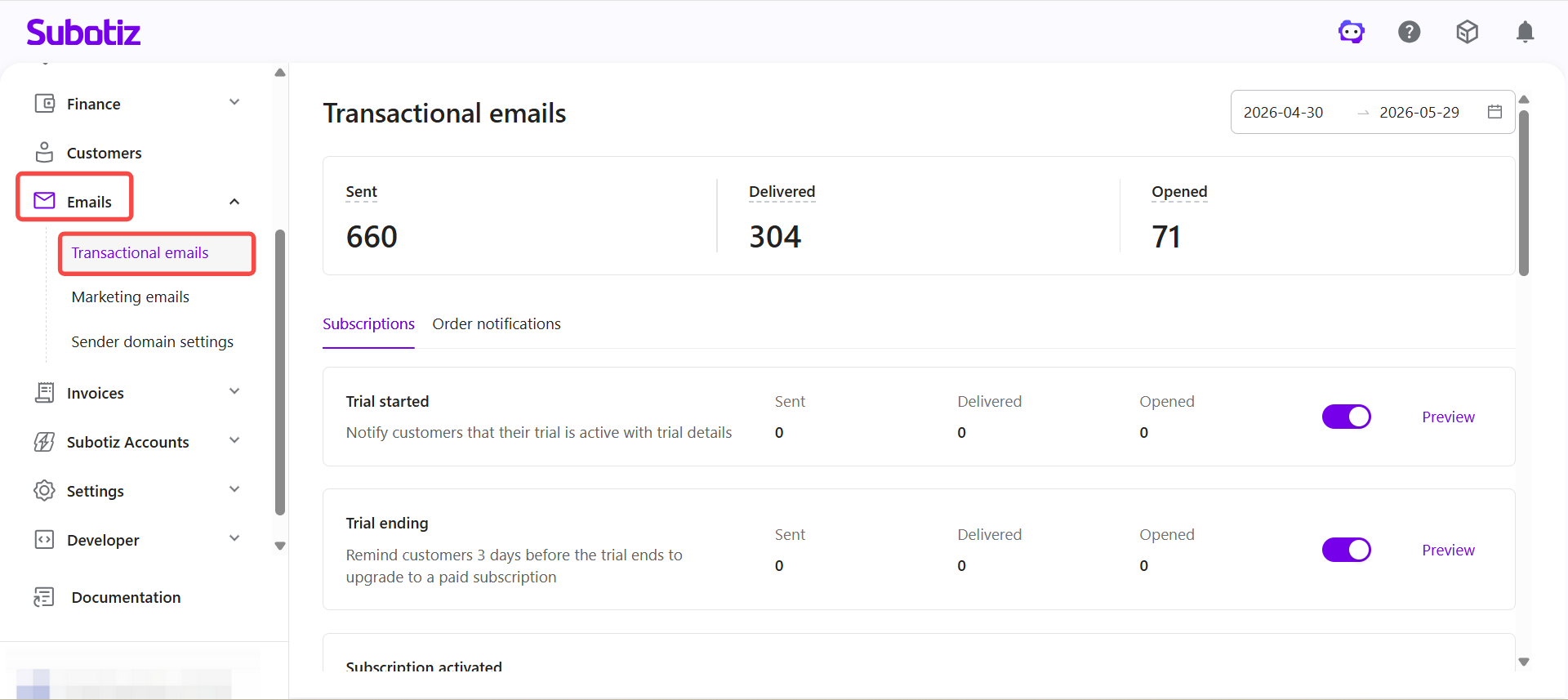
View transactional emails: Log in to Subotiz Admin and go to Emails > Transactional emails to view all system-generated notification emails. The page displays sent, delivered, and opened metrics for each email type.
From this page, merchants can:
- Review different transactional email types and their purpose descriptions.
- View sent, delivered, and opened performance metrics.
- Enable or disable individual email types.
- Click Preview to view the current email template.
Transactional emails help merchants centrally manage automated customer notifications and ensure timely communication around subscription and payment activity. With built-in performance tracking and template previews, merchants can maintain consistent messaging and improve the customer experience.