Subotiz automatically generates an invoice after each successful charge. Invoices record billing activities related to one-time purchases, recurring subscriptions, and trial-related charges. Through the invoice management module, merchants can centrally manage invoices in the admin and review charges and subscription billing records.
Invoice Types
Each invoice is assigned an invoice type to indicate the billing scenario that generated the charge. Invoice types are used for business identification only. They do not affect payment status or settlement results.
The following invoice types are available in the admin:
- One-time payment: Generated when a customer completes a one-time product purchase.
- Free trial: Generated during free trial–related subscription flows, such as trial activation or payment method collection.
- Subscription creation: Generated when a subscription is created and charged for the first time.
- Subscription renewal: Generated when a subscription renews automatically at the start of a billing cycle.
- Subscription change charge: Generated when a subscription is upgraded, downgraded, or modified and results in an additional charge.
- Subscription activation: Generated when a subscription becomes active and produces a billable charge.
Invoice Triggers
An invoice is generated whenever one of the following billing events occurs:
- A customer completes a one-time payment.
- A subscription is created and charged.
- A subscription enters a free trial flow that requires a payment method.
- A subscription becomes active and produces a charge.
- A subscription renews at the start of a billing cycle.
- A subscription change results in an additional charge.
Each billing event generates one invoice.
Invoice Fields
Each invoice displays the following information:
- Created at: The time when the invoice was generated.
- Invoice ID: A system-generated unique identifier.
- Customer email: The email address associated with the charged customer.
- Invoice type: The billing scenario associated with the invoice.
- Billing cycle: The billing frequency (for example, weekly or monthly), when applicable.
- Amount: The amount charged.
- Status: The current processing state of the invoice.
- Subscription ID: Displayed for subscription-related invoices.
- Pricing name: The pricing plan associated with the charge.
Invoice Statuses
Invoice statuses indicate the payment or refund state of the invoice.
The following statuses are displayed in the admin:
- Paid: Payment completed successfully.
- Failed: Payment attempt did not succeed.
- Open: Invoice created. Payment has not yet completed.
- Payment in progress: Payment is being processed and awaiting confirmation.
- Retrying: A subscription renewal payment failed and is currently within the automatic retry period.
- Refunded: The full invoice amount has been refunded.
- Partially refunded: A portion of the invoice amount has been refunded.
Note: When a subscription renewal charge fails and remains within the retry window, the invoice status remains Retrying. The status updates automatically based on retry results.
Viewing Invoices in the Admin
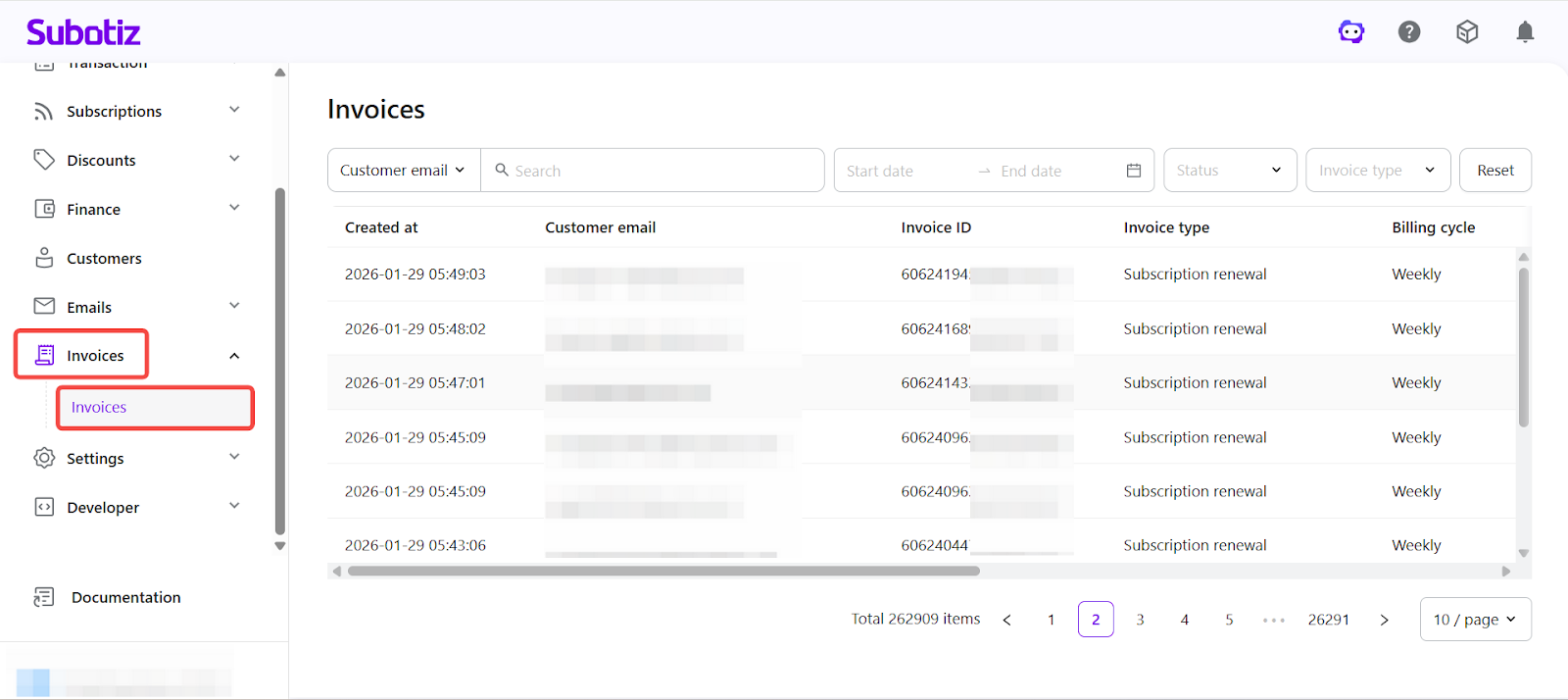
Access the Invoices section: From your Subotiz admin, go to Invoices. Each row displays key details such as customer email, billing cycle, creation date, status and invoice ID.
From the invoice list, you can:
- Search invoices by Customer email or Invoice ID
- Filter invoices by Status
- Filter invoices by Invoice type
- Filter invoices by date range
-
Click any invoice to view detailed billing and payment information
Subotiz generates an invoice for each billing-related action and uses invoice type and status to identify billing scenarios and processing stages.
Next step: Trade orders|Understanding Trade Orders.