The PayPal dispute workflow in Subotiz gives merchants clear visibility into dispute cases before submitting evidence in the PayPal Resolution Center. PayPal disputes are centralized in the Subotiz dashboard, allowing merchants to review and track them in one place.
Note: All dispute responses and evidence submissions must be completed directly in the PayPal Resolution Center.
Reviewing PayPal Disputes
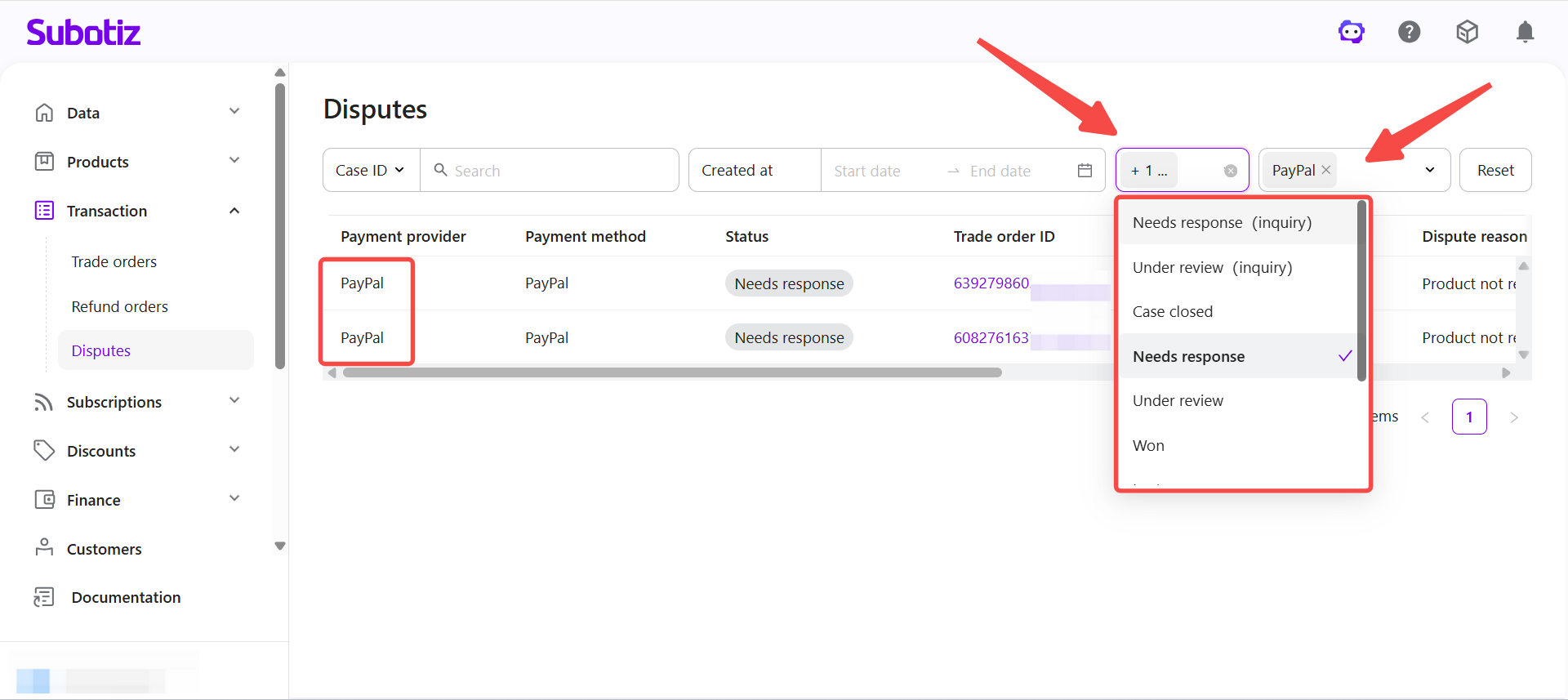
- Filter PayPal disputes: Go to Transaction > Disputes in the Subotiz admin. Select PayPal in the Payment provider filter, then filter by Status to focus on actionable cases.
- Focus on cases marked Needs response (appealable) and Needs response, as both require merchant action to proceed.
- Other statuses (Open, Pending customer response, Under review, Case closed) are for reference only.
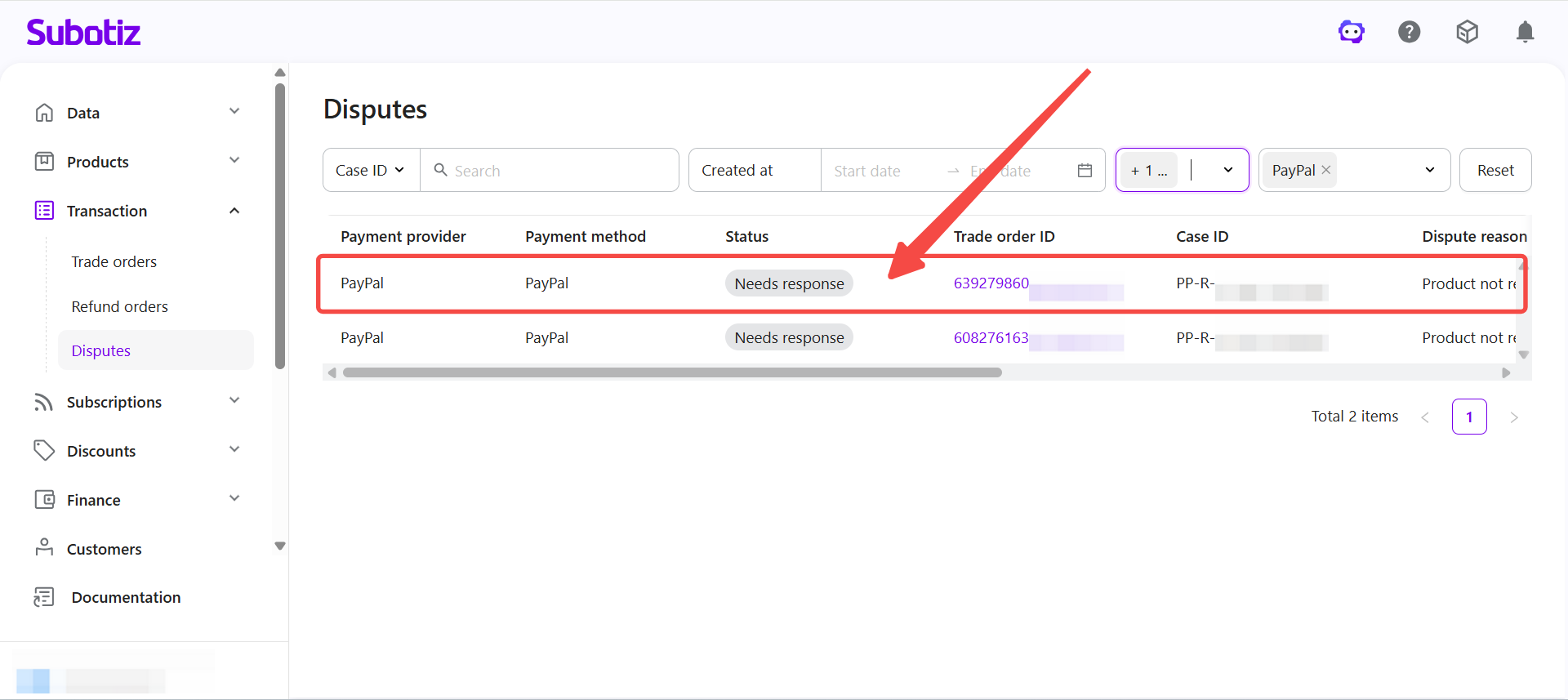
- Open dispute details: Click any dispute record to access the case details page.
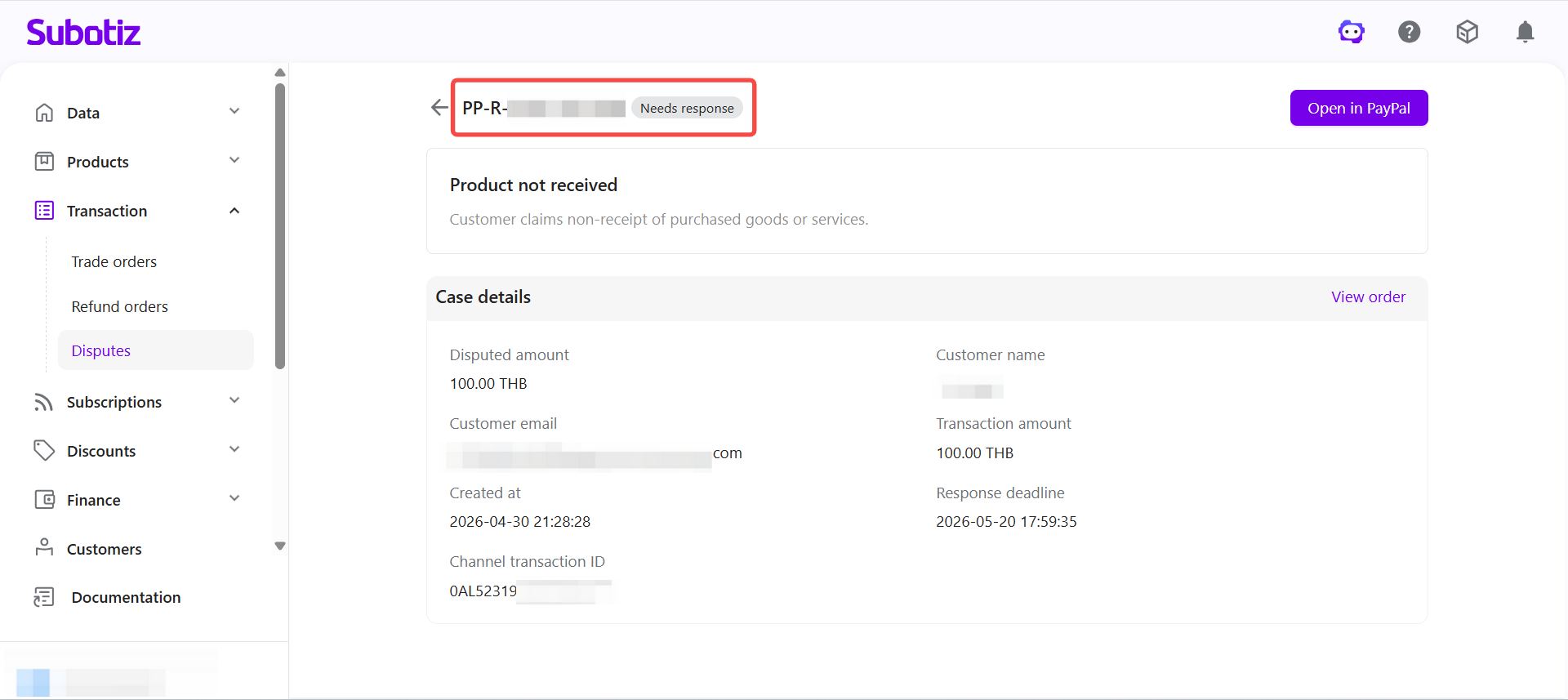
- View case header: Check the Case ID and Status displayed at the top of the page.
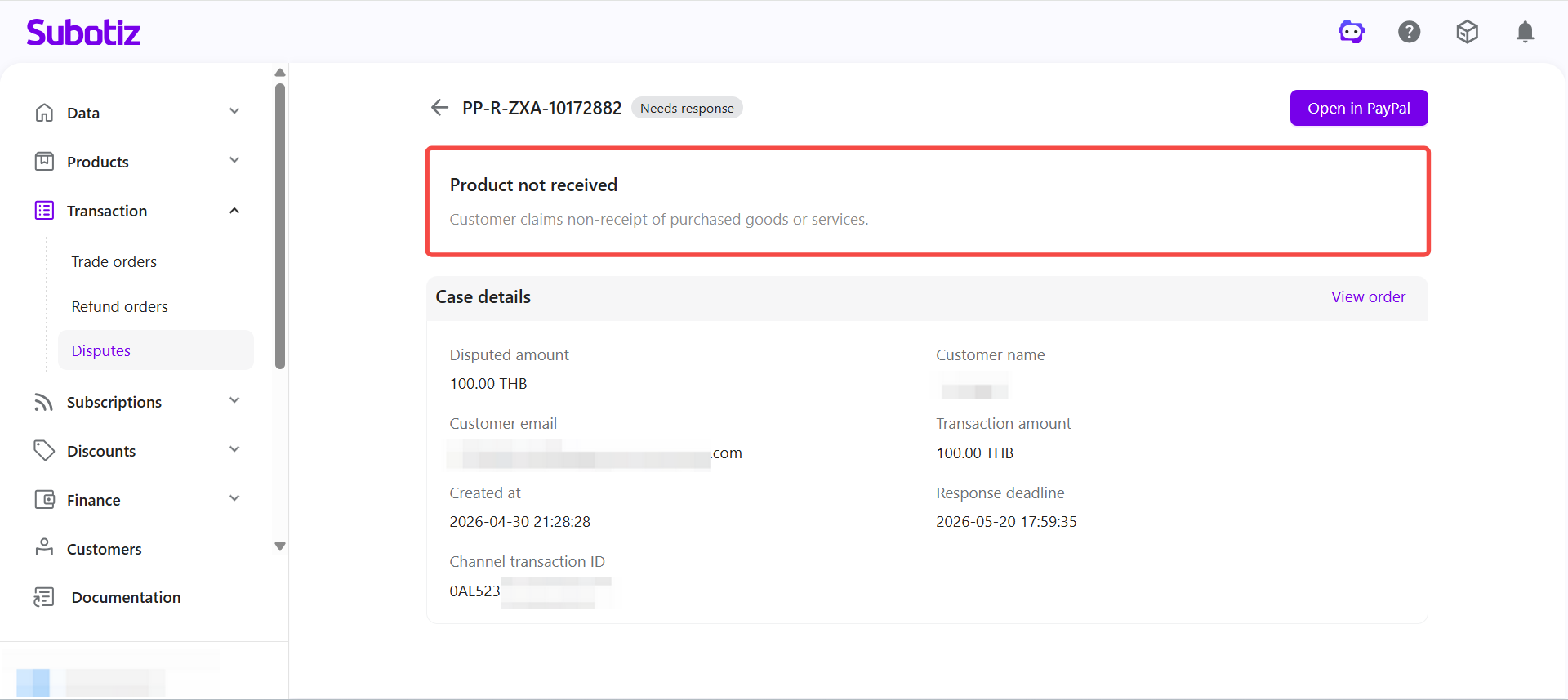
- View dispute reason: Review the dispute reason and description provided by the customer.
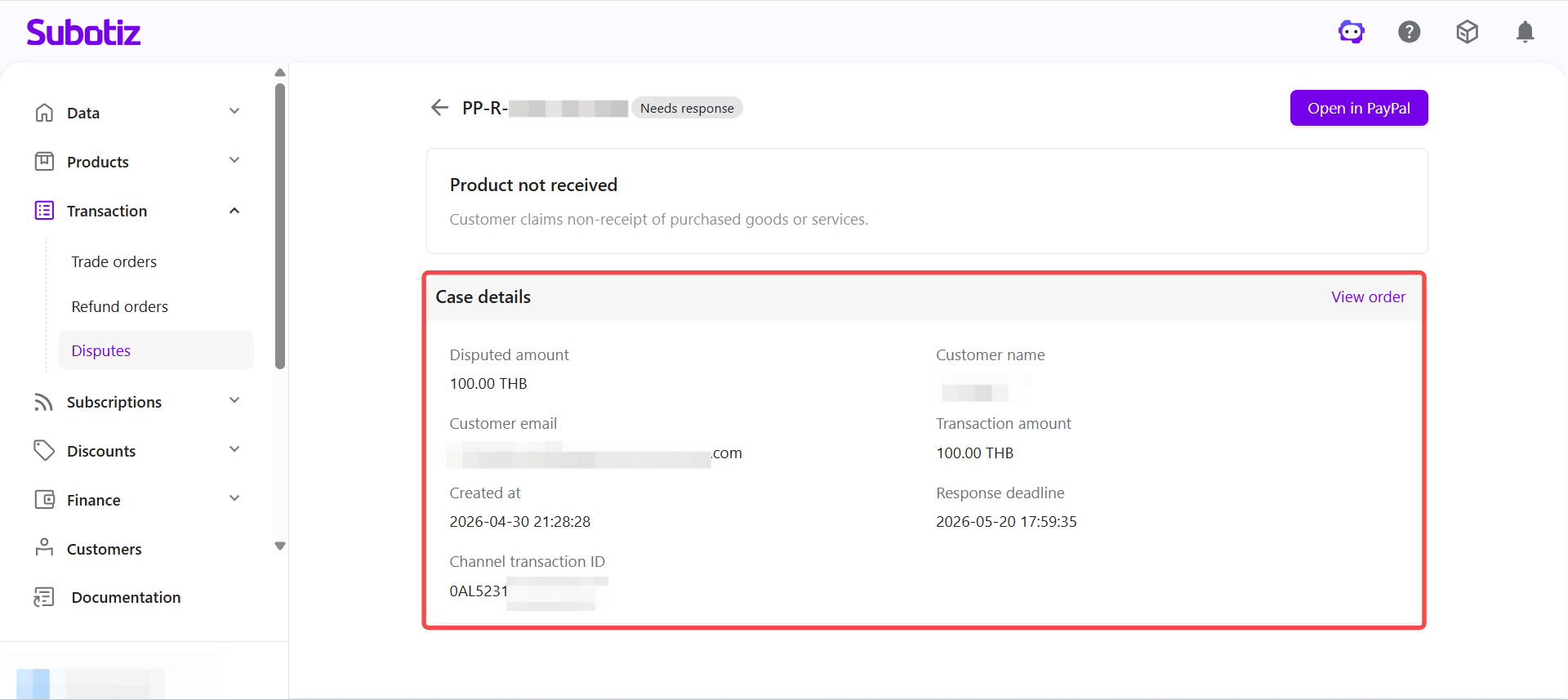
- Verify case information: Review key details in the Case details section:
- Disputed amount and transaction amount
- Customer email and cardholder name
- Created at and response deadline
- Channel transaction ID
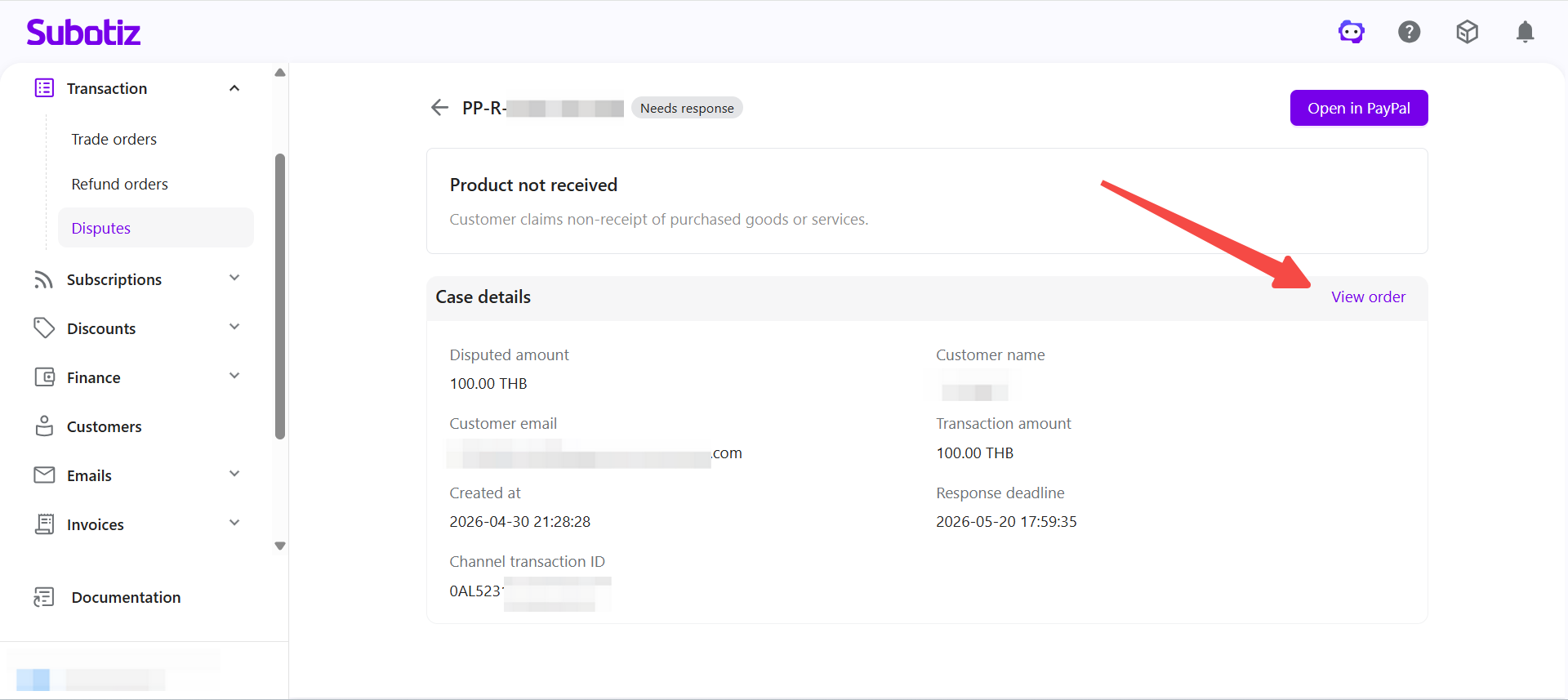
- Open related order: Click View order in the top-right corner to access the linked trade order.
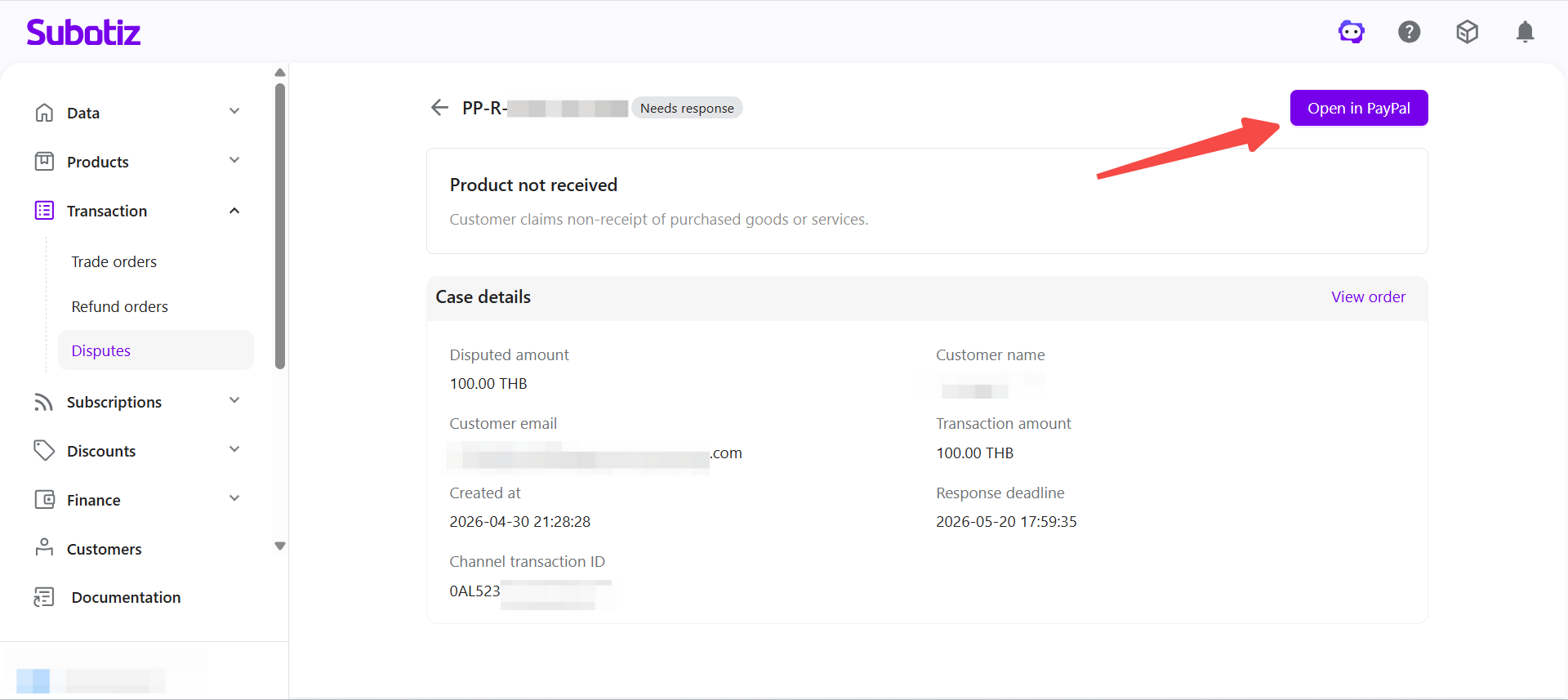
- Continue in PayPal: Click Open in PayPal to proceed to the PayPal Resolution Center for evidence submission and case handling.
PayPal Dispute Reasons
Each PayPal dispute includes a customer-selected reason code with a description:
Reason | Description | Typical scenario |
|---|---|---|
Credit not processed | A refund or credit has not been issued. | Customer returned the product, canceled the service, or did not receive full value, but no refund was processed. |
Duplicate | The same item was charged multiple times. | Multiple charges appear for the same product or service. |
Unauthorized | Charge reported as unrecognized or not authorized by the cardholder. | Fraudulent card use or the cardholder did not recognize the transaction. Often difficult to contest. |
Incorrect charge amount | The charged amount does not match the order value. | Customer reports being billed more than the agreed amount. |
Payment by other methods | Customer reports the order was already paid through another channel. | Transaction was settled via another method before the dispute. |
Product not received | Goods or services were not delivered. | Delivery failure or incomplete fulfillment. |
Product unacceptable | Product received but defective, damaged, or misdescribed. | Item delivered broken, incomplete, or different from description. |
Subscription canceled | Charges continued after cancellation. | Billing activity occurred despite subscription ending. |
Remittance processing error | An issue occurred during money transfer. | Customer reports an error in the remittance process. |
Others | Reason not covered by predefined categories. | Customer explanation unclear or outside listed reasons. |
Best Practices
- Prioritize actionable disputes: Focus on cases marked Needs response (appealable) and Needs response.
- Review before responding: Check dispute details in Subotiz before opening PayPal to prepare complete evidence.
- Validate case records: Match the Case ID in Subotiz with the PayPal Resolution Center to confirm alignment.
- Use filters efficiently: Combine Payment provider and Status filters to quickly locate relevant disputes.
Subotiz centralizes PayPal dispute visibility, enabling merchants to review cases and take timely action. Final dispute handling and evidence submission remain in the PayPal Resolution Center.