The Disputes dashboard in Subotiz consolidates dispute cases from Subotiz Payments and PayPal into a single view. It enables merchants to track dispute status, review dispute reasons, and monitor response deadlines, ensuring timely and efficient case handling.
Viewing Disputes in the Admin
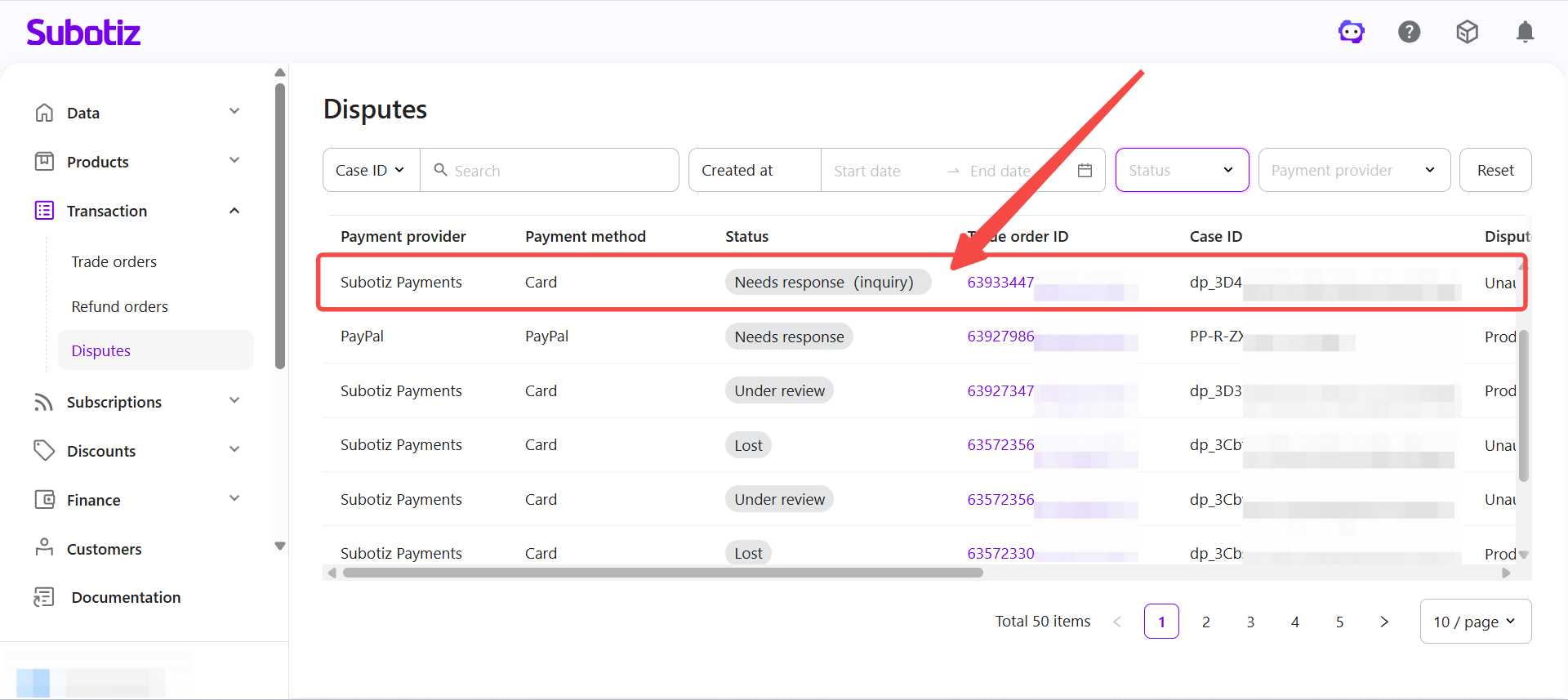
- Open Disputes: Go to Transaction > Disputes in the Subotiz admin to view all dispute records.
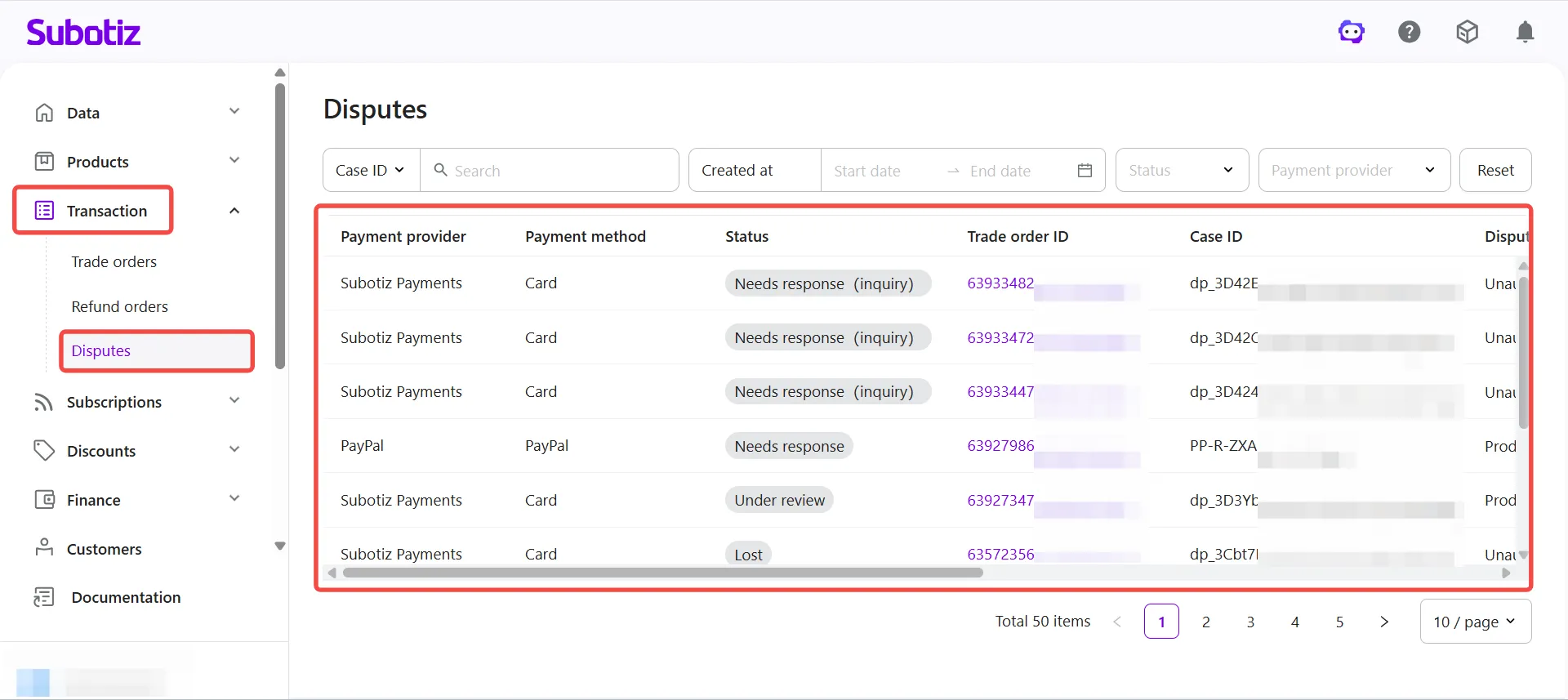
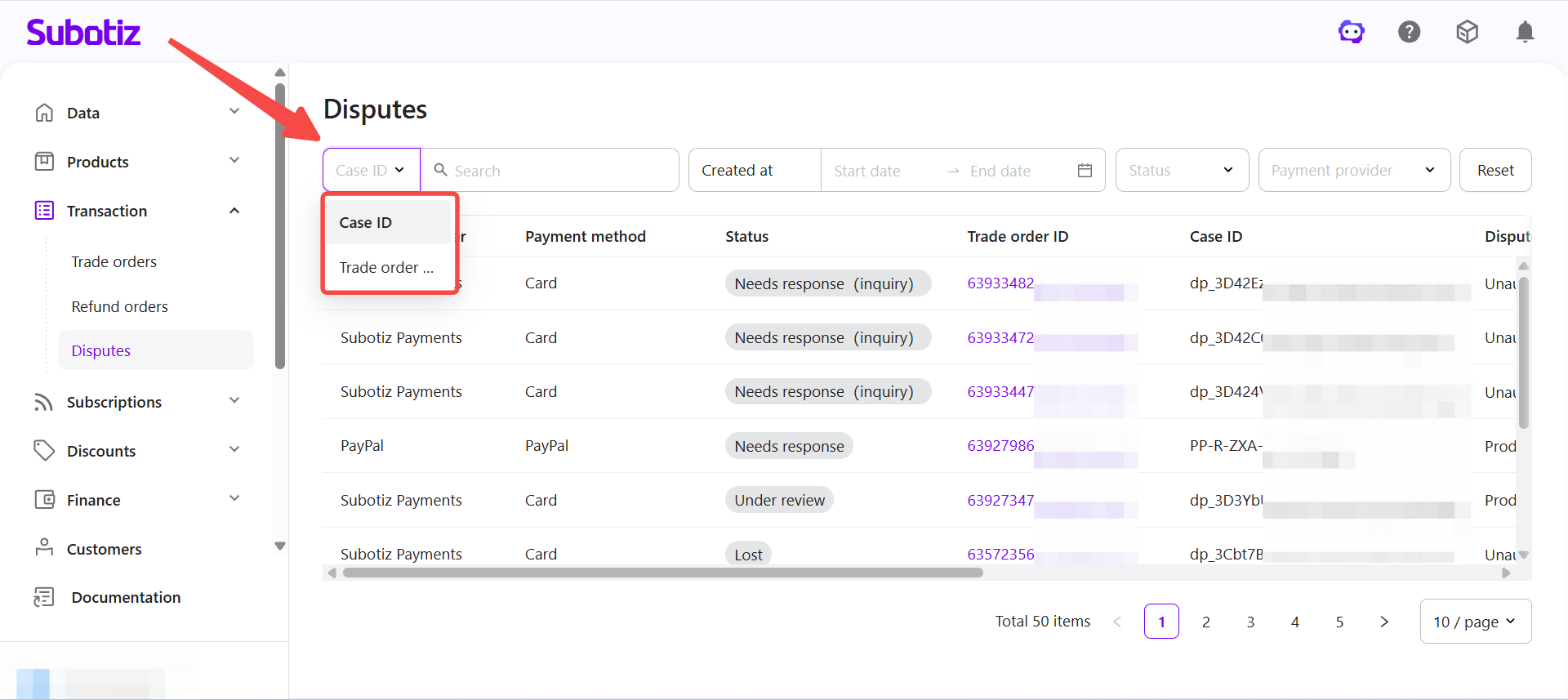
- Search disputes: Select Case ID or Trade order ID from the dropdown, then enter the identifier to locate a specific case.
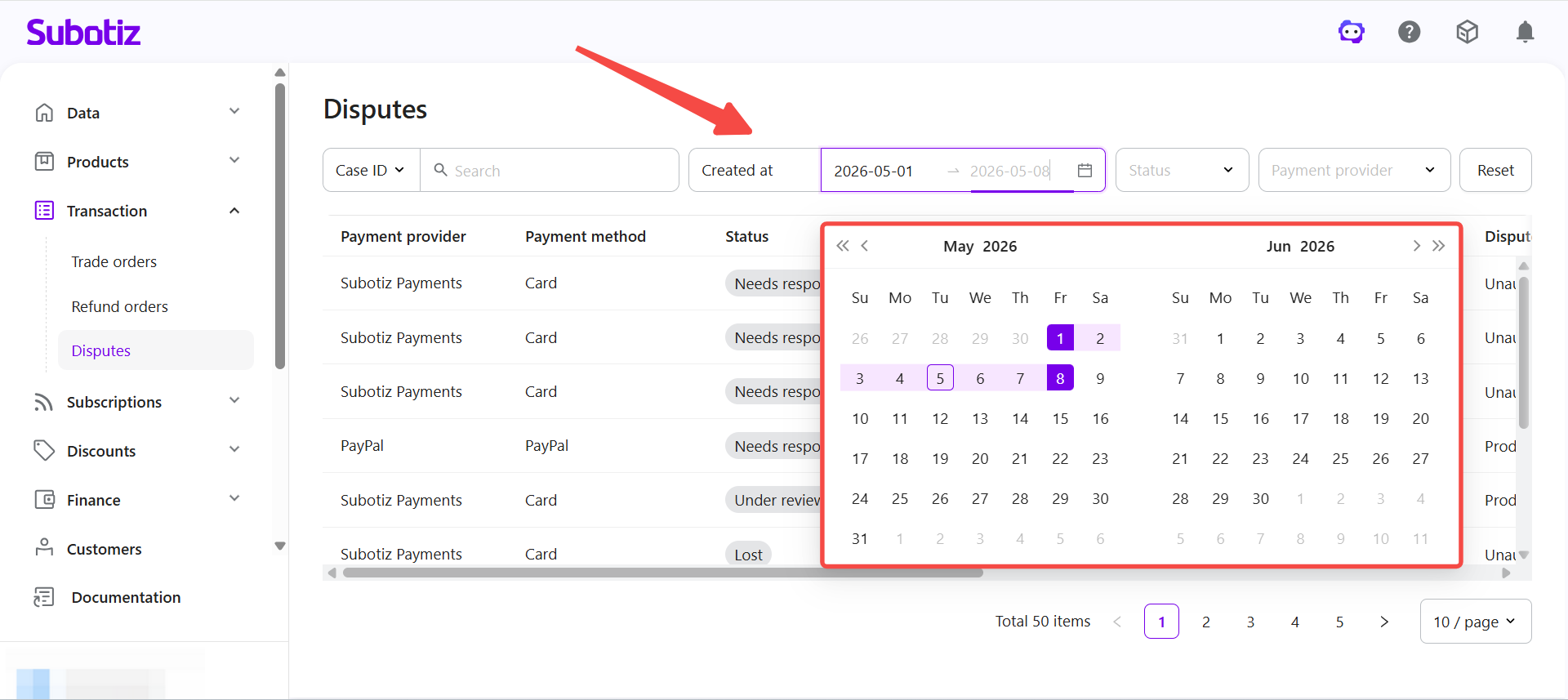
- Filter by date: Set a Created at date range to view disputes opened within a specific period.
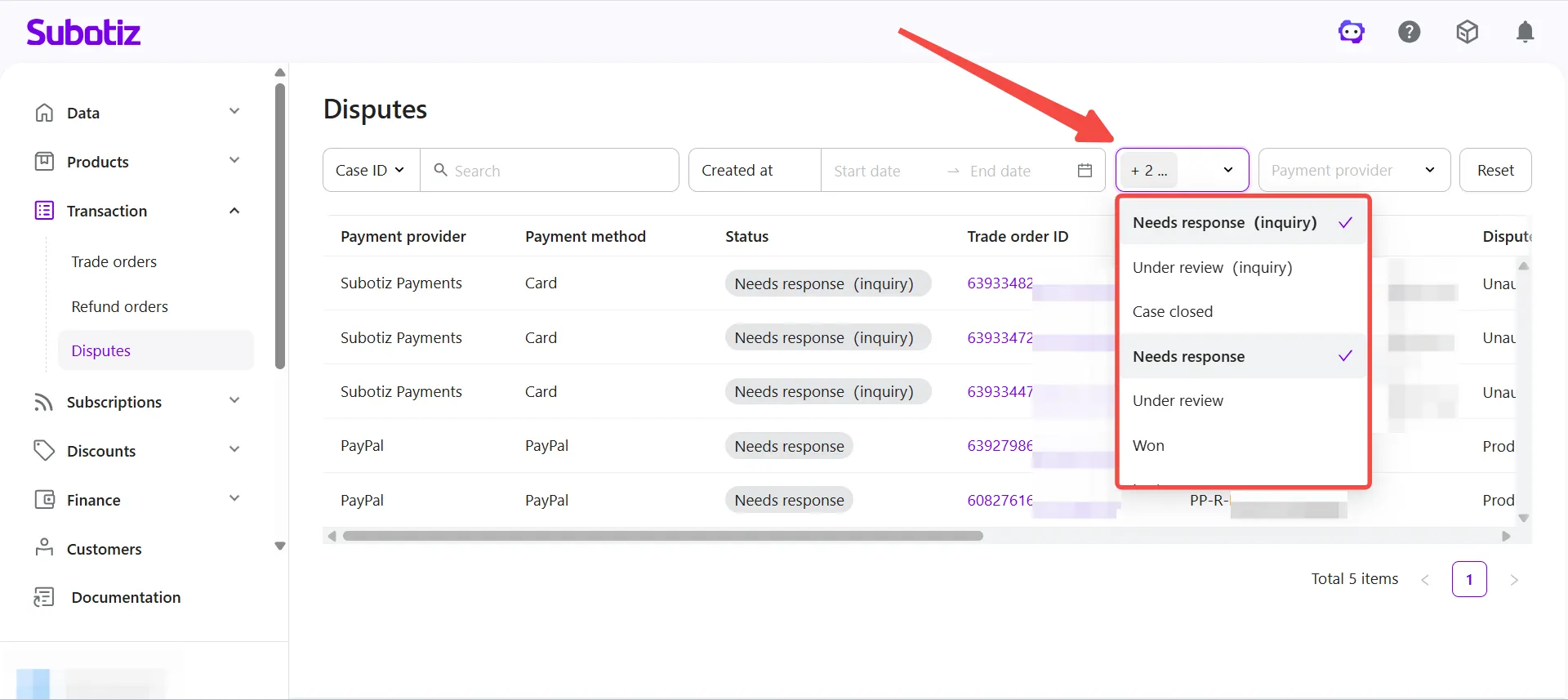
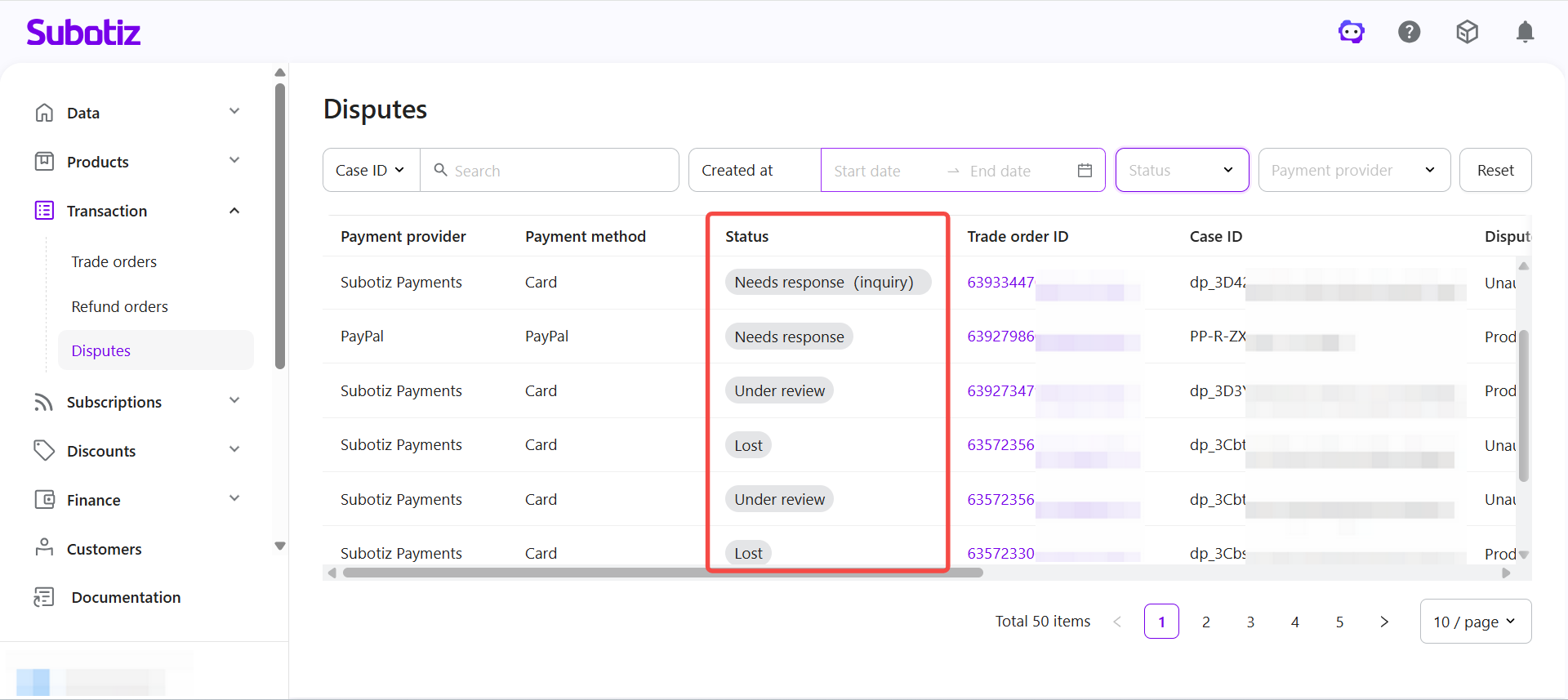
- Filter by status: Select one or more statuses to focus on specific stages of disputes.
- Filter by payment provider: Choose Subotiz Payments or PayPal to narrow results.
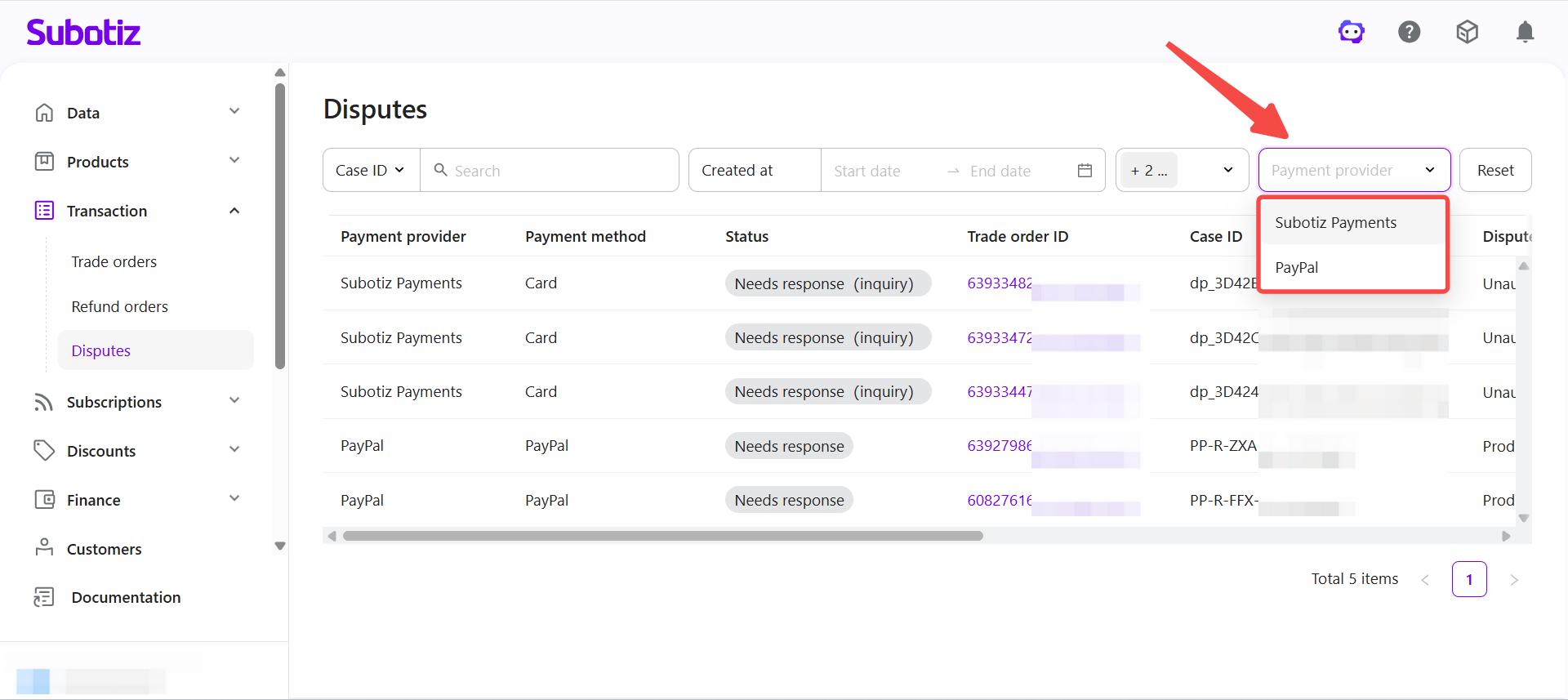
Dispute Record Fields
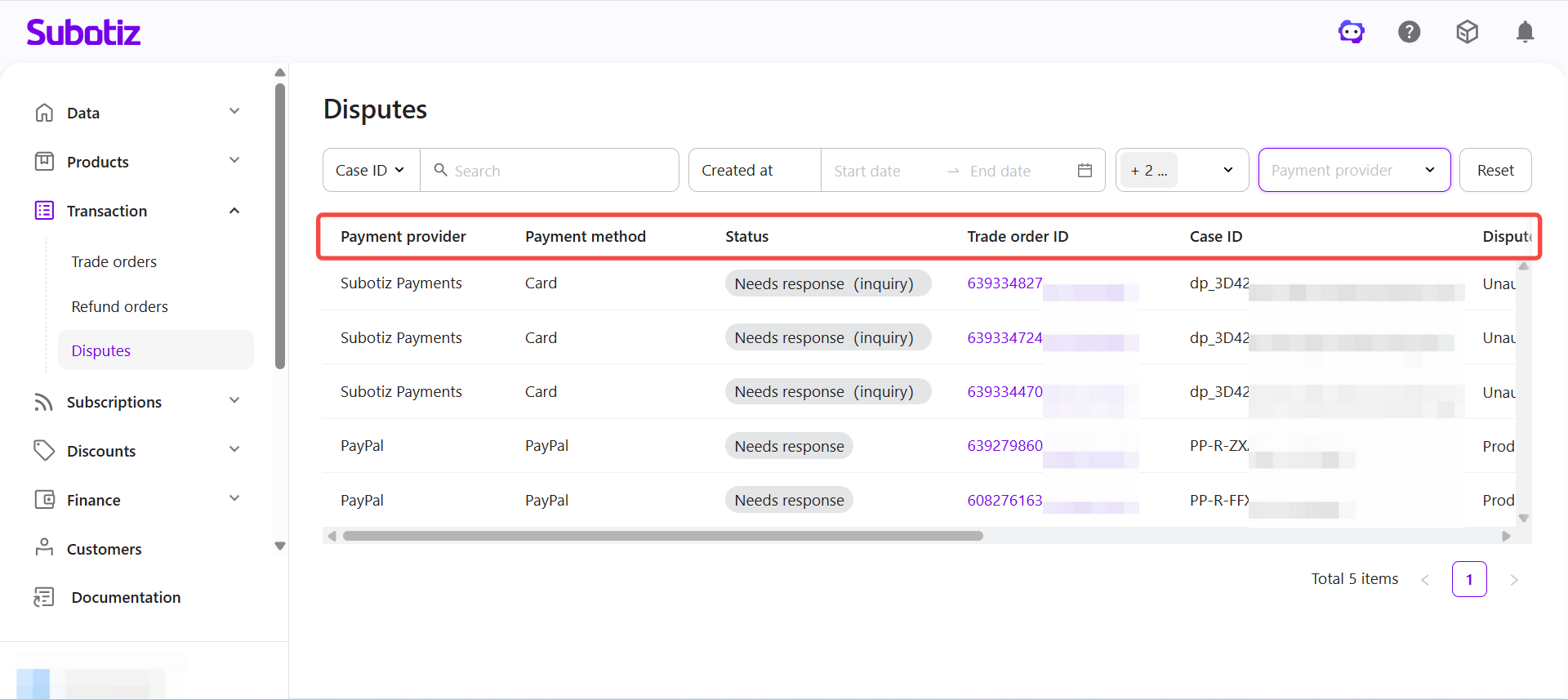
Each dispute record includes the following fields to identify case details, status, and key timelines:
- Payment provider: Source of the dispute, such as Subotiz Payments or PayPal.
- Payment method: Method used by the customer, such as Card or PayPal.
- Status: Current stage of the dispute. See Dispute Statuses below for details.
- Trade order ID: Internal order identifier in Subotiz. Clickable to view the linked order.
- Case ID: Reference number assigned by the payment provider.
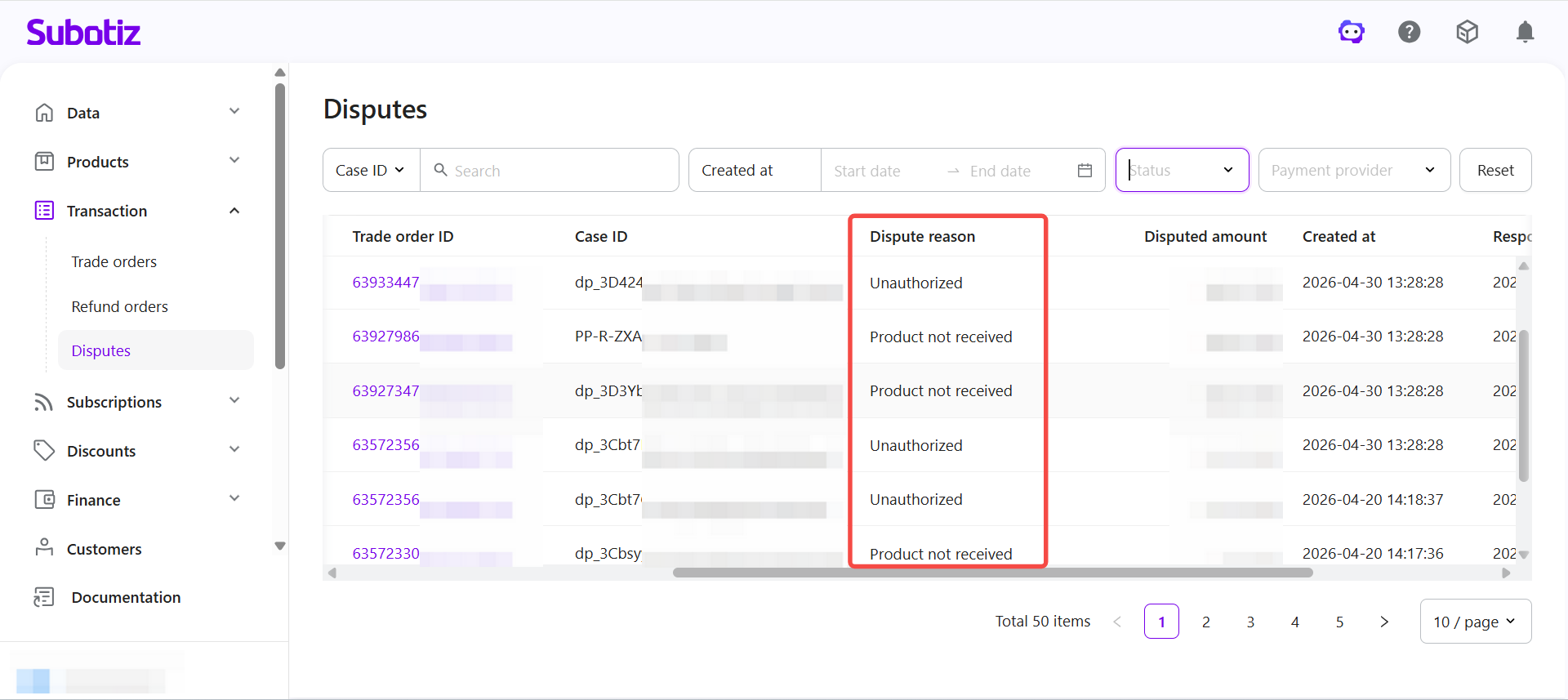
- Dispute reason: Reason reported by the customer. See Dispute Reasons below.
- Disputed amount: Amount under dispute.
- Created at: Date and time the dispute was opened.
- Response deadline: Final date to submit evidence. Missing the deadline results in an automatic loss.
- Updated at: Most recent activity timestamp.
Dispute Statuses
Statuses vary slightly between Subotiz Payments and PayPal. The full status list is as follows:
Channel | Status | Typical scenario |
|---|---|---|
PayPal | Open | Case created and pending further action. |
PayPal | Pending customer response | Additional information required from the customer. |
PayPal | Needs response | Response or evidence required from the merchant. |
PayPal | Under review | Case currently under review by PayPal. |
PayPal | Case closed | Case finalized and closed by PayPal. |
PayPal | Needs response (appealable) | Case can be appealed with additional evidence. |
Subotiz Payments | Needs response (inquiry) | Merchant reply required before escalation. |
Subotiz Payments | Under review (inquiry) | Inquiry under review by the card network. |
Subotiz Payments | Case closed | Inquiry result finalized and recorded. |
Subotiz Payments | Needs response | Merchant required to accept dispute or submit evidence. |
Subotiz Payments | Under review | Case under evaluation by the issuer or network. |
Subotiz Payments | Won | Final decision recorded in favor of the merchant. |
Subotiz Payments | Lost | Final decision recorded in favor of the customer. |
Dispute Reasons
Each dispute includes a reason provided by the customer:
Channel | Reason | Description | Typical scenario |
|---|---|---|---|
Subotiz, PayPal | Credit not processed | Refund or credit was not issued. | Customer returned a product, canceled a service, or did not receive full value, but no refund or credit was applied. |
Subotiz, PayPal | Duplicate | The same transaction was charged more than once. | Multiple charges recorded for a single purchase. |
Subotiz, PayPal | Unauthorized | Transaction reported as unrecognized or not authorized. | Fraudulent use of a card or transaction not recognized by the customer. Often difficult to contest. |
Subotiz, PayPal | Product not received | Goods or services were not delivered. | Delivery failure or incomplete fulfillment. |
Subotiz, PayPal | Product unacceptable | Goods or services were defective, damaged, or misdescribed. | Item arrived broken, incomplete, or inconsistent with description. |
Subotiz, PayPal | Subscription canceled | Charges continued after the subscription was canceled. | Billing activity occurred despite subscription termination. |
Subotiz, PayPal | Others | Reason not included in predefined categories. | Customer explanation unclear or outside standard classifications. |
Subotiz only | Unrecognized | Transaction not identified by the customer. | Merchant name unclear or confused with another charge. |
PayPal only | Incorrect charge amount | The charged amount did not match the order value. | Customer reported being billed more than the agreed amount. |
PayPal only | Payment by other methods | Customer stated the order was paid through another channel. | Transaction settled using an alternate payment method. |
PayPal only | Remittance processing error | An issue occurred during money transfer. | Customer reported an error in the remittance process. |
Viewing Case Details and Submitting Evidence
- View case details: Click any dispute record to open the case and review deadlines, reasons, and available actions.
- Evidence submission:
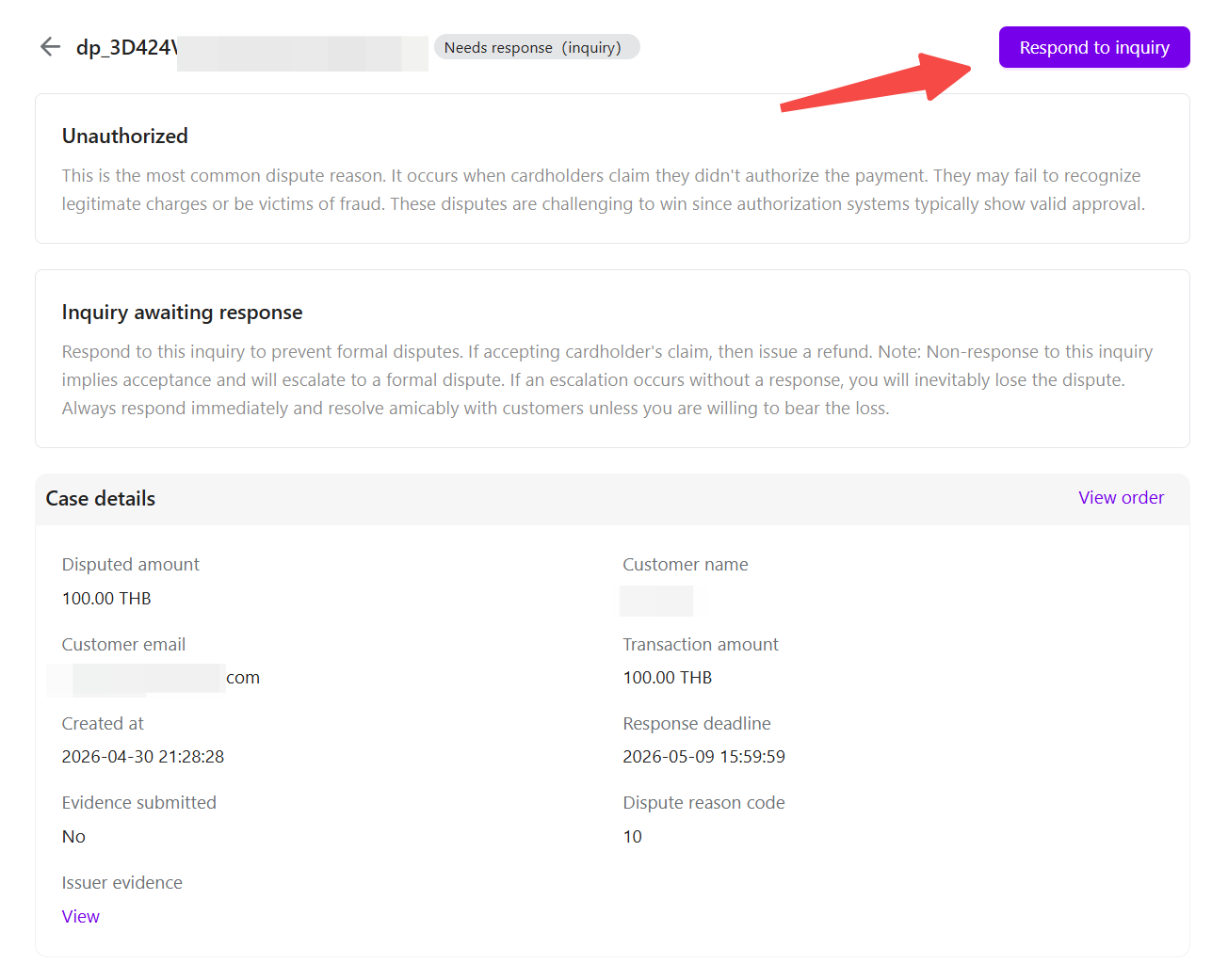
- Subotiz Payments: Review and submit evidence directly in the Subotiz admin. Click the action button in the top-right corner of the case detail page to proceed.
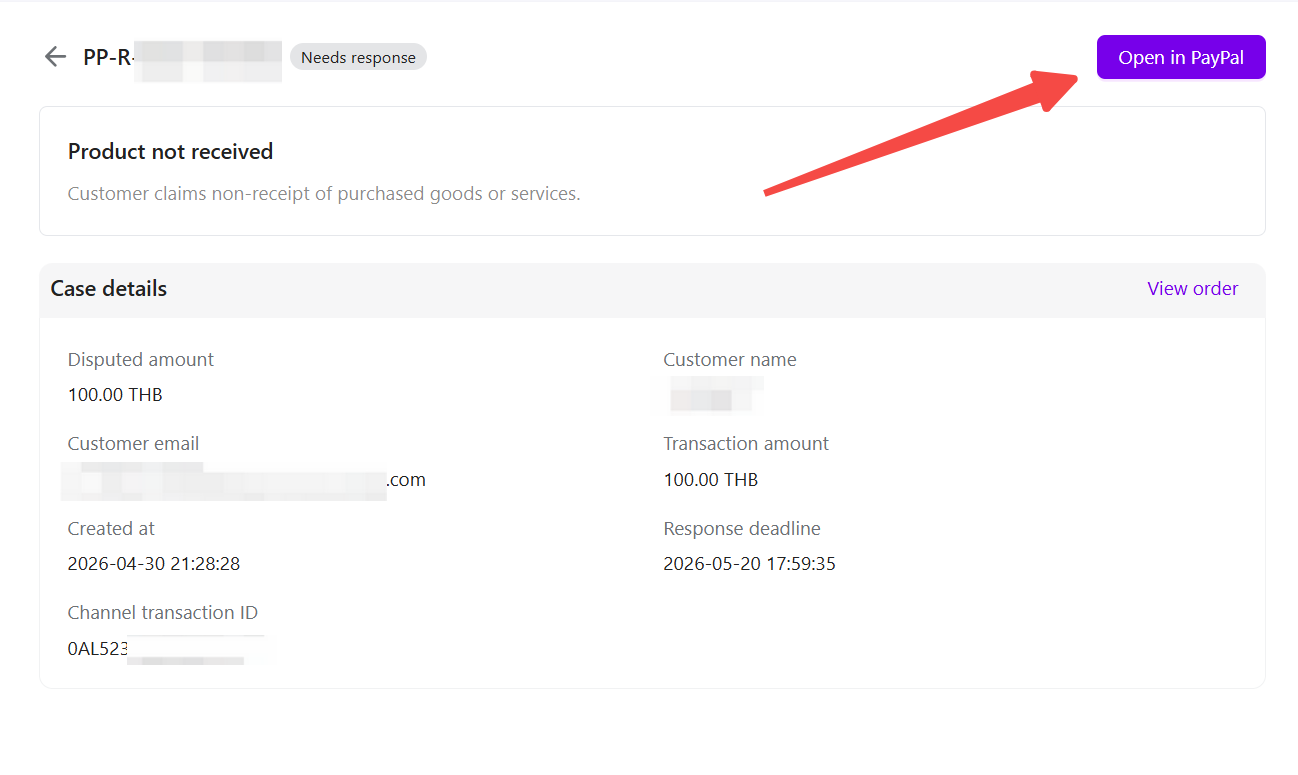
- PayPal: Click Open in PayPal to continue handling in the PayPal Resolution Center.
Best Practices
- Prioritize active disputes: Filter by Status = Needs response to identify cases requiring immediate action.
- Review by provider: Separate Subotiz Payments and PayPal disputes to avoid confusion.
- Monitor deadlines: Track response deadlines closely to ensure timely submission.
- Verify externally: Use the Case ID to cross-check records in the payment provider's system.
The Disputes dashboard in Subotiz provides a centralized view of dispute cases across payment providers. By tracking statuses, reasons, and deadlines in one place, merchants can respond efficiently and improve dispute handling outcomes.