The Product Pricing page in Subotiz provides a centralized workspace for managing all pricing plans. It enables merchants to review pricing configurations across products and efficiently locate and update plans using filters, search, and status controls, ensuring consistency between product setup and billing strategy.
Accessing the Product Pricing Page
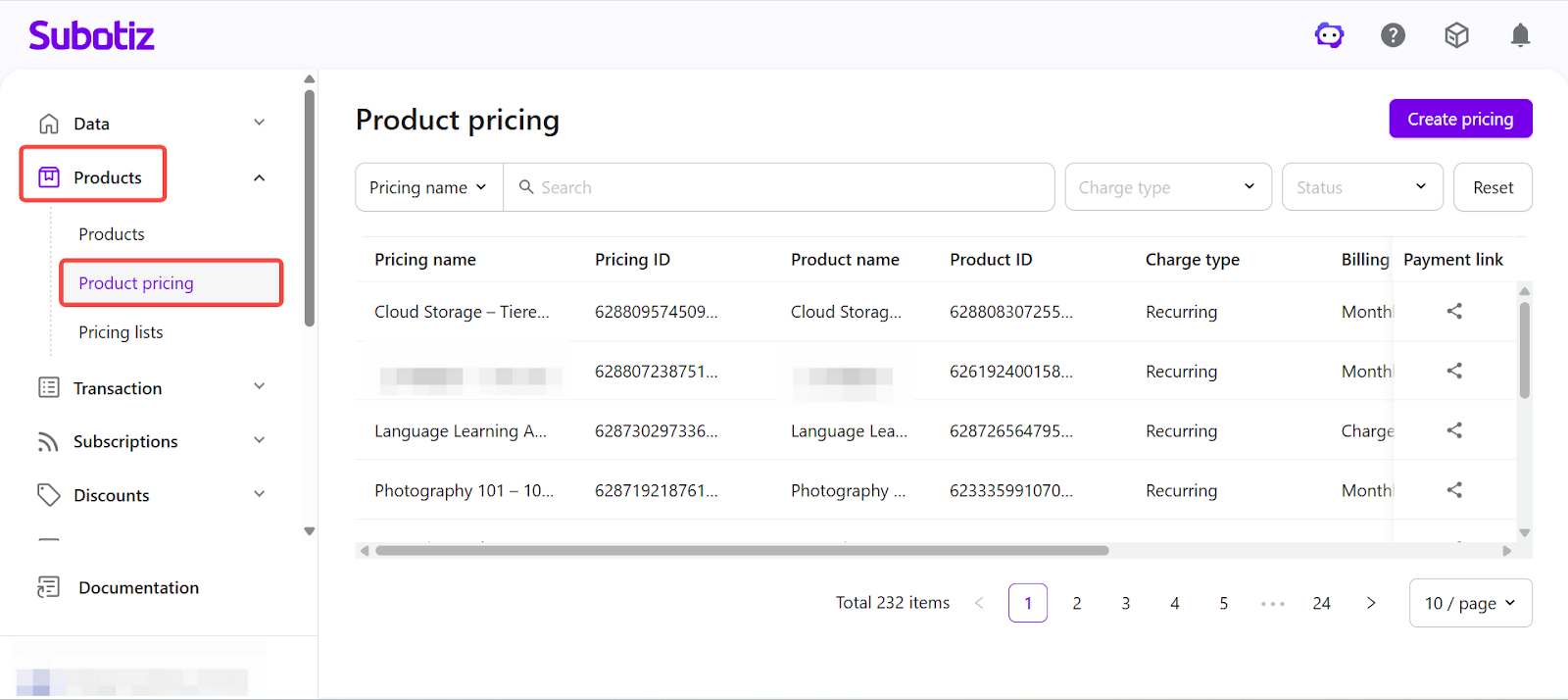
- Open the pricing list: Log in to the Subotiz admin and navigate to Products > Product Pricing.
Browsing and Filtering Pricing Plans
The pricing list displays key details such as pricing name, associated product, charge type, billing cycle, and status, providing a clear overview of the current pricing structure.
- Filter and search pricing plans
- Pricing name / ID, product name / ID: Searchable by keyword.
- Charge type: Filter by One-time payment or Recurring subscription.
- Status: Filter by Active or Inactive.
Multiple filters can be combined to narrow down results efficiently.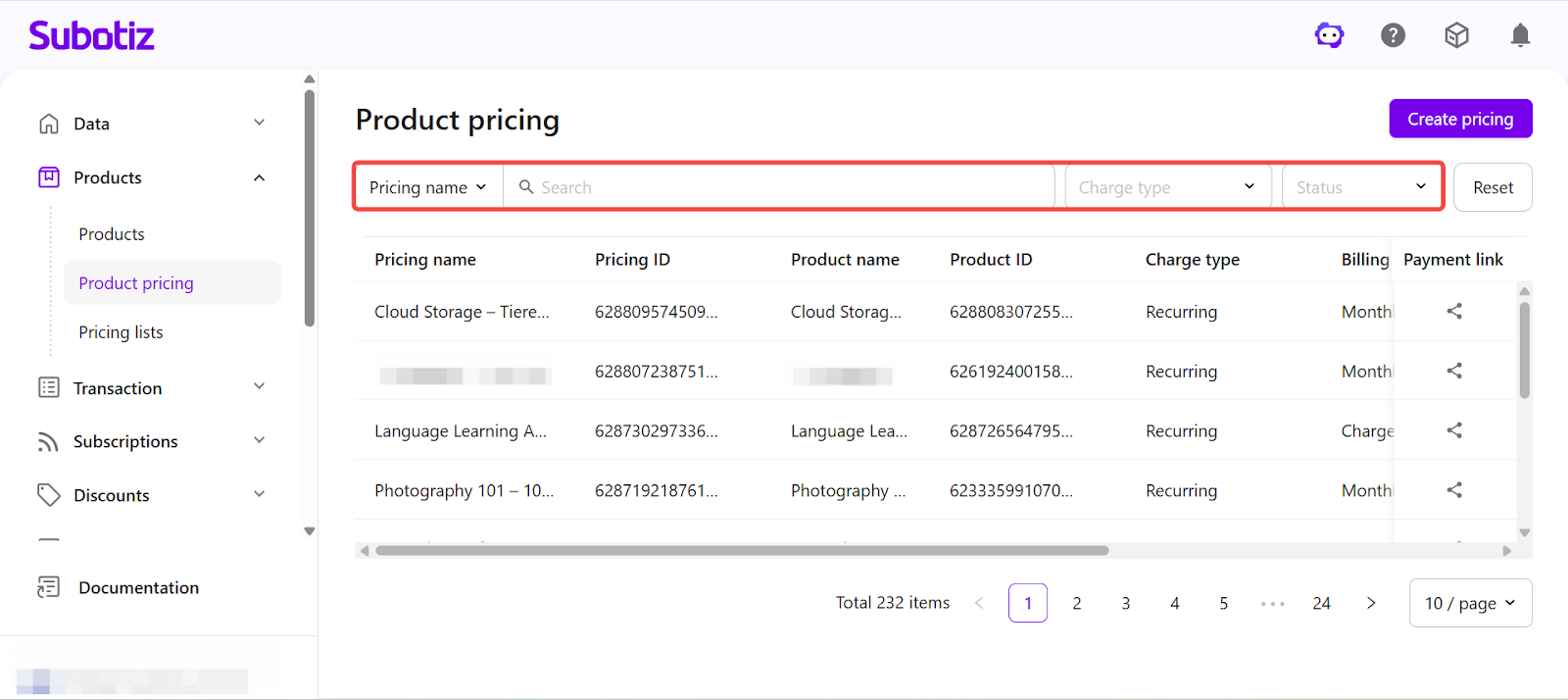
- Pricing status
- Active: The pricing plan is live and available for checkout and invoicing.
- Inactive: The pricing plan is not available for new checkout or invoices. Existing orders and subscriptions remain unaffected.
- Archived: The pricing plan is no longer available for new orders or checkout. It does not appear in the pricing list and cannot be found through search. Historical orders, subscriptions, and related data remain accessible.
Statuses can be updated based on business needs and do not affect existing orders or subscriptions.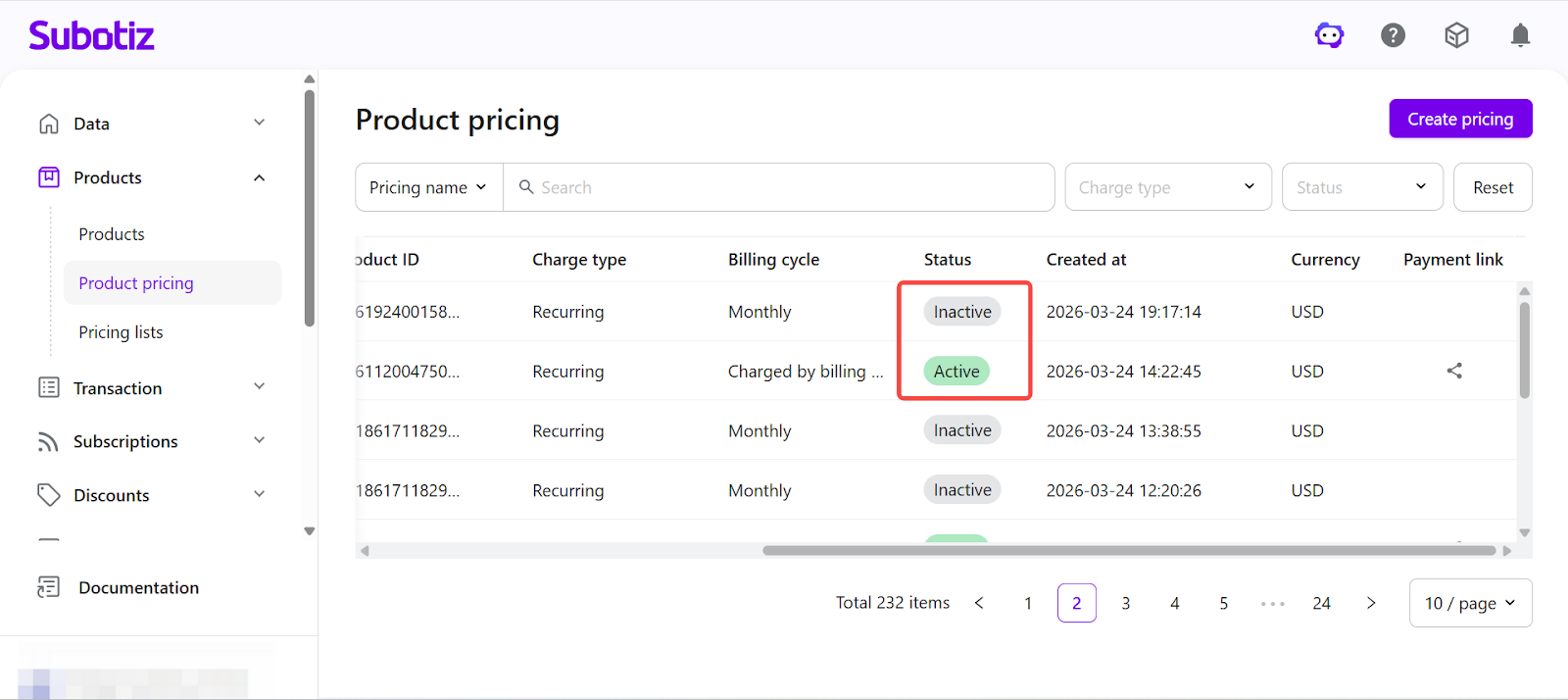
Viewing Pricing Details
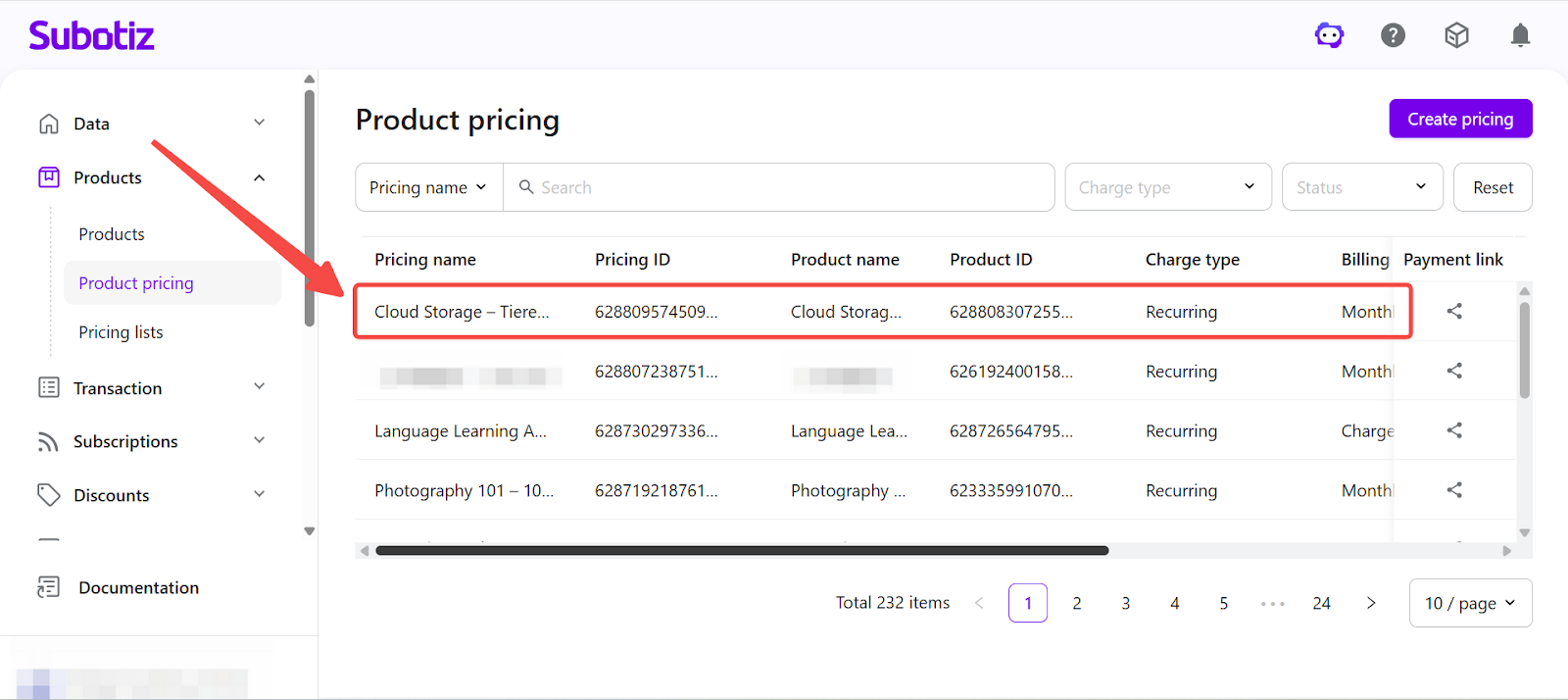
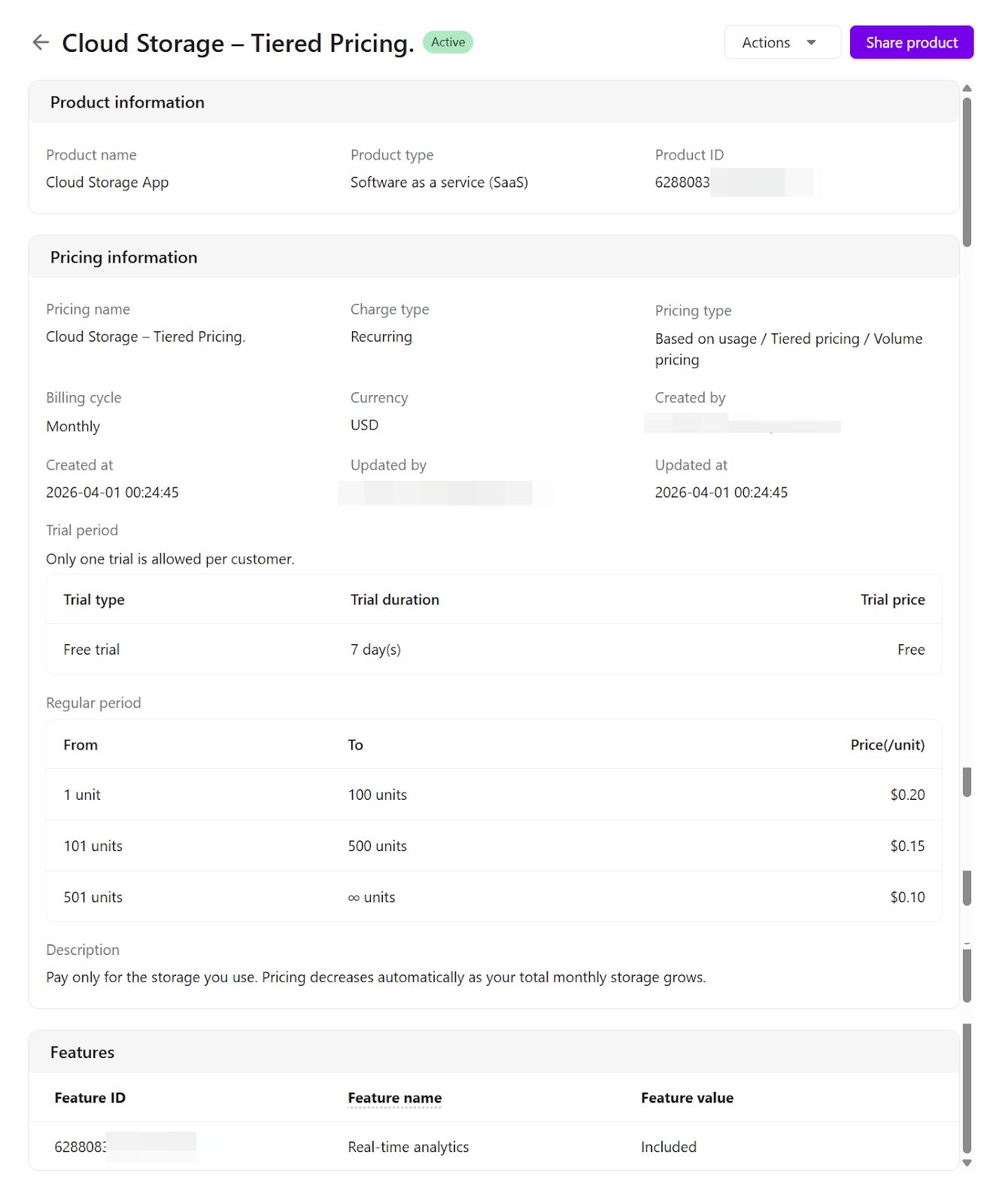
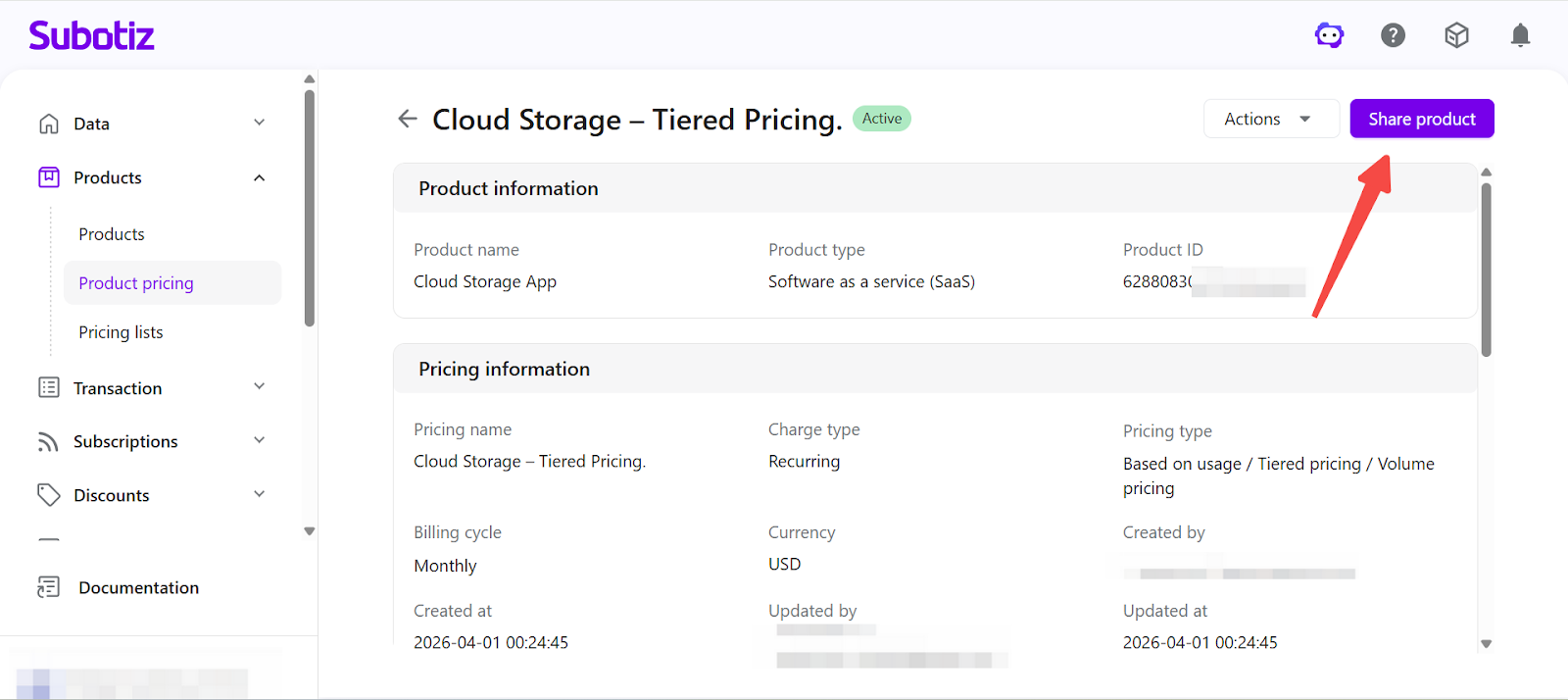
Click a pricing name to open its detail page and review the full configuration, including:
- Product information: Product name, type and ID.
- Pricing details: Pricing name, charge type, billing cycle, currency, pricing model, price or usage rules, creation time, and last updated time.
- Features: The features or access associated with the pricing plan.
Managing Pricing Plans
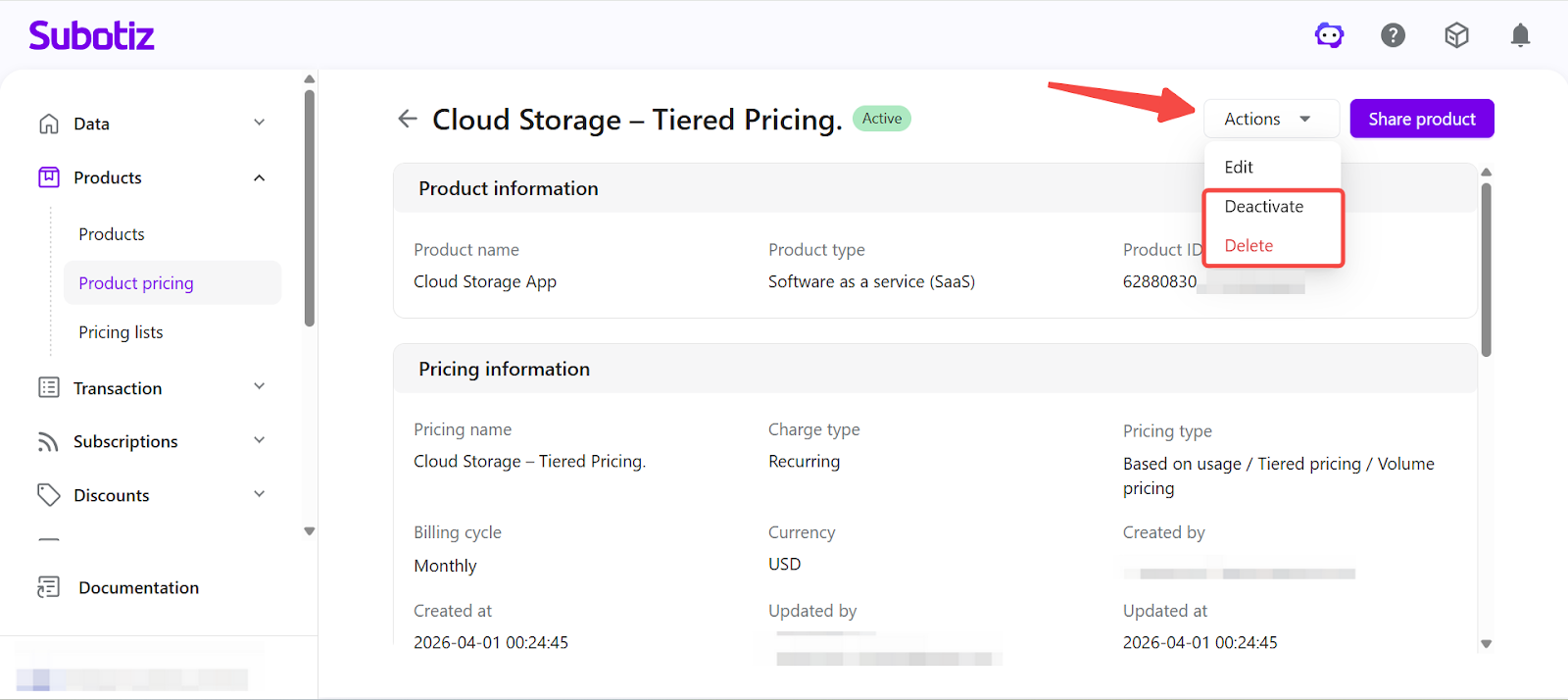
From the pricing detail page, use the Actions menu to manage the pricing plan:
- Edit: Updates the pricing configuration. If the pricing plan already has associated orders or subscriptions, a new price version (
price_version_id) is created. Existing orders and subscriptions continue using the original version, while new orders use the updated version. - Activate: Makes an inactive pricing plan immediately available.
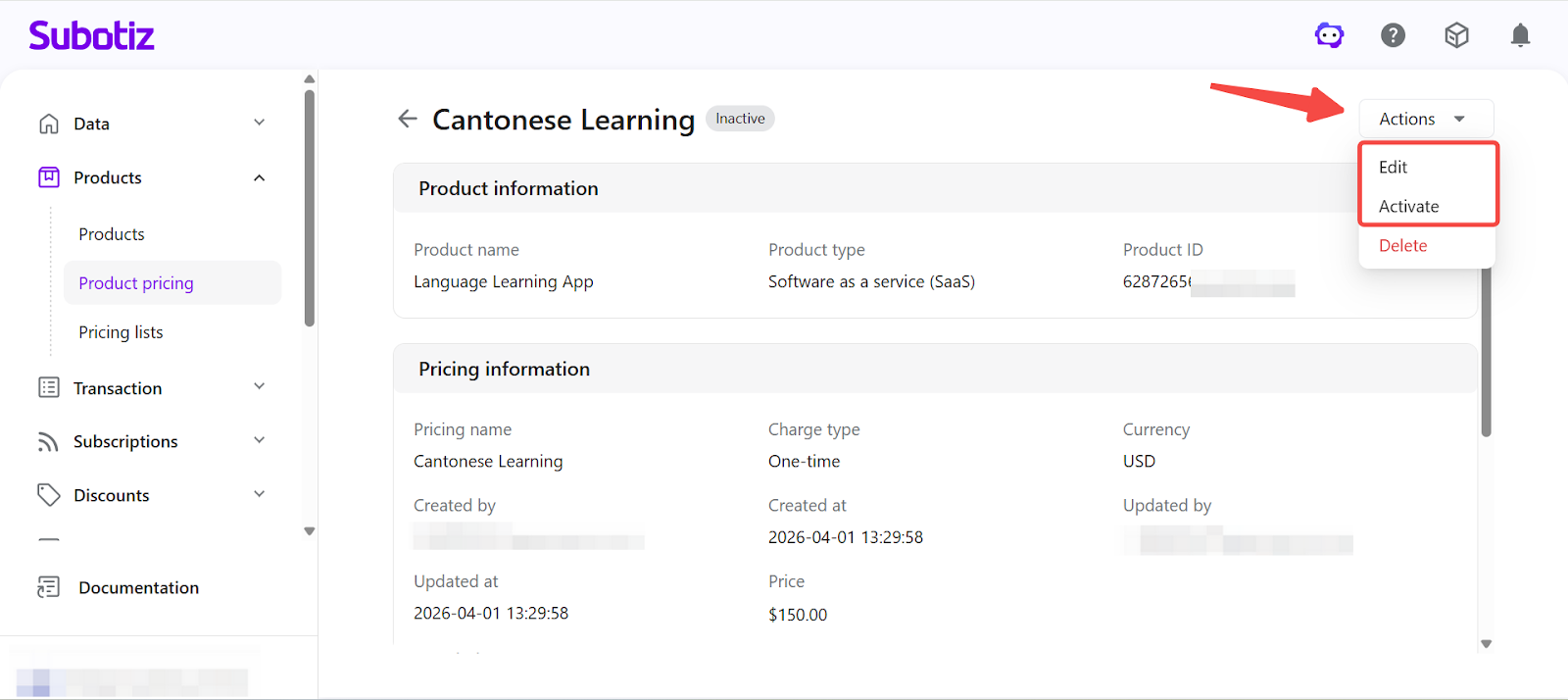
- Deactivate: Changes an active pricing plan to inactive.
- Delete: Archives the pricing plan. Archived plans are no longer available for new orders or checkout, do not appear in the default list, and cannot be found through search. Existing orders, subscriptions, and historical data remain accessible.
Generating Payment Links
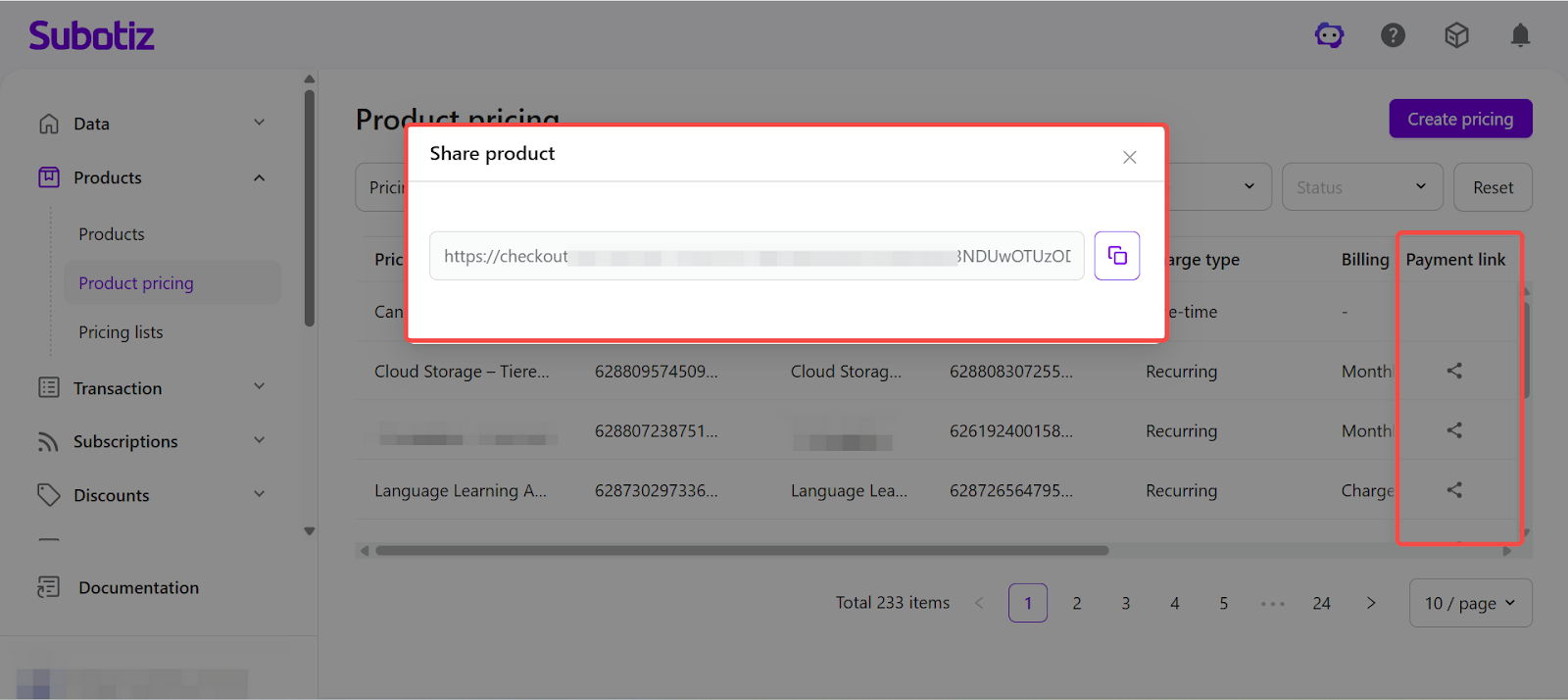
Payment links can be generated for a pricing plan using the Share Product feature, available from both the pricing list and the detail page. These links can be used for direct sales or distribution across external channels.
By centralizing pricing management in a single page, Subotiz enables merchants to maintain a clear and consistent pricing structure. Pricing configurations and statuses can be updated flexibly without impacting historical orders, subscriptions, or billing data.