The Product Pricing feature in Subotiz allows you to create a one-time payment plan to charge customers a single upfront fee. This setup simplifies checkout, eliminates recurring billing, and improves conversion for products such as digital goods, online courses, and consulting services.
Creating a One-Time Pricing Plan
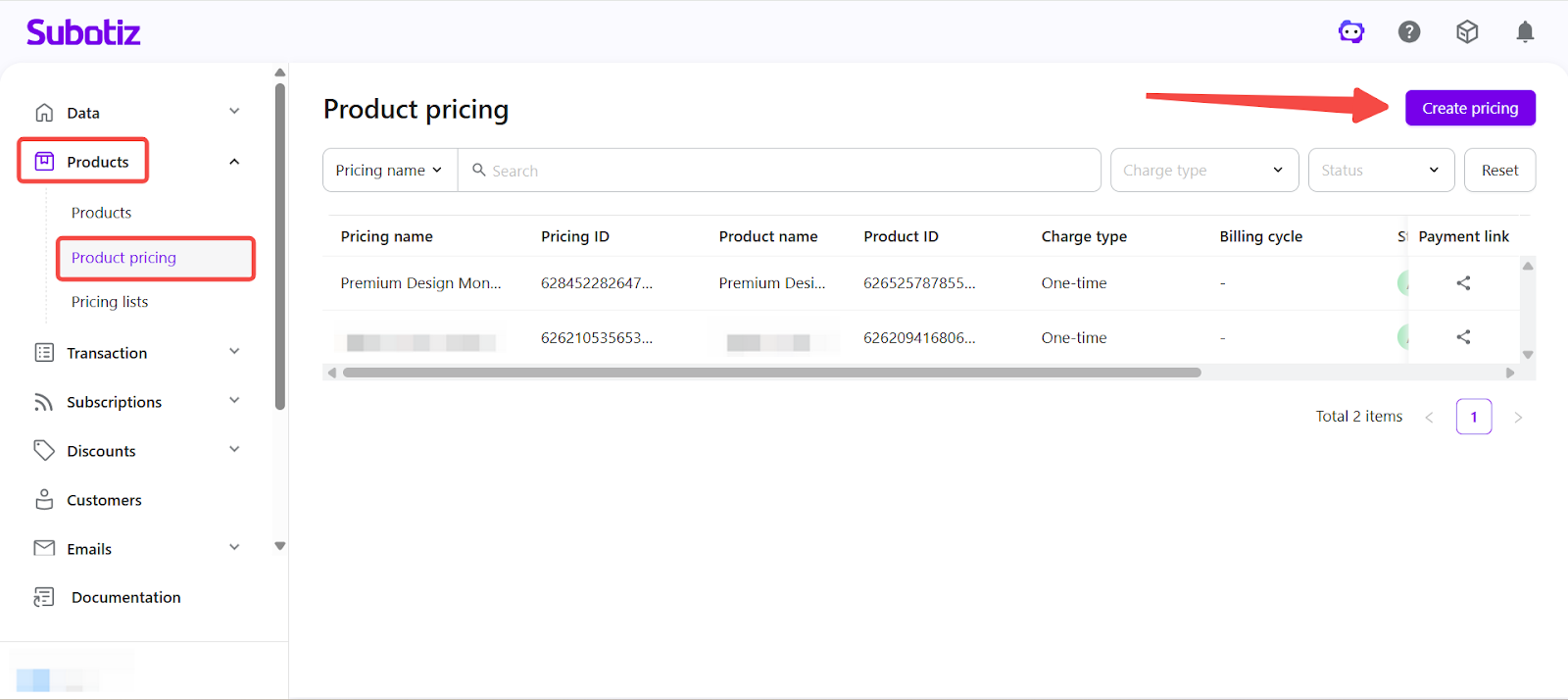
- Open the setup page: Go to Products > Product Pricing in the Subotiz admin and click Create Pricing.
-
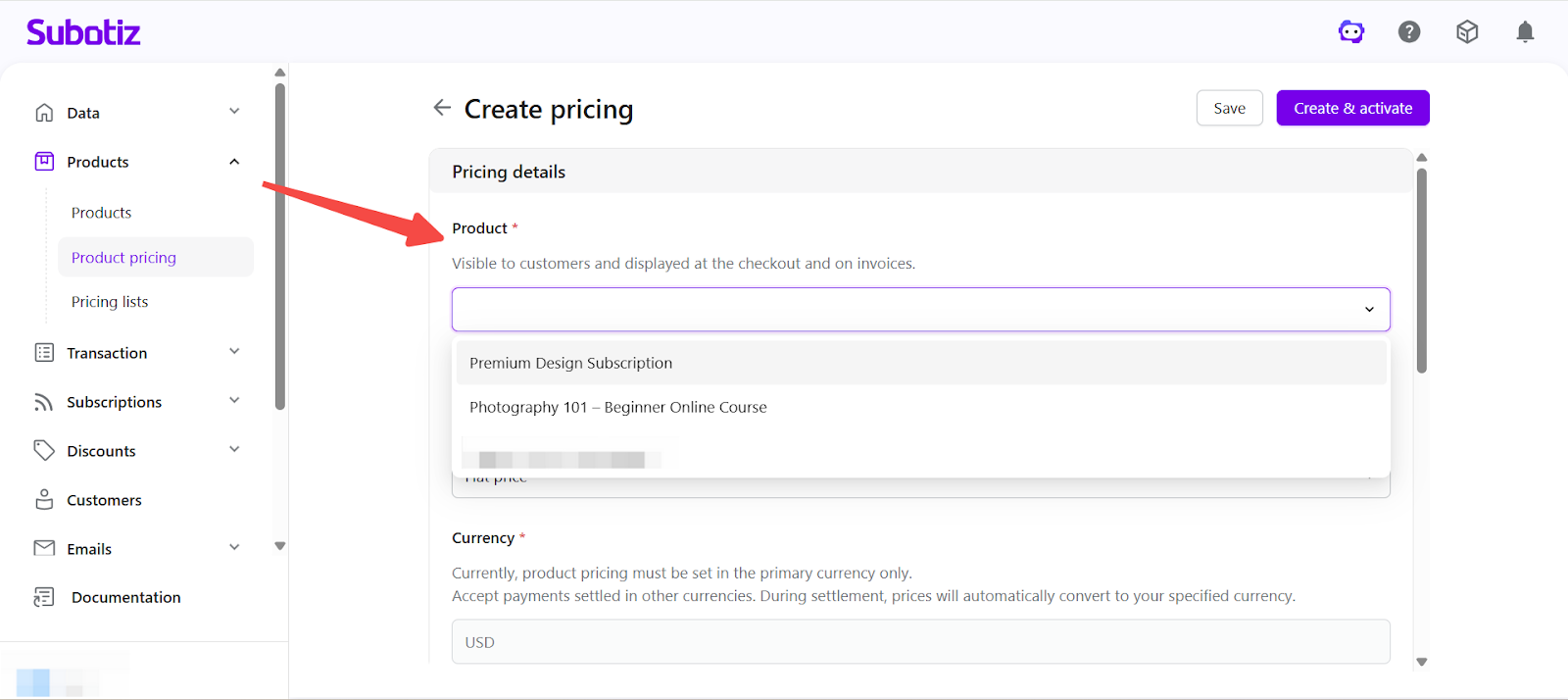
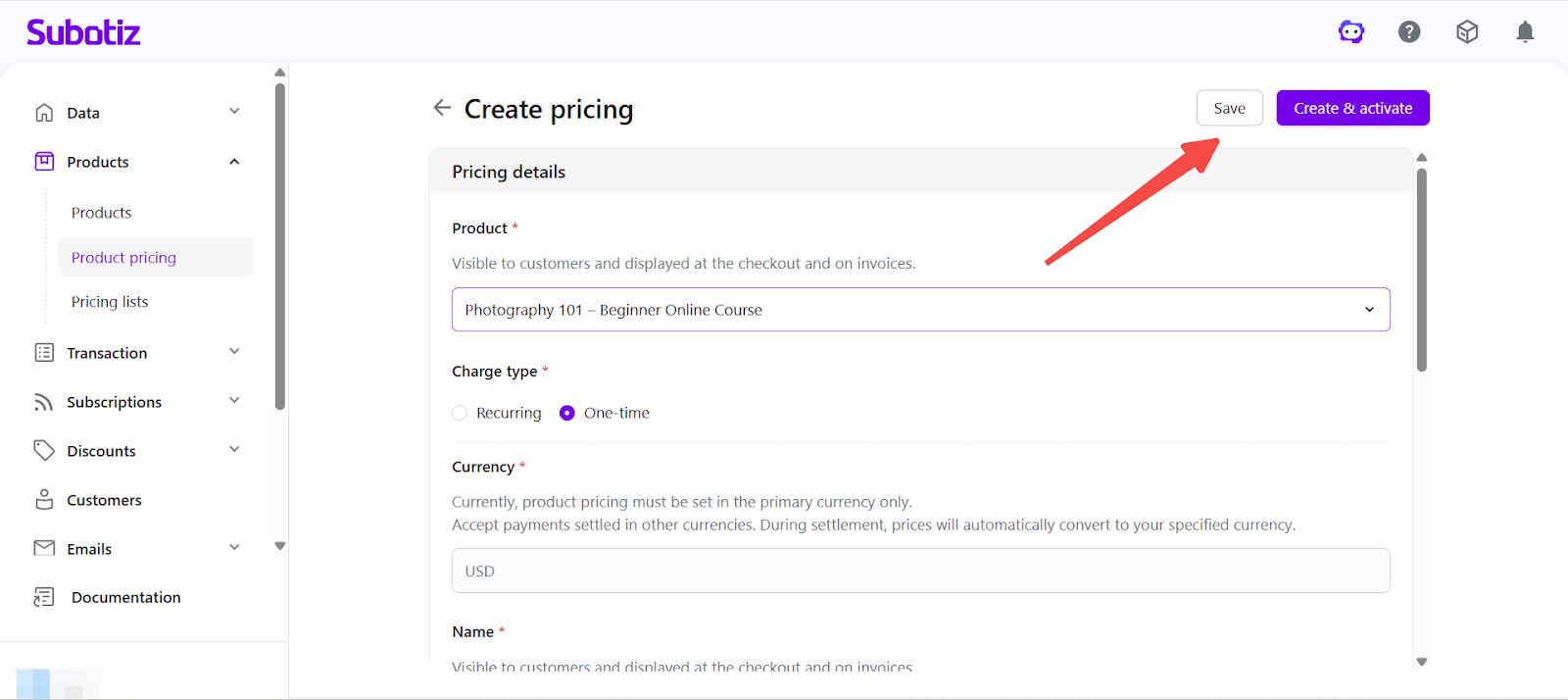
Select a product: Choose a product from the Product dropdown. Both active and inactive products are supported.
- Example: "Photography 101 – Beginner Online Course"
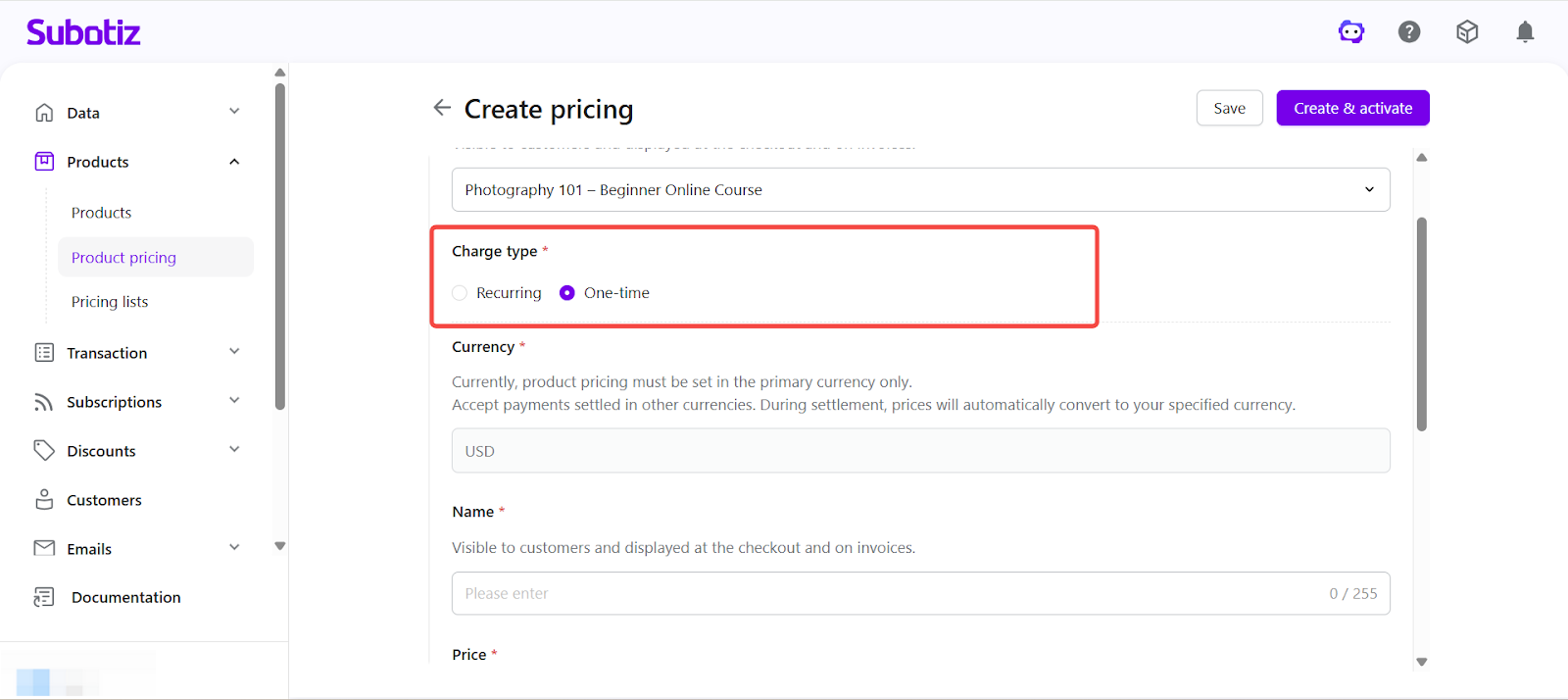
- Set charge type: In Charge type, select One-time payment. This option charges the customer once and does not create any recurring billing.
-
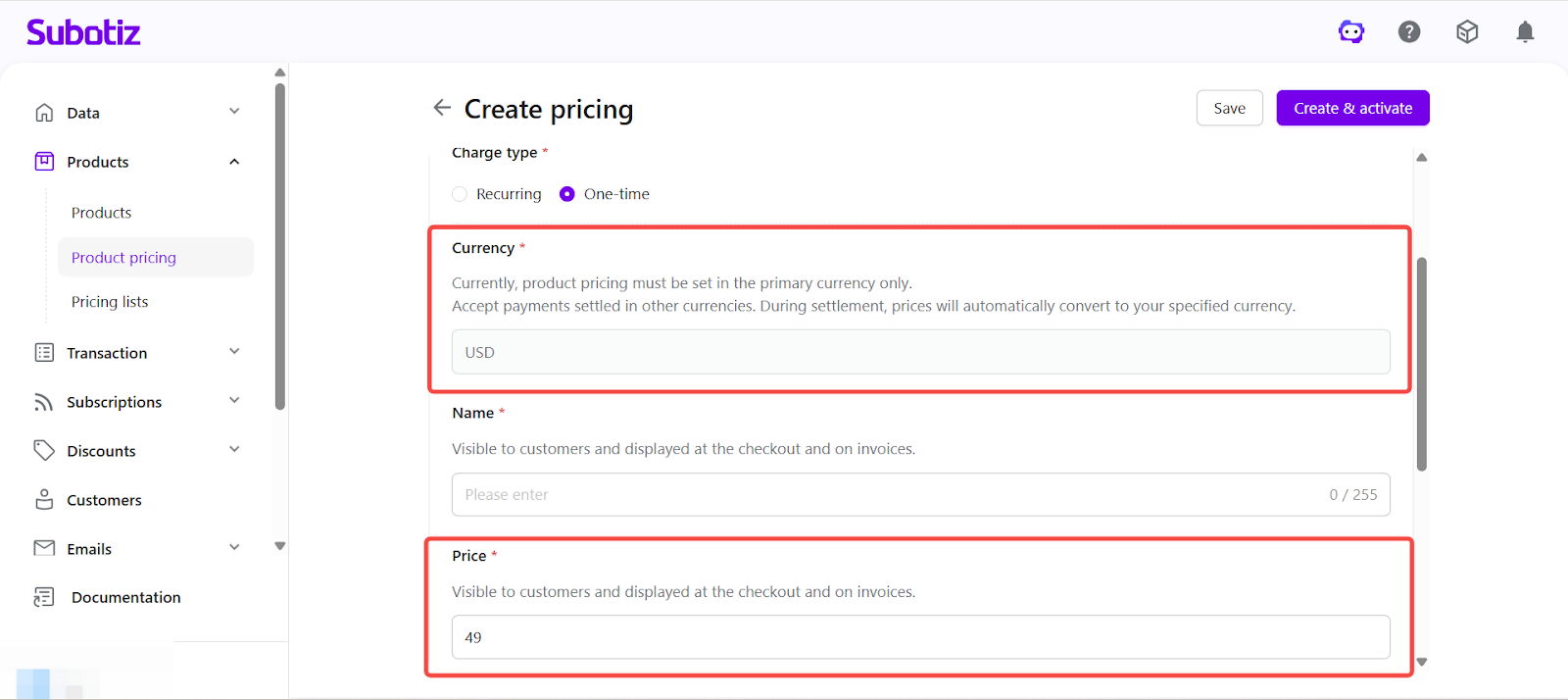
Set currency and price: Select a currency in Currency and enter the amount in Price. The system uses your store settlement currency by default. To accept payments in other currencies, specify the currency during checkout. Currency conversion is applied at checkout based on either a configured or real-time exchange rate. Learn more about Multi-Currency Payments and Settlement.
- Example: 49.00 (store settlement currency), includes full course access
-
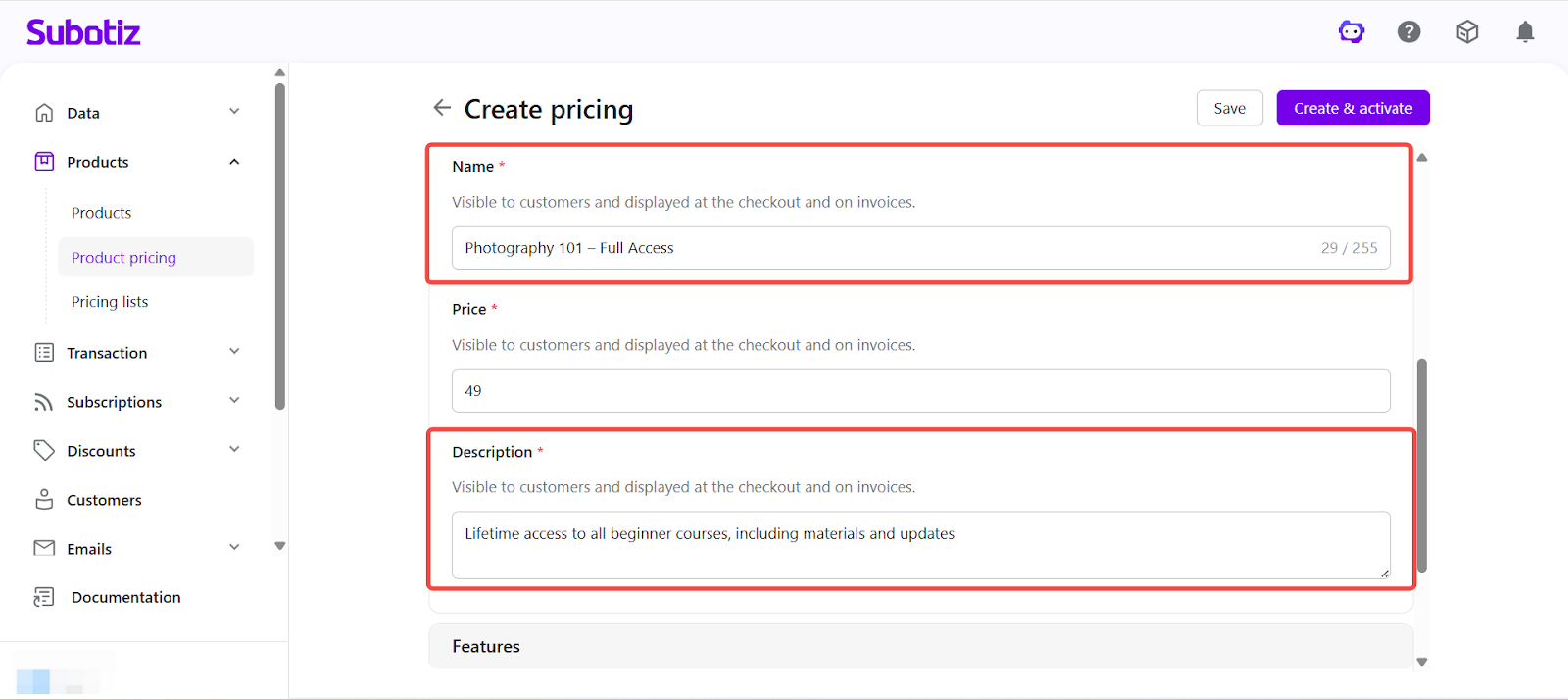
Enter name and description: Fill in the Pricing name and Description. These are displayed on the checkout page and invoices.
-
Pricing name: Use a clear and concise label.
- Example name: "Photography 101 – Full Access"
-
Description: Briefly explain what is included.
- Example description: "Lifetime access to all beginner courses, including materials and updates"
-
-
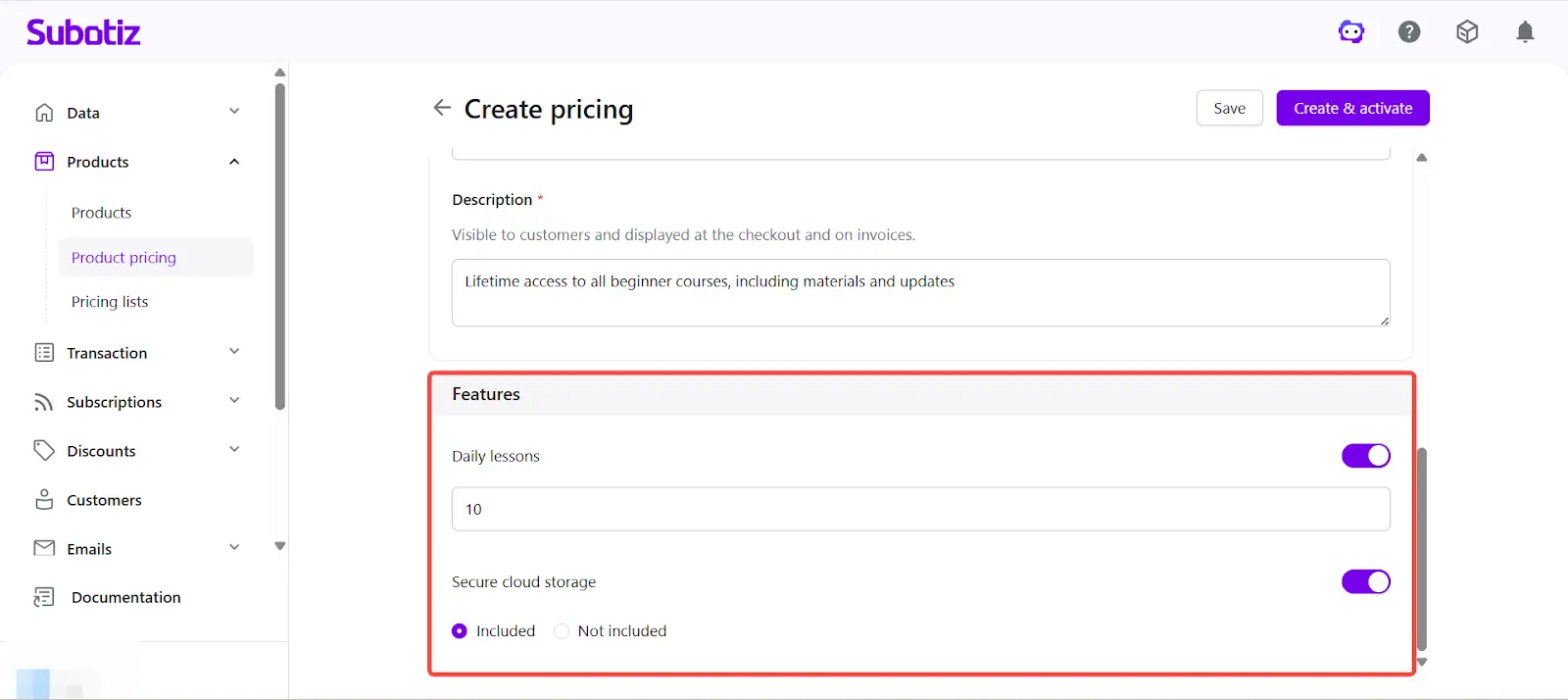
Configure Feature settings: Enable the required Feature options, such as course content, downloadable resources, or service access.
- Set usage limits for enabled features, such as number of views or downloads.
- For option-based features, select whether the feature is included.
-
Save or activate: Choose how to save the pricing plan:
- Click Save to create the plan in an inactive state for further editing.
- Click Create and activate to make the plan immediately available for checkout.
- If the selected product is inactive, the system prompts you to activate it. Confirm to activate both the product and pricing together.
Activation and Editing
- Activate a pricing plan: Click Create and activate to make the plan available immediately.
- Activate an existing inactive plan: Open the pricing detail page and go to Actions > Activate.
- Edit pricing: Open the pricing detail page to update configuration for both active and inactive plans.
- Versioning behavior: Update pricing after transactions to trigger a new version. The system preserves historical data and applies updates only to new orders.
- Manage lifecycle: Activate or deactivate pricing as needed. A confirmation prompt appears before deactivation.
Checkout Display
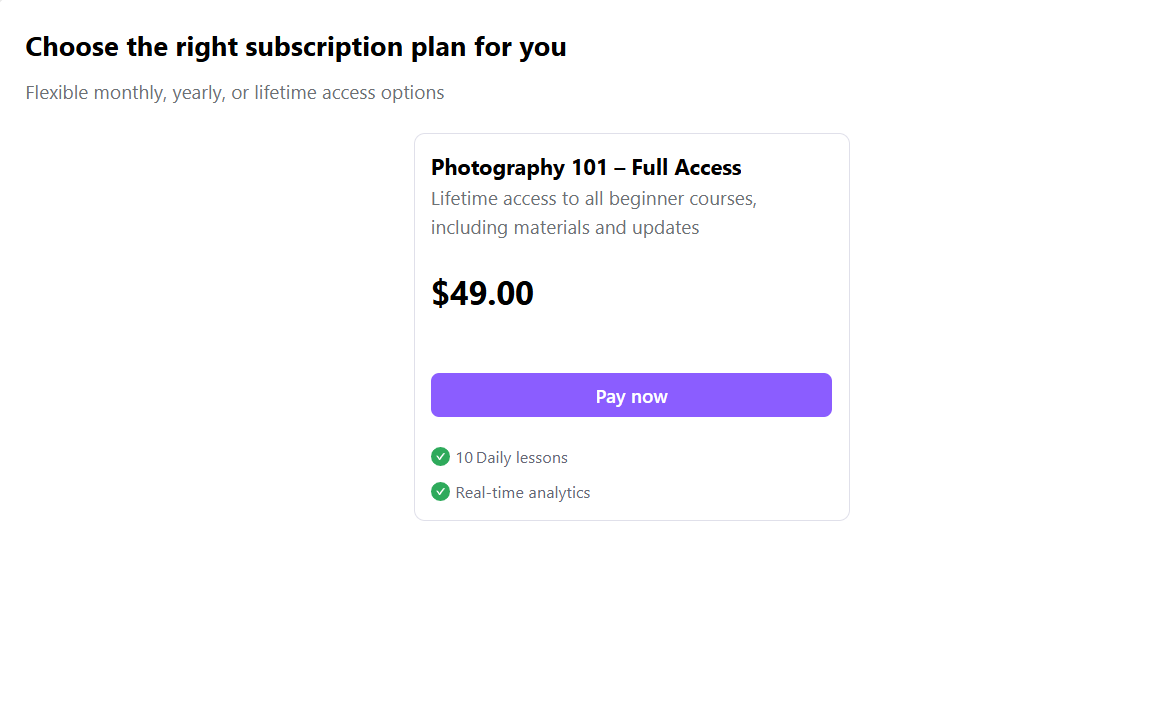
On the checkout page, customers see the pricing name, description, and one-time payment amount. This helps them quickly confirm the purchase before completing payment.
Checkout Behavior
After payment:
- The full amount is charged immediately.
- No recurring billing is created.
- The order is completed once payment is successful.
A one-time payment plan allows you to charge customers once without recurring billing. It is ideal for digital products and services, helping you create a clear pricing structure and improve checkout conversion.